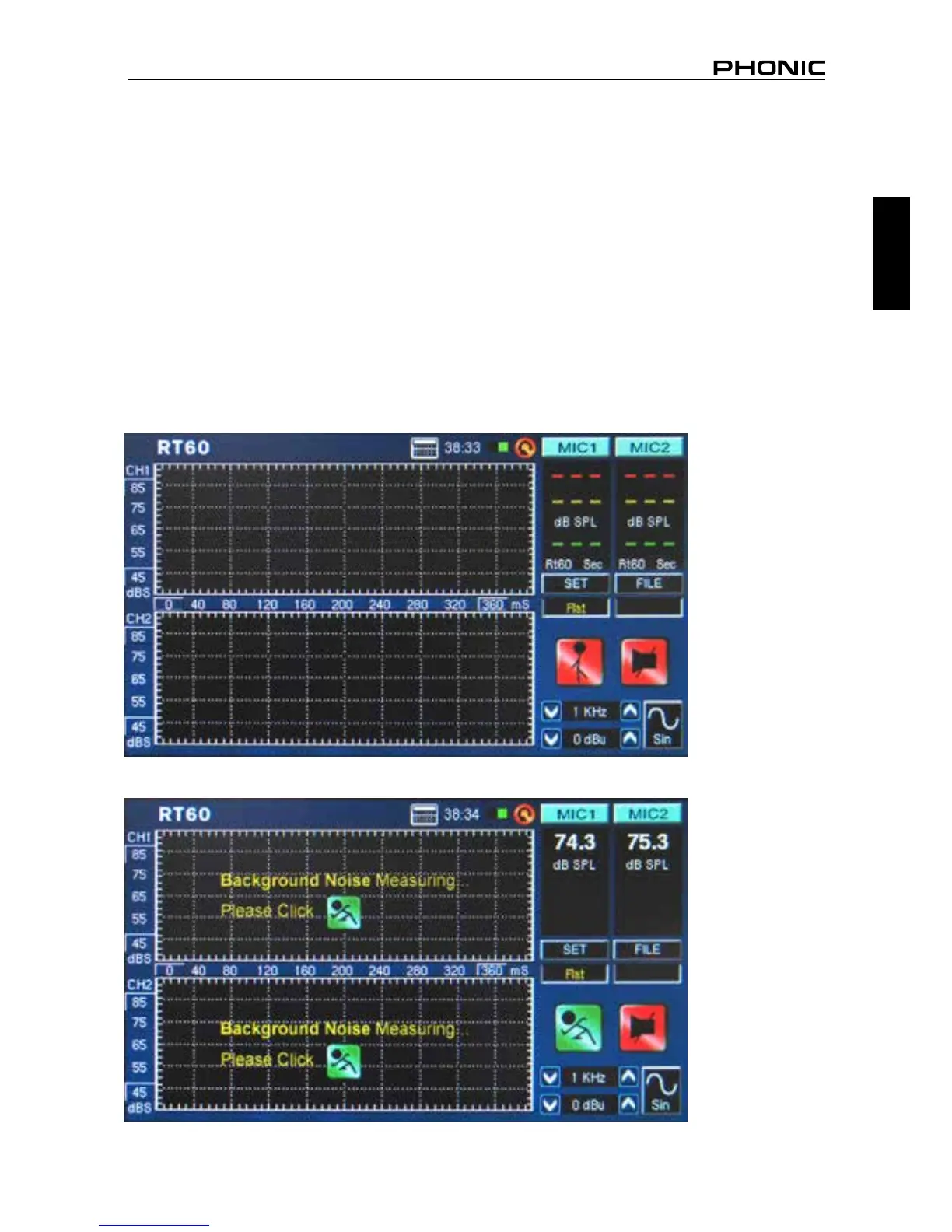
Reverb Time (RT60)
The RT60 function gives the decay time of any signal. The decay time is the time that it takes for a signal
to diminish 60 dB below the original sound. This can be done with entirely no ltering (at weighting) or
with ltering imposed (A, B or C weighting). The RT60 calculations can also be made with no frequency
ltering active (meaning the reverb time will be calculated for all frequencies, 20 Hz to 20 kHz) or with
a 1 octave lter imposed (the frequency of which can be selected from 10 preset values).
Working out the average of many different RT60 readings from around a room allows users to get an idea
as to how much absorption or reection of audio the room provides. Depending on your needs, you may
wish to have a high or low RT60 measurement. For example, for public speaking, an RT60 measurement
of less than 1 second is preferable, as to have a clear, concise voice conveyed to the audience. With choirs
or instrumental music, an RT60 measurement of greater than 1.5 seconds may be appropriate.
Measuring Reverb Time:
1. Enter the RT60 function.
2. Select “RUN/STOP” to allow the PAA6 time to calculate the background noise (gure 37).
figure 36
figure 37


 To Next Page