Meter
The meter function can take calculations in dB SPL (through the built-in microphone), dBu, dBV or
Volt (through the line inputs). The SPL function provides users with the overall ‘loudness’ of their input
signal and can be accessed by simply selecting ‘Mic In’ as the desired input source. The dBu, dBV
and Volt measurements can be taken through the line inputs, and give visual representations of their
respective levels.
Taking SPL measurements:
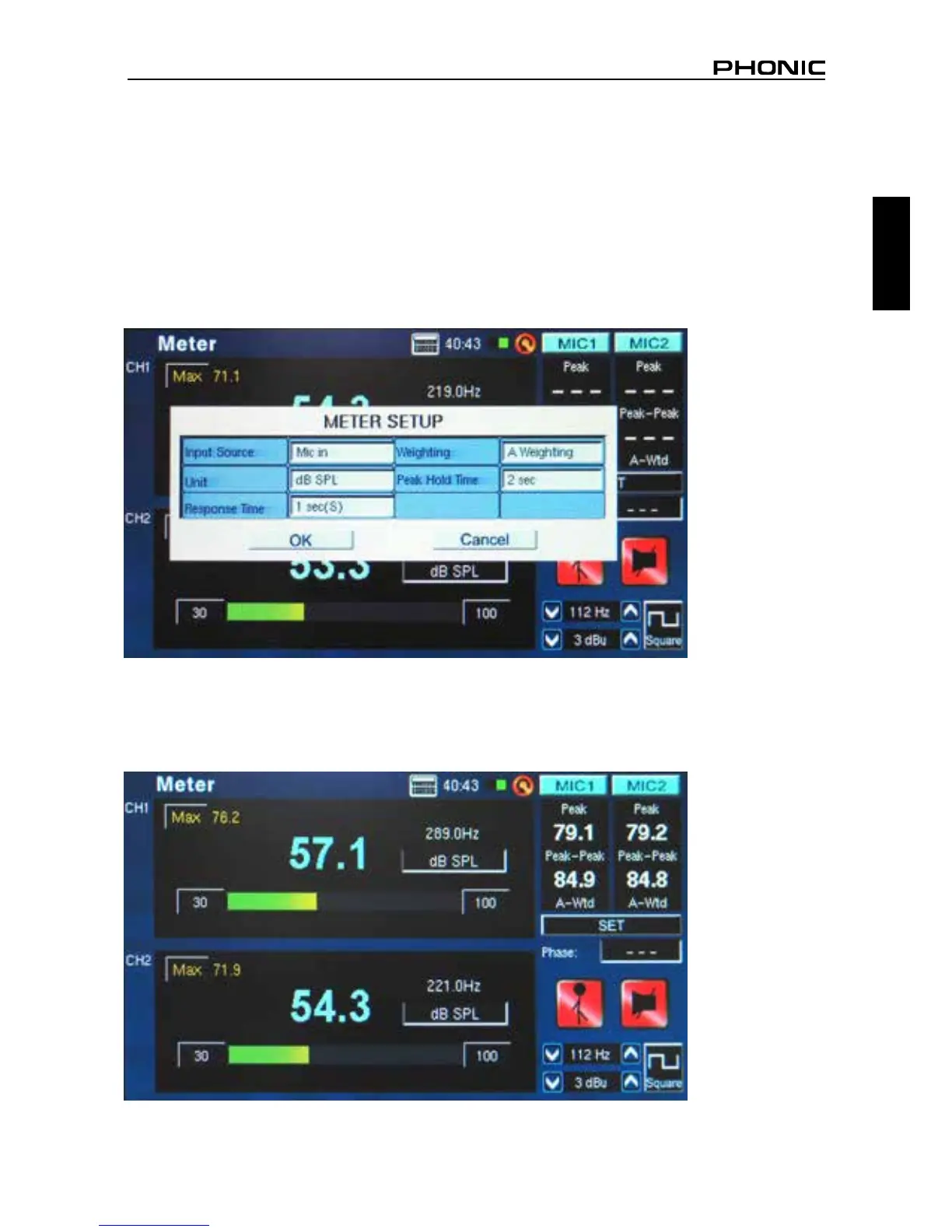
1. Enter the SET menu within the Meter function (gure 46).
2. Select “Mic in” as your input source. The unit will automatically be set to dB SPL (gure 46).
3. Also in the settings menu, users can choose the response time, weighting and peak hold (gure 46).
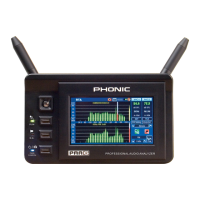
4. Return to the meter by clicking “OK” (gure 47).
figure 46
figure 47


 To Next Page