MEMORY
The PAA6’s RTA, FFT and RT60 functions allow you to save and recall your read-outs. These can
be saved on either an external SD card, or on the PAA6’s internal memory (of which there is 100MB
available). Users can also load or delete their previously stored measurements.
Save:
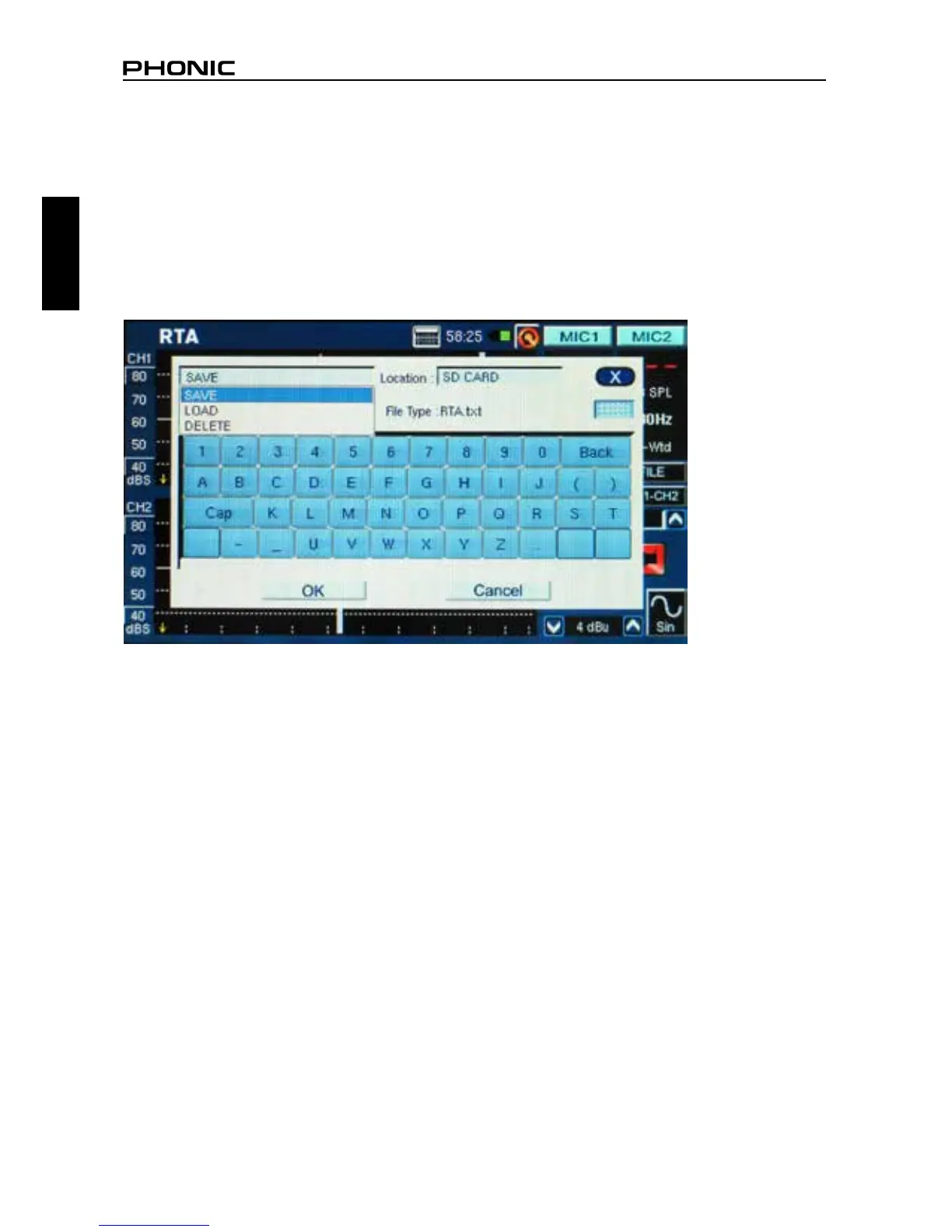
1. In any function where readings can be saved, select the small “FILE” icon to the right of the page.
2. Select SAVE from the pull-down menu on the top left of the page (gure 60).
3. Choose the appropriate location for your save le (from either the PAA6 or an SD card) (gure 60).
4. Select the small keyboard icon to the right of the window (gure 60).
5. Enter a title for your save le.
6. Push OK to save the le.
7. Save your readings quickly using the on screen display. On the right hand side of the screen there
is a window that reads “Memory” followed by a slot number (0, 1, 2, 3, and so forth). Push the up
and down arrows to change the memory number, click the memory slot name to save. Red text
indicates that data has already been written to that slot; green indicates a free slot.
figure 60


 To Next Page