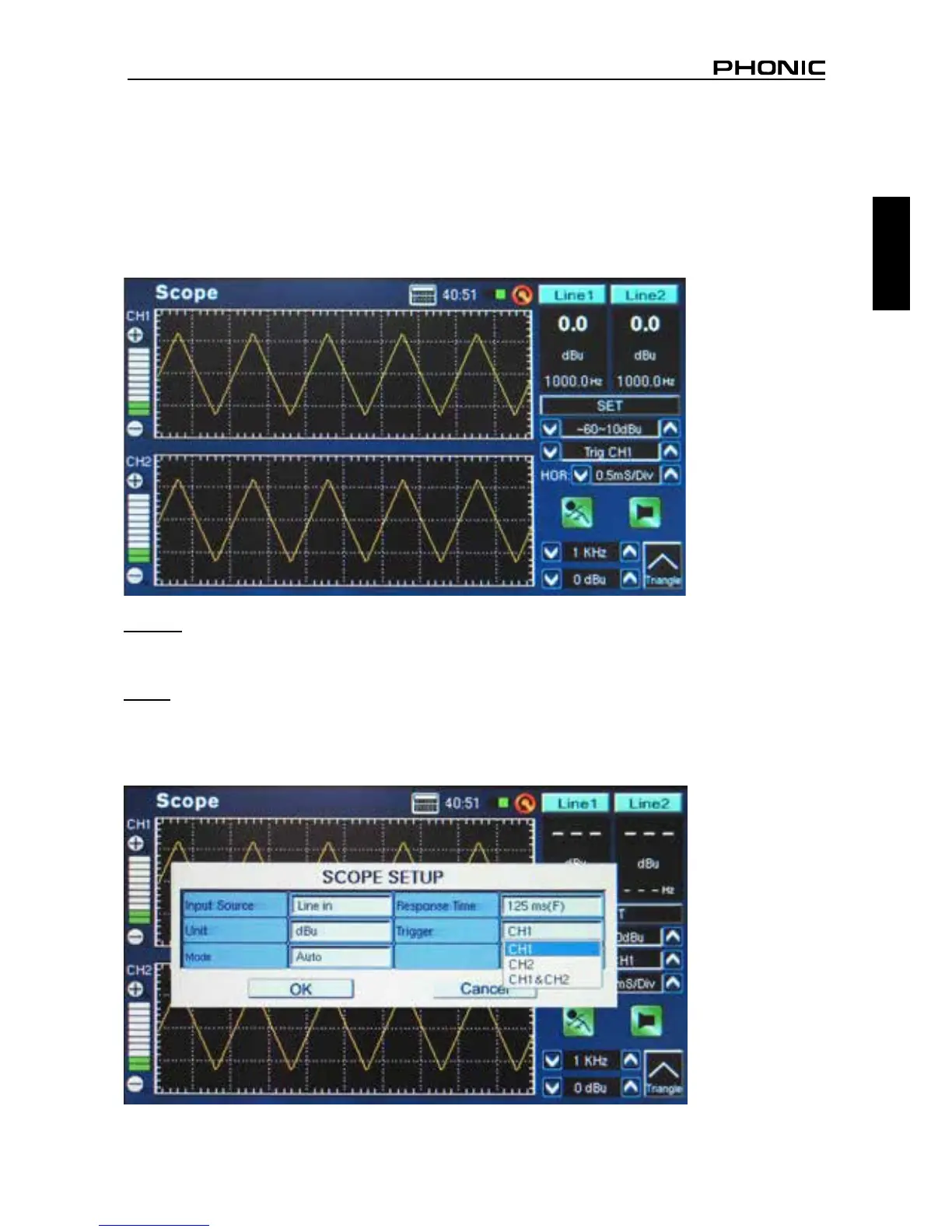
3. Play a signal through the PAA6’s microphone or line inputs (depending what was selected in point
1 above).
4. Signals such as sine waves, triangle waves, square waves, etcetera, will appear as you would
expect. If the appearance of these waves seems cluttered or out of focus, you may need to adjust
the HOR (horizontal time) option, found on the right-hand side of the display window (gure 55).
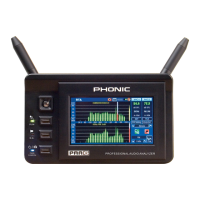
Trigger: Users can select channel 1, channel 2 or both as the Scope’s trigger (see gure 55). Setting the
trigger on one of (or both of) the channels allows users to better read the results of repeating waveforms
without them moving excessively.
Mode: The trigger mode of the Scope function (found in the SET menu) can be selected between Auto
and Normal. An auto trigger will be updated constantly, whereas a normal trigger mode will hold the
waveform even after the test signal is no longer present. This is useful in allowing users to still read
the waveform after the signal generator is turned off.
figure 54
figure 55


 To Next Page