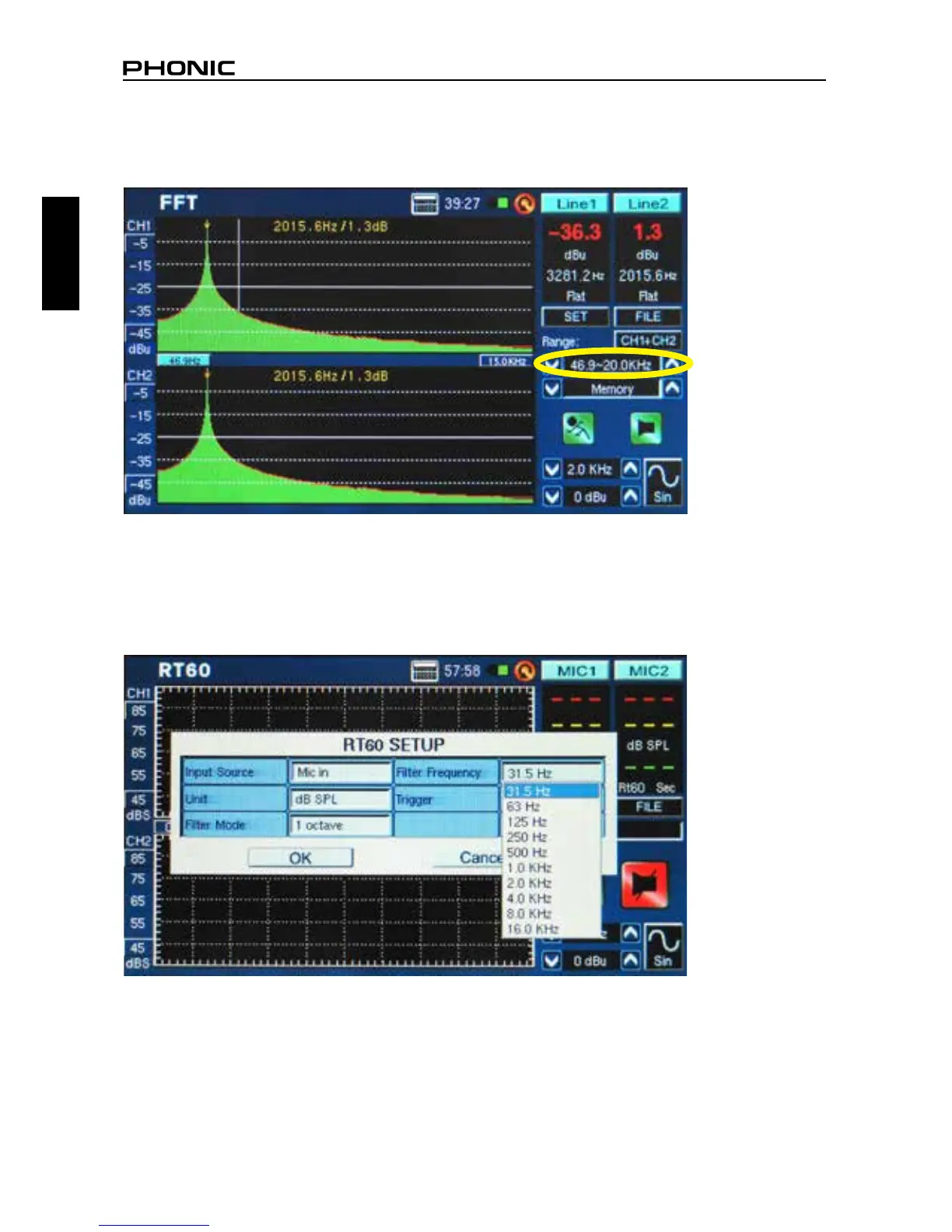
10. Frequency Range (gure 64) – The frequency range is selectable on the FFT function only. There
are 13 different frequency ranges selectable to users. This allows the FFT function to measure frequen
-
cies anywhere between 0.2 Hz to 20 kHz.
11. Filter Mode/Frequency (gure 65)– On the RT60 function, this setting allows users to select one of
the preset frequencies to calculate their RT60 measurements. Even after performing an RT60 calcula
-
tion under the ‘at’ frequency lter mode, users can enter the settings menu to add a 1 octave lter at
31.5 Hz, 63 Hz, 125 Hz, 250 Hz, 500 Hz, 1.0 kHz, 2.0 kHz, 4.0 kHz, 8.0 kHz or 16.0 kHz to view the
reverb time results under these frequencies.
figure 64
figure 65


 To Next Page