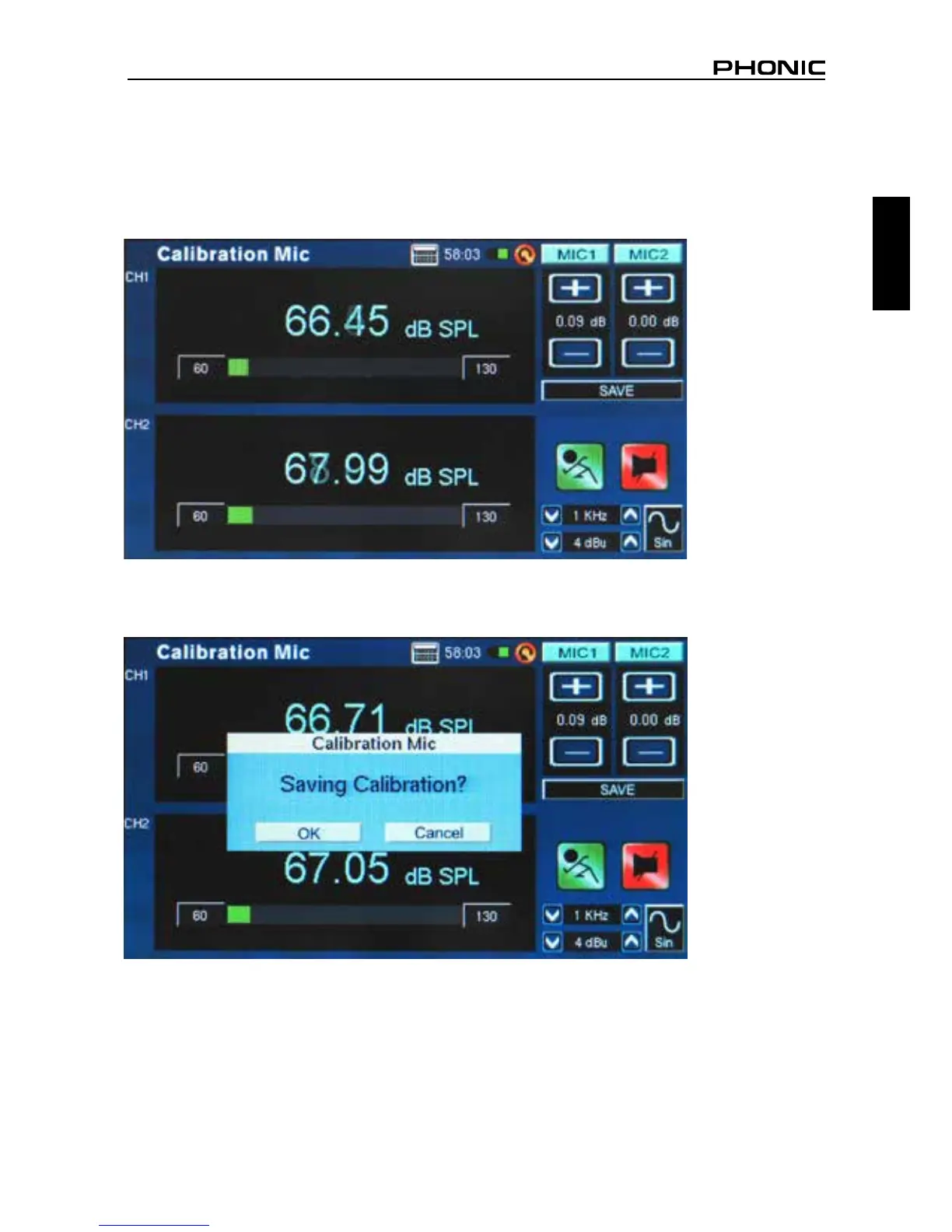
4. Adjust the level measured from the SPL calibrator by pressing “+” and “–“ buttons until the level is
equal to that of the sound level calibrator (typically 94 dB). Pressing the “+” button each time will
increase the value by 0.1dB; pressing the “–“ button each time will decrease the value by 0.1 dB
(gure 70).
5. Press the SAVE button to complete the calibration (the PAA6 will restart in this case) or the BACK
button to exit without saving. (gure 71 shows the saving calibration conrmation screen)
figure 70
figure 71


 To Next Page