1111
IT-EN
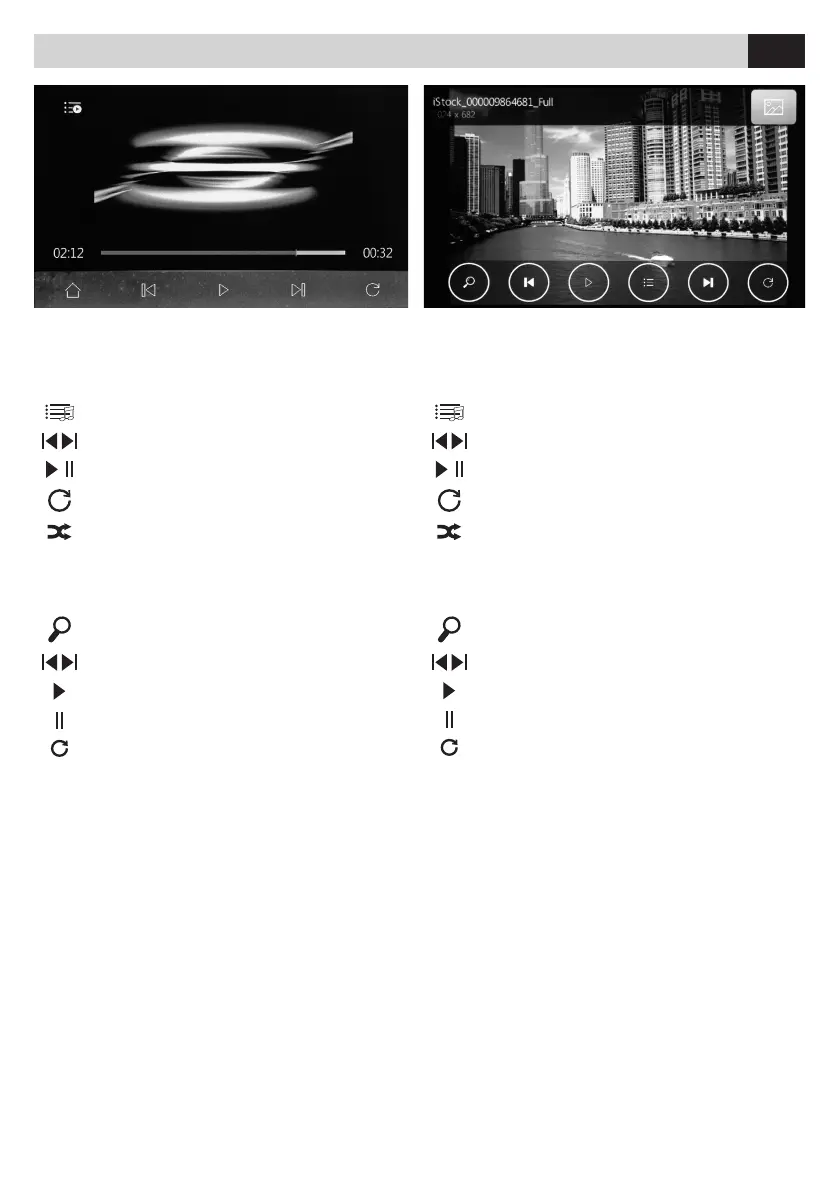
FUNZIONI USB - Riproduzione video
Toccare lo schermo quando l’immagine è in riprodu
-
zione per aprire il menù video.
Torna all’elenco le video.
Traccia precedente o successiva.
Avvia riproduzione o mette in pausa.
Ripeti un brano o cartella.
Riproduzione casuale.
FUNZIONI USB - Riproduzione immagine
Toccare lo schermo quando l’immagine è in riprodu
-
zione per aprire il menù video.
Ingrandisce l’immagine (Zoom)
Traccia precedente o successiva.
Avvia riproduzione.
Ferma riproduzione
Ruota immagine.
USB FUNCTIONS - Image playback
Touch the screen when the image is displayed, in
order to open the video menu.
Maximize the image (Zoom)
Previous or next track.
Start playback.
Stop playback
Rotate the image.
USB FUNCTIONS - Video playback
Touch the screen when the image is displayed, in
order to open the video menu.
Back to the video les list.
Previous or next track.
Start or pause playback.
Repeat a track or a folder.
Random playback.
Riproduzione multimediale • Multimedia playback USB
IT EN



 To Next Page