10
IT-ENRiproduzione multimediale • Multimedia playback USB
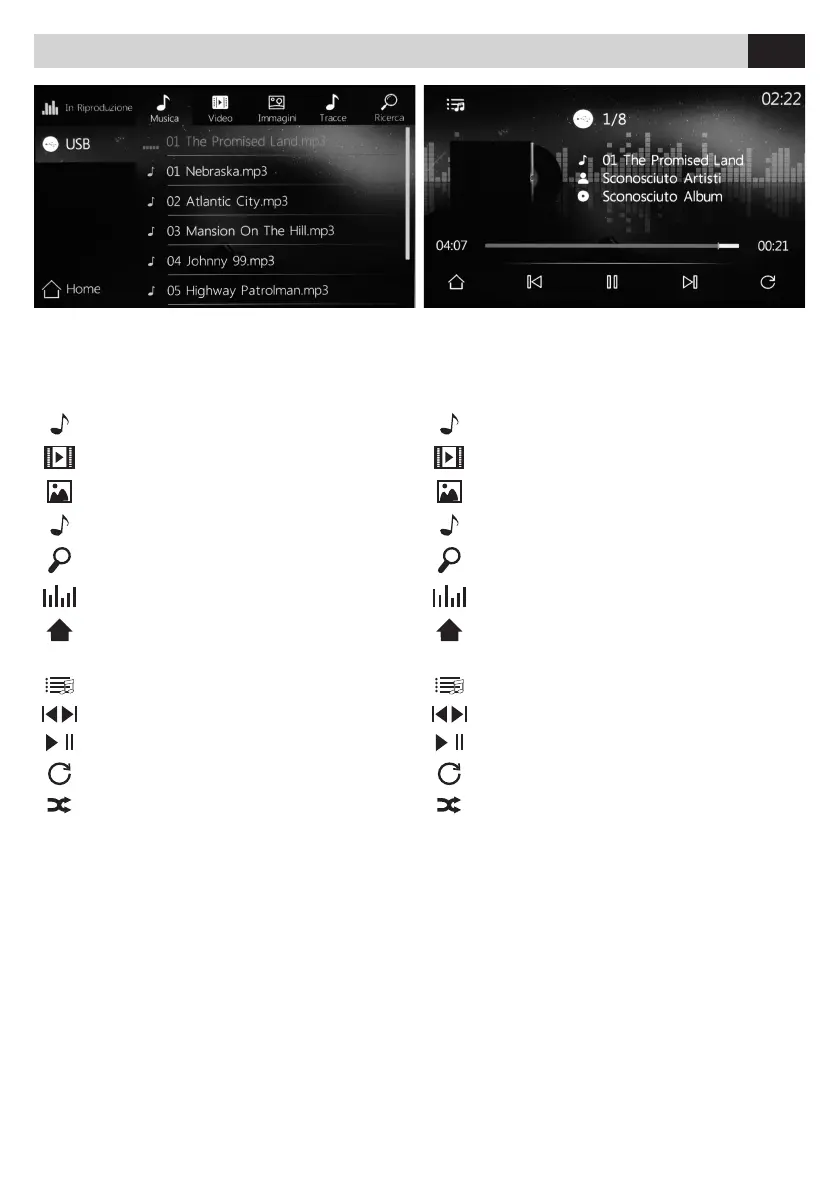
All’inserimento del supporto USB verrà visualizzato il
contenuto sullo schermo. In presenza di brani musicali
la riproduzione partirà in automatico. Selezionare il tipo
di le da riprodurre tramite l’icona relativa.
By entering the USB support, the content will be displayed
on the screen. If music tracks are available, the playback
will start automatically. Select the type of file to be played
via the related icon.
IT EN
MUSICA
VIDEO
IMMAGINI
TRACCE
RICERCA
In riproduzione
Torna al menù principale.
FUNZIONI USB - Riproduzione musica
Torna all’elenco le audio.
Traccia precedente o successiva.
Avvia riproduzione o mette in pausa.
Ripeti un brano o cartella.
Riproduzione casuale.
MUSIC
VIDEO
IMAGES
TRACKS
SEARCH
Playing
Back to main menu.
USB FUNCTIONS - Playing Music
Back to the audio les list.
Previous or next track.
Start or pause playback.
Repeat a track or a folder.
Random playback.



 To Next Page