Factory Reset 18
To return a PS1 Speaker to its original factory
state, follow these instructions. This will delete
any saved Bluetooth and Wi-Fi connection
information.
1. Ensure that the unit is fully powered on.
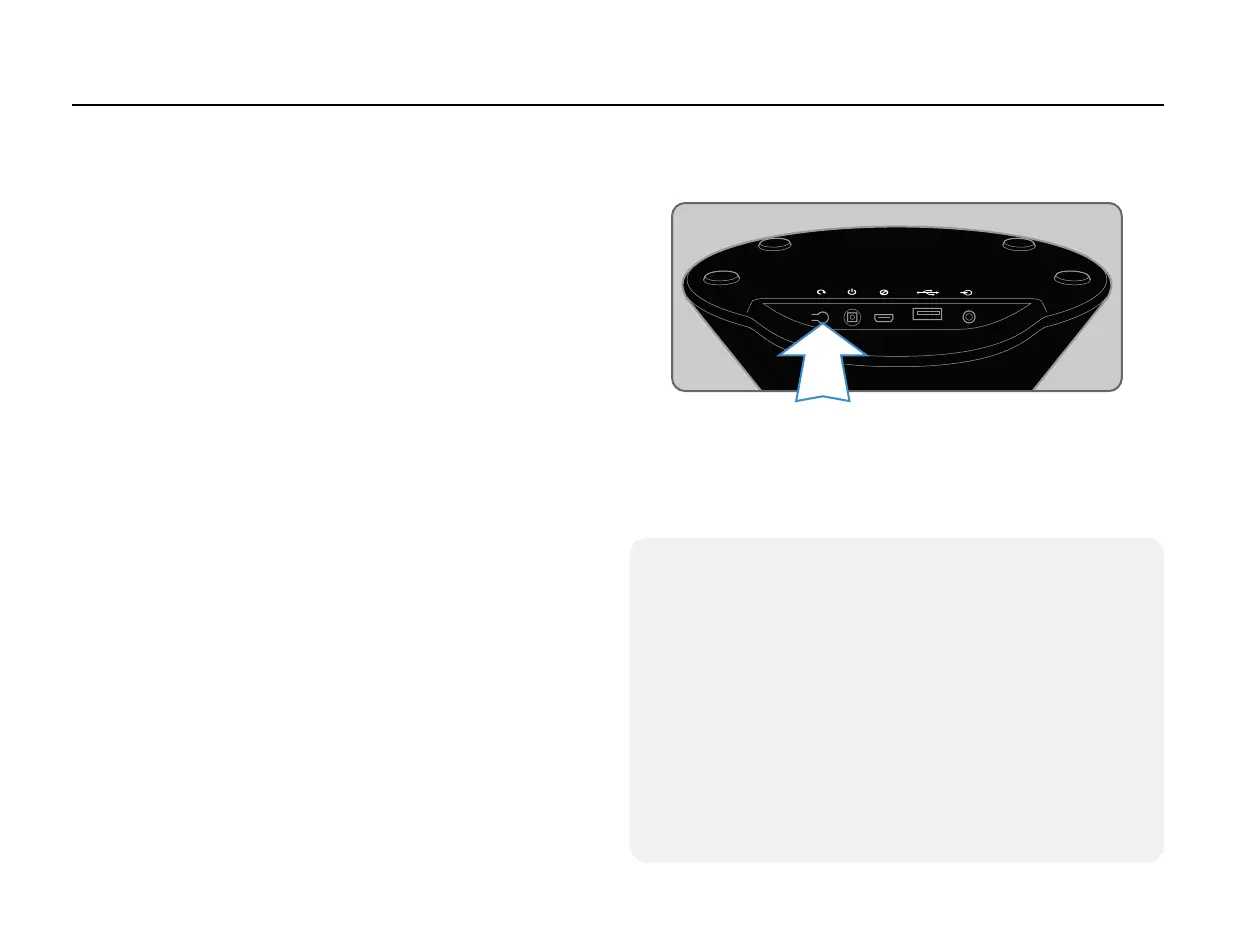
2. Locate the Reset button on the back of the
unit.
3. Press and hold the reset button until you
hear two consecutive chimes (approximately 5
seconds).
4. The unit will restart and enter Standard Wi-Fi
Setup mode after 20 seconds.
Factory Reset
Reset Tips
• Use a sturdy, pointed object to press the button
rather than your nger.
• The button requires a moderate amount of pressure
to press.
• If you hear a single chime immediately after pressing
button, the unit has performed a simple Hard Reset,
which is the equivalent of powering the unit off and
then on again. You will need to wait until the unit fully
powers again (20 seconds) before attempting the
Factory Reset procedure a second time.


 To Next Page