Changing Setup Options
LIFEPAK 1000 Defibrillator Operating Instructions D-7
©2018 Physio-Control, Inc.
How to Enter and Delete Device Information
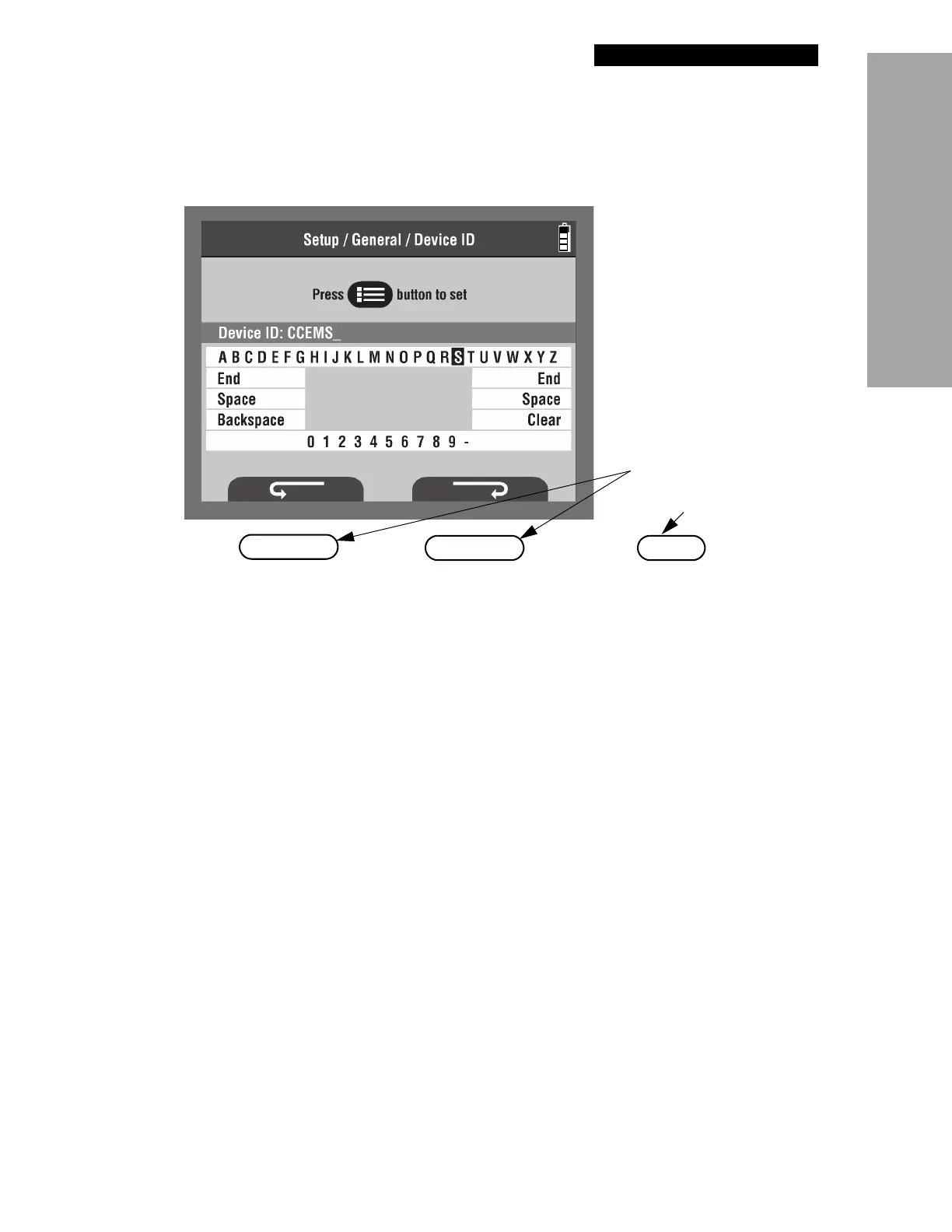
Figure D-4 shows the Device ID screen used to enter device information into the defibrillator.
Figure D-4 Device ID Screen
To enter device information:
1 Use the softkeys under the clockwise and counterclockwise arrows to navigate to the
character or number you want to enter.
Note: Pressing the clockwise arrow moves the cursor forward one space at a time; the
counterclockwise arrow moves it back one space at a time.
2 Press the
MENU button to choose the character. The character appears on the screen above
the alphabet area.
3 Continue adding characters to complete your entry.
4 When your completed entry is composed on the screen, select
END.
To delete device information:
1 Use the clockwise or counterclockwise arrows to navigate to the BACKSPACE option.
2 Navigate to the
CLEAR option and press the MENU button again. The character no longer
appears on the screen.












 To Next Page