13 14
Cautionary Notes
1. Avoid extreme temperatures, humidity, and
direct sunlight. Avoid strongly shocking the
unit, and protect it from dust.
2. Clean the blood pressure monitor body and
the cuff carefully with a slightly damp, soft
cloth. Do not press. Do not wash the cuff or
use thinner, benzene or other harsh cleaners.
3. Do not drop the blood pressure monitor. It is
not shock-proof.
4. Do not twist the arm cuff.
5. Do not press the Start key when the cuff is
not properly wrapped around your arm.
6. Remove the batteries when the unit is not
used for a long time.
7. The unit should not be operated by children.
8. Do not disassemble the main unit or cuff.
9. This device might not be suitable for use by
people with poor blood circulation, common
arrhythmias, such as atrial or ventricular
premature beats or atrial fibrillation. It is not
designed for ambulatory use.
10.To stop operation at any time, press
the START/STOP key and the cuff will
deflate.
11.Pull off the velcro strap to detach the arm
cuff if the pressure is over 300mmHg and
the cuff does not deflate automatically.
Troubleshooting
Symptom: No display when the START/STOP
button is pressed.
Correction: If the batteries have run down,
replace them with new alkaline batteries. If the
batteries are not in the correct position, re-insert
them with the correct polarities.
Symptom: Error message shown on display
or the blood pressure value displayed is
excessively low (high).
Correction: Wrap the cuff properly so that it is
positioned correctly. If you talked or moved
during the measurement, measure it again quietly.
Always wait at least 5 minutes before taking
another measurement.
Note: If the unit does not work, please call our
consumer information line at 1-800-363-2381.
Under no circumstance should you disassemble
the unit and attempt repairs.
To delete all recorded readings:
1. Press and release the MEMORY button once
to recall memory.
2. Press and hold
the START/
STOP button
until the display shows « dEL ».
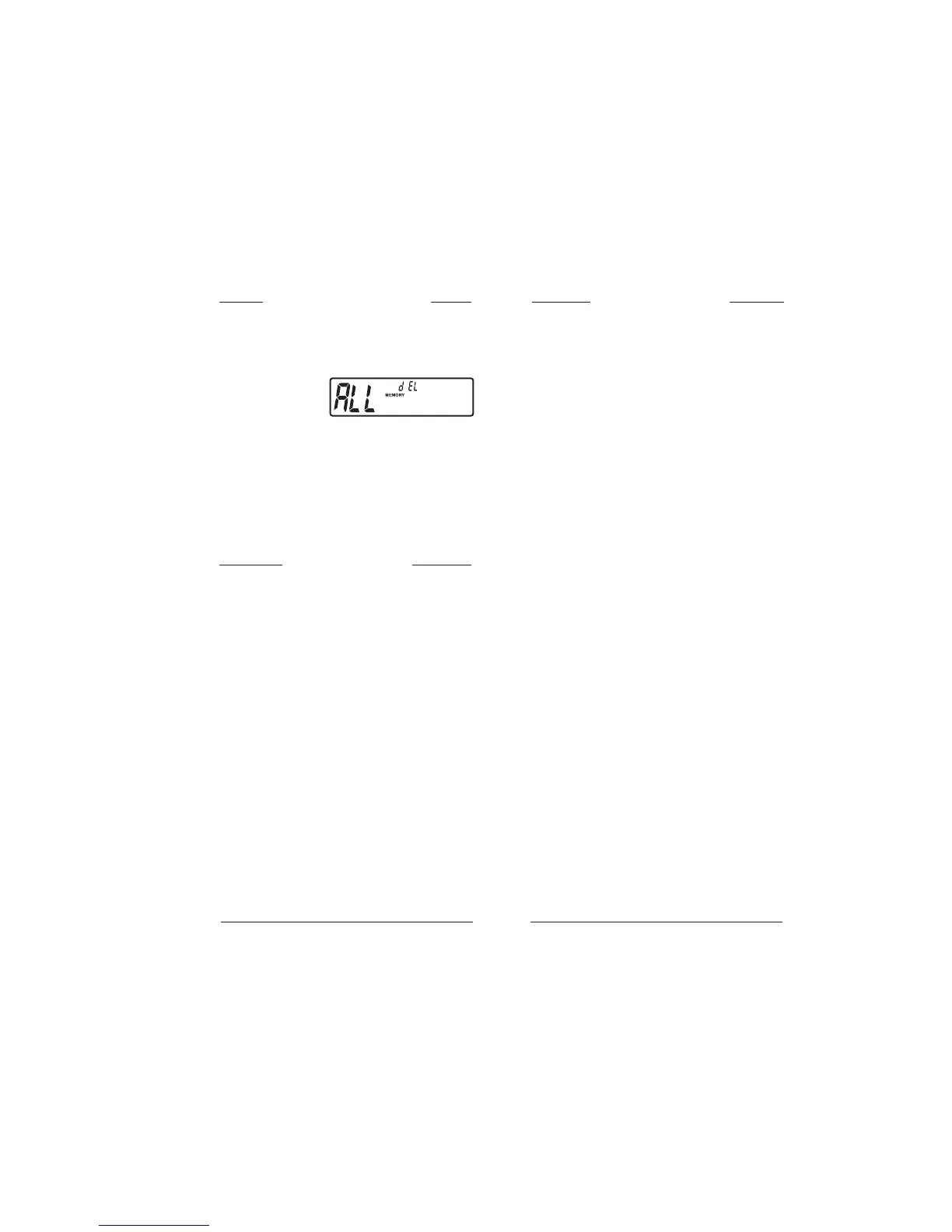
3. Press the MEMORY
button again. The display
will show « dEL ALL ».
4. Press and hold the START/STOP button.
Three (3) beeps will signal that all readings
are now deleted.
To erase memory (all)


 To Next Page