EasyManua.ls Logo

Physio Logic Essentia+ - User Manual

Physio Logic Essentia+
34 pages
Print Icon
To Next Page IconTo Next Page
Loading...
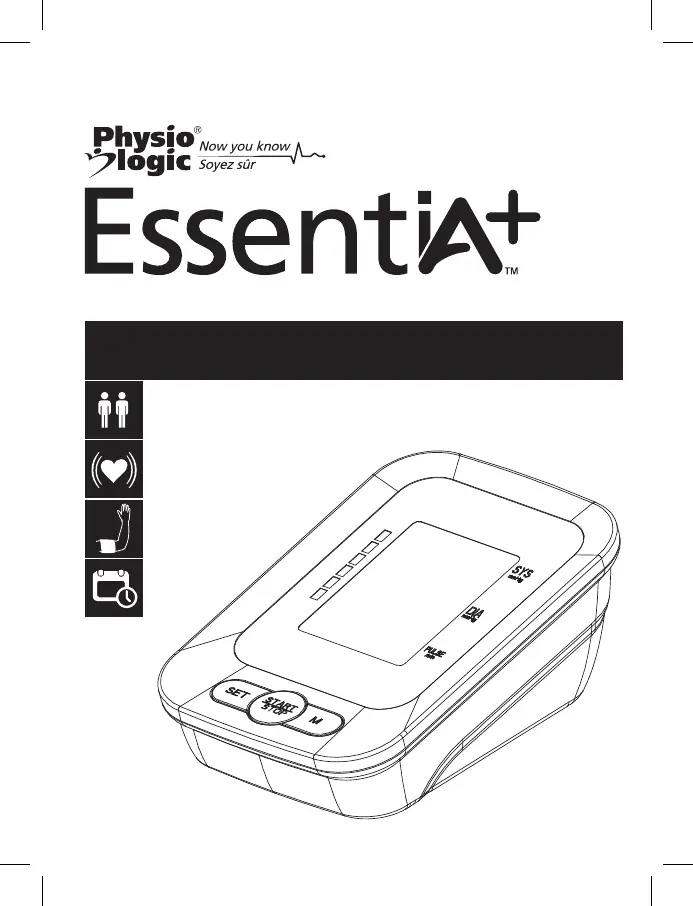
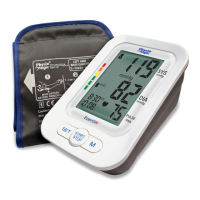
Blood Pressure Monitor
Instruction Manual
Model: 106-930
Multi-User:
2 x 60 Readings
Irregular Heartbeat
Indicator
Hypertension
Risk Indicator
Date and Time
Indicator

Questions and Answers

  • R
    ryan70Jul 28, 2025
    What to do if Physio Logic Essentia+ Blood Pressure Monitor results are not within typical range?
    • B
      Bill MelendezJul 28, 2025
      If your Physio Logic Blood Pressure Monitor displays readings outside the typical range, first, ensure the cuff is correctly positioned 1-2 cm above the elbow joint. Maintain a relaxed, still posture with your arm at heart level during measurement. Verify the air tube is securely connected to both the cuff and monitor. If issues persist, review the user manual and retest carefully. If the pressure exceeds 300 mmHg, consult the manual and retest.
  • A
    anthonybennettAug 5, 2025
    Why cuff fails to inflate properly on Physio Logic Essentia+ Blood Pressure Monitor?
    • L
      lcruzAug 5, 2025
      If the cuff of your Physio Logic Blood Pressure Monitor isn't inflating correctly, start by checking that the air tube is properly connected to both the cuff and the monitor unit. A loose connection can prevent proper inflation.
  • J
    Jesse WelchAug 11, 2025
    How to avoid inaccurate test results with Physio Logic Essentia+ Blood Pressure Monitor?
    • W
      williamthompsonAug 11, 2025
      To ensure accurate readings from your Physio Logic Blood Pressure Monitor, sit still and relaxed with your arm supported at heart level. Avoid any movement or talking during the measurement. Also, make sure the monitor is placed on a stable surface.
  • B
    Bryan KingAug 19, 2025
    What to do if Physio Logic Blood Pressure Monitor pressure is over 300 mmHg?
    • K
      Kevin HuffmanSep 12, 2025
      If your Physio Logic Blood Pressure Monitor displays readings over 300 mmHg, carefully read the user manual and retest properly following all instructions.

Summary

Important Information

General Safety Precautions

Essential safety measures for operating the blood pressure monitor and user responsibilities.

Understanding Blood Pressure Readings

Explains home vs. physician readings and factors affecting blood pressure.

Device Safety and Handling

User and Device Safety Warnings

Critical warnings regarding device use, limitations, and potential risks to user and equipment.

Handling and Environmental Precautions

Guidelines on temperature, humidity, sunlight, and physical handling to ensure device longevity.

About Blood Pressure

Blood Pressure Standards and WHO Classification

Details on blood pressure categories and WHO guidelines for interpretation.

Systolic and Diastolic Pressure Explained

Defines systolic and diastolic blood pressure, the highest and lowest values.

Blood Pressure Fluctuation Patterns

Illustrates how blood pressure changes throughout the day.

Measurement Tips

Tips for Accurate Blood Pressure Readings

Advice on preparation and conduct to ensure precise measurements.

Your BP Monitor Overview

LCD Display and Indicator Guide

Explains the symbols and readings shown on the monitor's LCD screen.

Monitor Components and Unit Layout

Identifies physical parts, buttons, battery access, and accessories like the cuff.

Power Options

Battery Management and Indicators

Instructions for power sources, battery replacement, and low battery warnings.

Getting Started

Setting Memory Zones and Time

Guides on selecting user memory zones and setting the device's date and time.

Measurement Procedure

Preparing the Blood Pressure Cuff

Steps for connecting and applying the cuff correctly to the arm.

Cuff Application and Positioning

Proper snugness of the cuff and comfortable arm resting position for measurement.

Starting and Conducting a Measurement

How to start the measurement, initial inflation, and heart beat detection.

Viewing Results and Averages

Display of systolic/diastolic pressure, storage, and accessing average readings.

Using the Memory Function

Checking Past Test Results

Method for reviewing stored blood pressure readings using the 'M' button.

Deleting All Memory Records

Procedure to clear all stored readings from the selected memory zone.

Maintenance and Care

Cleaning and Storing the Monitor

Instructions for cleaning the unit and cuff, and proper storage conditions.

Troubleshooting

Common Problems and Solutions

A guide outlining common issues, their causes, and recommended solutions.

Specifications

Technical Details and Operating Conditions

Details on measurement range, power, weight, dimensions, and environment.

Standards and Compliance Information

Specifies adherence to international standards and regulatory compliance.

Electromagnetic Compatibility (EMC)

Emissions and Environmental Guidance

Information on electromagnetic emissions and guidance for use in various environments.

Immunity and RF Separation Distances

Details on immunity tests, RF interference, and recommended separation distances.

Lifetime Limited Warranty

Warranty Terms and Voiding Conditions

Outlines the warranty coverage, duration, and conditions that may void the warranty.

Physio Logic Essentia+ Specifications

General IconGeneral
TypeUpper Arm
TechnologyOscillometric
DisplayLCD
Cuff Size22-42 cm
Irregular Heartbeat DetectionYes
Memory120 readings
User Profiles2
WHO Blood Pressure Classification IndicatorYes
Pressure Range0-299 mmHg
Power Source4 x AA batteries
Pulse Rate Range40-180 bpm
Weight240g (without batteries)

Related product manuals