EssentiA
+
Instruction Manual
11
START
STOP
SET M
START
STOP
SET M
START
STOP
SET M
1 2
GETTING STARTED
Selecting Memory Zone and Setting Date,
Time, and Unit of Measurement
It is important to set the time before using your blood pressure
monitor, so that a time stamp can be assigned to each reading
that is stored in the memory.
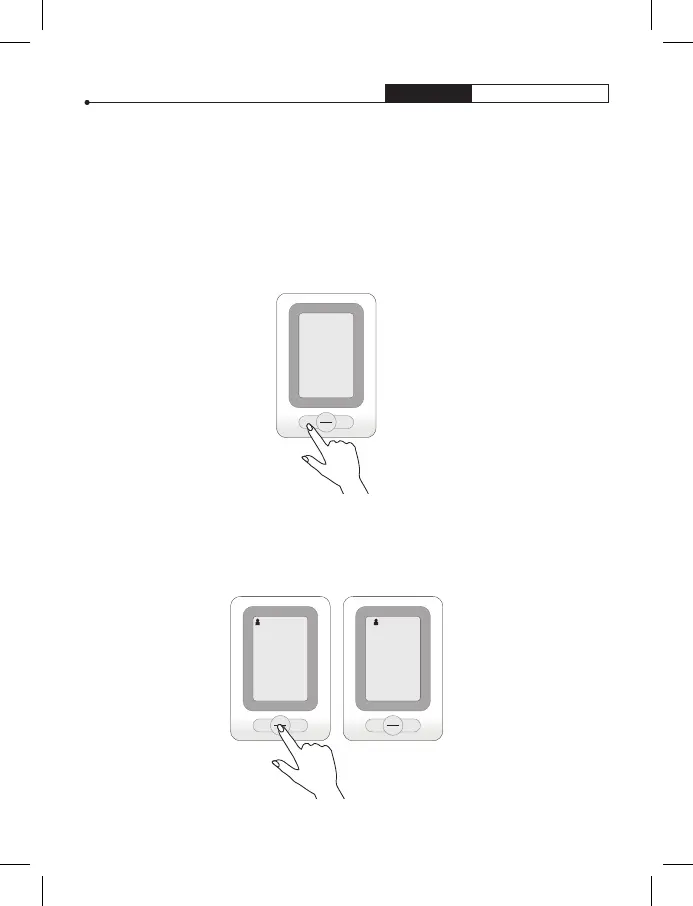
1. With power off,
press “SET” button
to activate system
settings mode. The
Memory Group icon
flashes.
2. Press “ M “ button to choose a group setting. Test results will
automatically be stored in the selected group. There are 2
zones, each zone can store up to 60 readings.


 To Next Page