BEFORE YOU START BEFORE YOU START
Power options Setting date, time and unit of measurement
Installing and replacing batteries
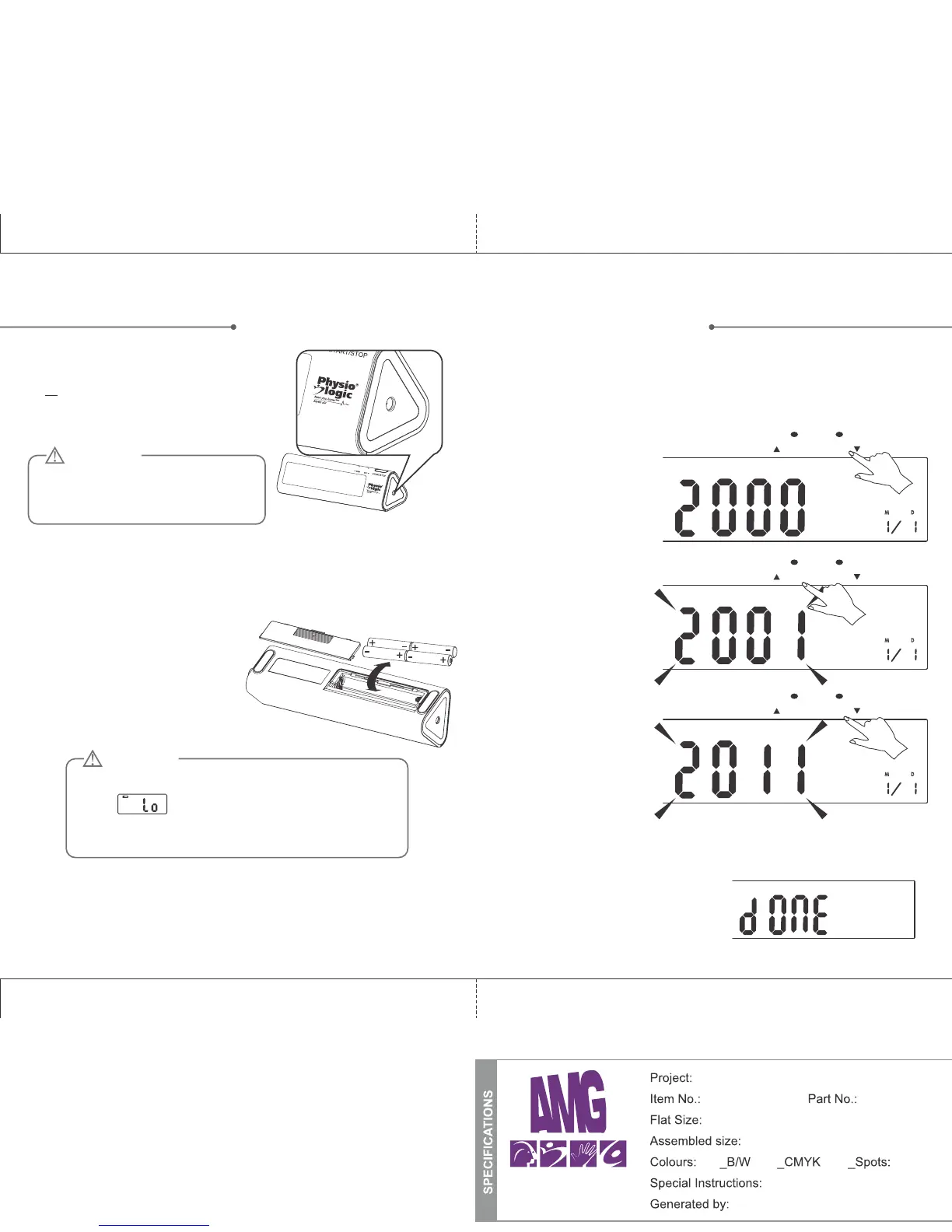
1. Battery: 4 x AAA alkaline (not included)
or
2. Power Adapter: DC 6V Adapter only.
(Adapter not included with this product)
Adapter socket pictured at right
1. When the unit is off,
press and hold “SET”
for 3 seconds to access
the year setting mode.
2. Press the MEM button
to change the year.
3. When you get to the
right year press SET to
move on to the next
step automatically.
1. Slide off the battery cover.
2. Install the batteries by matching the
correct polarity, as shown.
3. Replace the cover.
CAUTION
For best results and to protect your
monitor, make sure to use the proper
batteries or power adapter.
Replace the batteries if any of the following should occur:
• The indicator appears
• The display appears dim
• The display does not light up
CAUTION
It is important to set the clock before using your blood pressure
monitor, so that a time stamp can be assigned to each record that
is stored in the memory. (year :2000-2050, time: 24 H)
MEM SET
MEM SET
MEM SET
4. Repeat steps 2 and 3 to set the MONTH, DAY, HOUR,
MINUTE and UNIT OF MEASUREMENT.
5. After the unit is set, it will flash
[done] then shut off automatically.
87
Physio logic Prisma Manual (ENG)
106-950 n/a
10” x 7.125”
10” x 7.125” (folded: 5” x 7.125”)
Instruction Booklet
Travis Fraser
TM
X


 To Next Page