(2~3cm)
TM
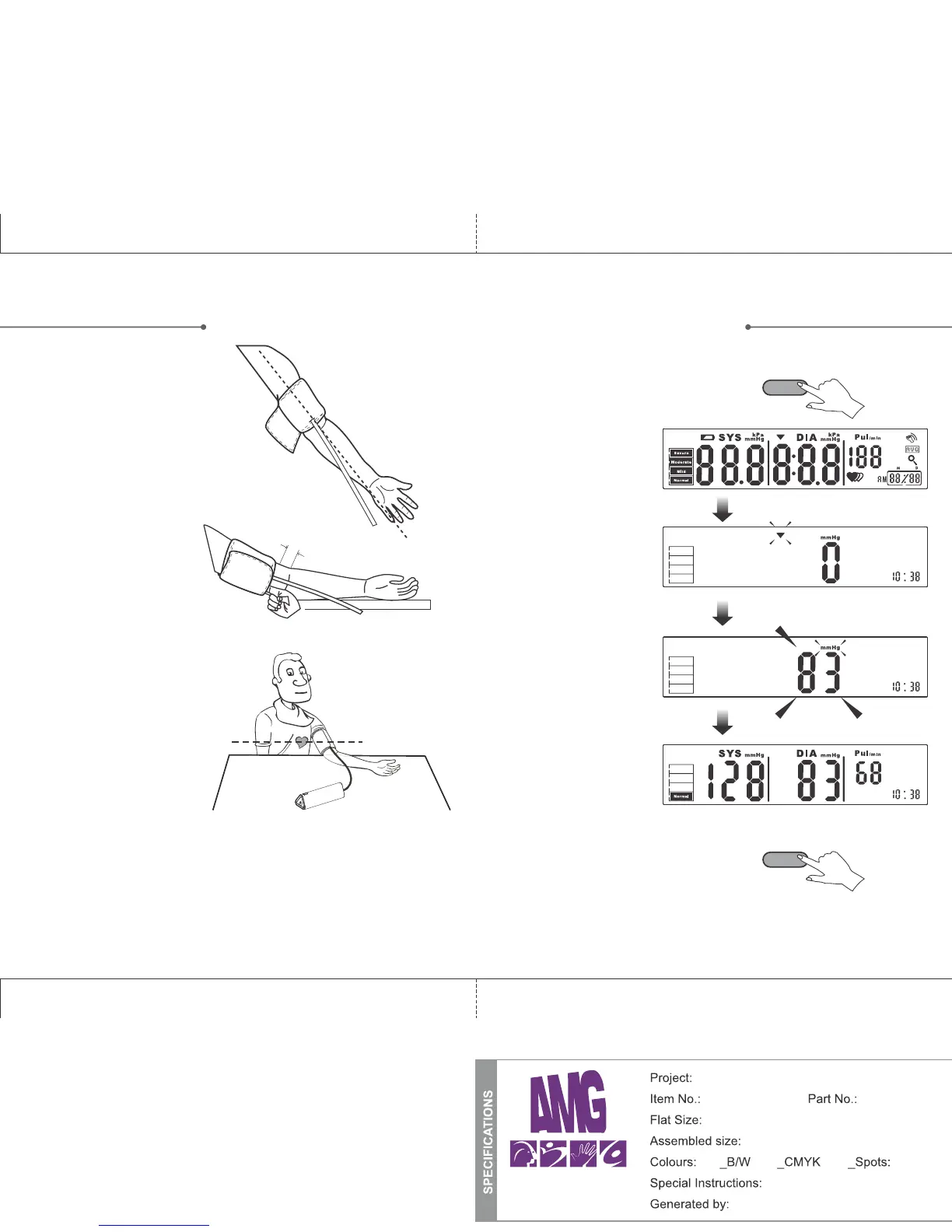
1. Wrap the Flex-Fit cuff around your
left upper arm. The tube should be
aligned to point toward your little
finger, as illustrated.
TM
2. The Flex-Fit cuff should
be snug but not too tight.
(You should be able to
insert one finger between
the cuff and your arm).
Keep a space of about 1”
between the cuff edge and
the bend of your elbow.
3. Sit comfortably with your
left arm resting on a flat
surface and the cuff at
heart level.
Tips for more
accurate readings:
• Rest for 5 mins before
measuring.
• Wait at least 3 minutes
between measurements.
This allows your blood circulation to recover.
• For a more useful comparison, try to measure
under similar conditions. For example, take daily
measurements at approximately the same time,
on the same arm, or as directed by a physician.
~1”
MEASUREMENT
MEASUREMENT
START/STOP
START/STOP
Start the measurement
1. Press the START/STOP button to turn
on the monitor, it will then complete
the operation automatically in the
following steps:
1. Press the START/STOP button to turn
the monitor off, otherwise it will turn
off automatically within 1 minute.
• LCD Display will flash.
• The monitor will set
itself to “0” then start
inflating.
• The monitor will
automatically inflate
and measure blood
pressure.
• The monitor will
display the reading and
save it automatically.
109
Physio logic Prisma Manual (ENG)
106-950 n/a
10” x 7.125”
10” x 7.125” (folded: 5” x 7.125”)
Instruction Booklet
Travis Fraser
TM
X


 To Next Page