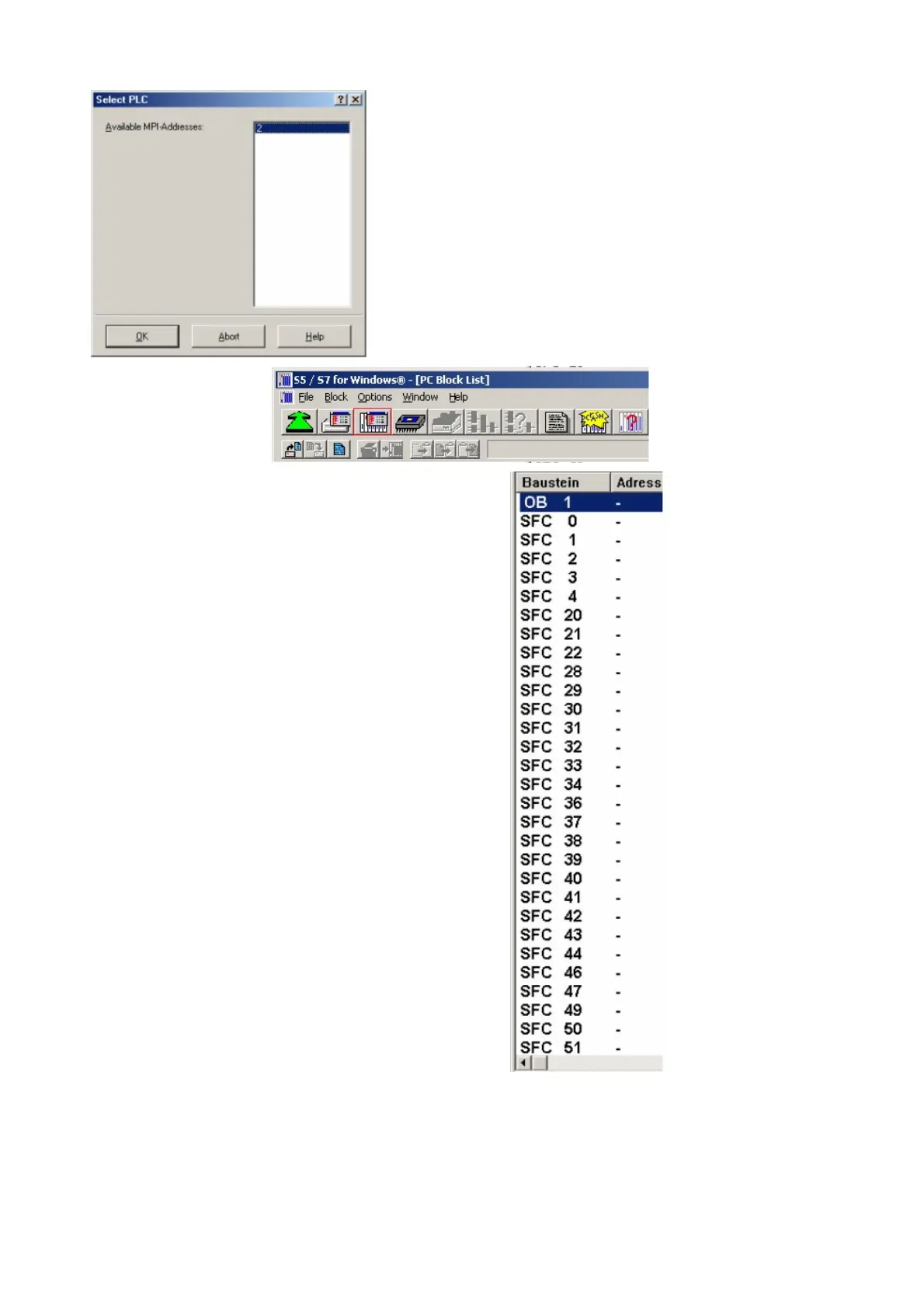
5. In this dialog you can see all PLC´s
which are connected to your PC.
Choose from the list box (left) the desired
station (the PLC) and confirm with "OK".
(In the example "2")
6. Close the preferences dialog by pressing
the „OK“ button.
7. Back in the main window press the „PC Block List“
button for testing the new established communication
configuration.
8. 9. Please wait a moment for the software to read the
desired blocks from the PLC. The blocks will be
displayed in the listbox below the menu bar (see
picture to the right).
The communication between the S5 for Windows and the PLC is now established.
Page 17 of 21 Handbook PG-USB



 To Next Page