Page 8.12
SECTION 8 - ACCESSORIES
pickering
ISOLATED MILLIVOLT THERMOCOUPLE SIMULATOR 41-761
Changing the Compensation Temperature Display
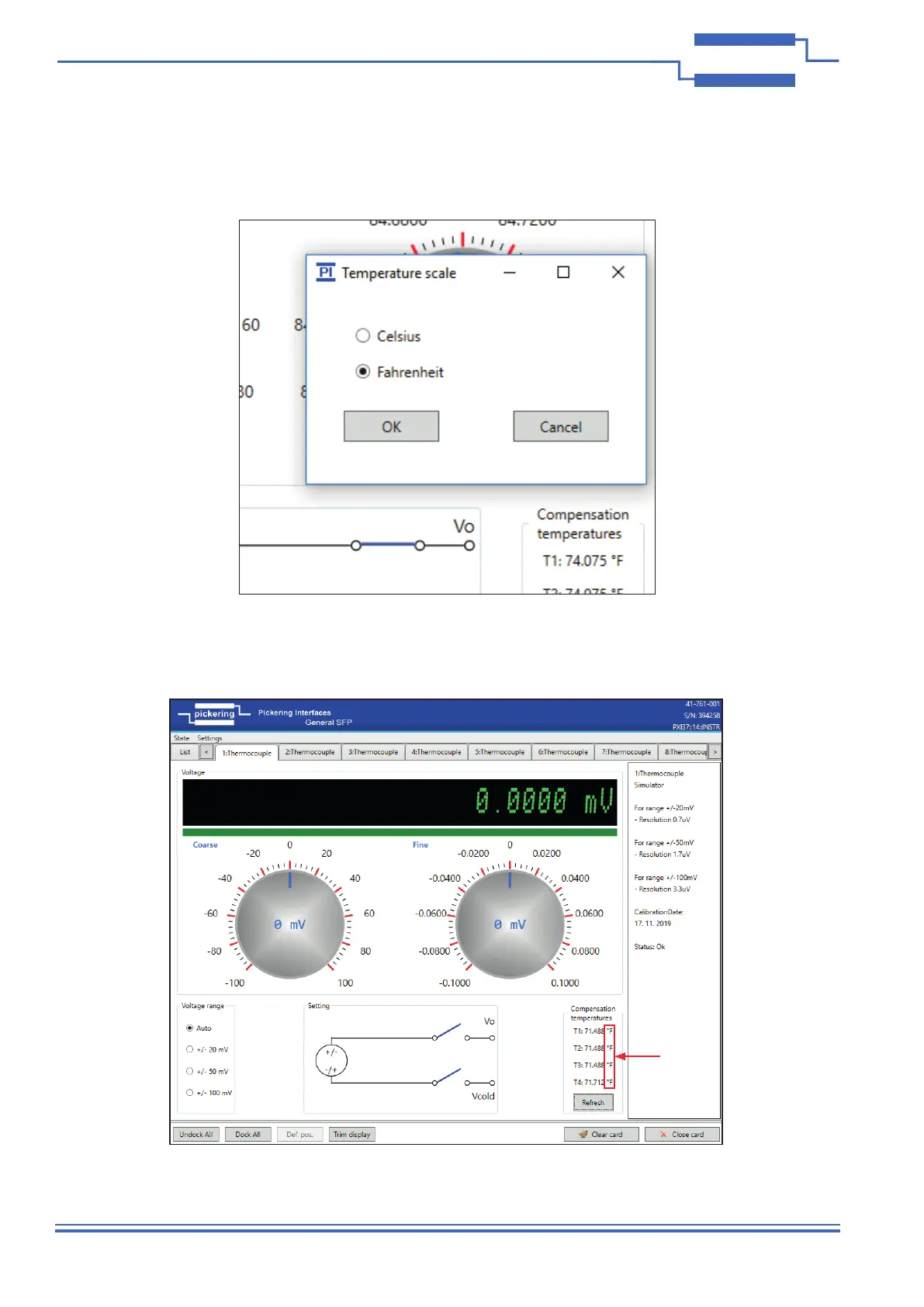
The temperature shown on the Soft Front Panel for the Compensation Block can be changed between ºC and ºF
by clicking on the temperature display. A pop-up box will appear where “Celsius” or “Fahrenheit” can be selected.
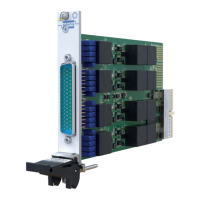
Clicking “OK” will change the Soft Front Panel display accordingly as shown below.
Figure 8.4 - Pop-up Box for Changing the Temperature Display for the
Compensation Block on the Soft Front Panel
Figure 8.5 - Soft Front Panel With the Compensation Temperature Changed
from Degrees Celsius to Degrees Fahrenheit



 To Previous Page