41
This VR headset features replaceable face cushion and straps. The face cushion
and straps are available to purchase separately. Please contact customer
service at service@picovr.com, or a Pico authorized service provider or your
Sales Representative.
Lens care
•
During use or storage, please pay attention to avoid hard objects touching
the lens to avoid lens scratches.
•
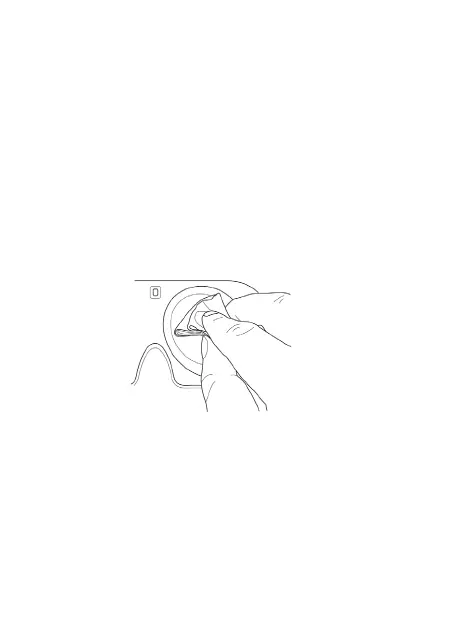
Use an optical lens micro-fiber cloth to dip in a little water or use a non-alco-
holic disinfectant wipes to clean the lenses. (Do not wipe the lenses with alco-
hol or other harsh or abrasive cleaning solutions as this may lead to damage.)
Product Care
Face cushion care
Use a sterile wipes (alcohol-based ingredients allowed) or a microfiber dry
cloth dipped in a small amount of 75% alcohol to gently wipe the surface and
surrounding areas in contact with the skin until the surface is slightly wet and hold
for at least five minutes. Then leave to dry before use (Do not expose directly in
sunlight).
Note: The face cushion will have the following phenomena after repeated
cleaning and disinfection. Moreover, hand washing or machine washing is
not recommended, as this will accelerate the occurrence of the following


 To Next Page