Need help?
Do you have a question about the Pifco P40016 and is the answer not in the manual?
Lists directives the product conforms to, including EMC and Low Voltage.
Details the product's 12-month guarantee, conditions, and retailer discretion.
Guides on correctly connecting mains lead wire colours to plug terminals.
Instructions for fuse replacement and safe handling of non-rewireable plugs.
Lists package contents and identifies key components of the fan unit.
Initial setup steps including unpacking and cord management.
Identifies indicators and sensors on the fan's control panel.
Details the buttons and functions available on the remote control.
Step-by-step guide for inserting batteries into the remote control.
Instructions for powering the fan unit on and off using controls.
How to cycle through and select Low, Medium, and High fan speeds.
How to turn the fan's 80-degree oscillation feature on or off.
Explanation of Normal, Natural Wind, and Sleep cooling modes.
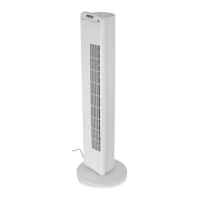
This document describes the Pifco 36" Tower Fan, model P40016, an electrical appliance designed for domestic use. It provides comprehensive instructions for safe operation, assembly, and maintenance, ensuring a long lifespan for the product.
The Pifco 36" Tower Fan is designed to provide cooling and air circulation within a room. It features an 80-degree oscillation function to distribute air across a wider area. The fan offers three distinct cooling modes: normal/daytime mode, natural wind mode, and sleep mode, catering to various user preferences and times of day. Additionally, it includes an ioniser function that activates automatically when the fan is turned on and a speed is selected, contributing to air quality. The fan can be operated manually via its control panel or remotely using the included remote control. A timer function allows users to pre-set the fan's operation for specific durations, offering convenience and energy saving.
The fan's operation is straightforward, with both a control panel on the unit and a remote control providing access to all functions.
To turn the fan on, press the "On/Speed" button on either the remote control or the unit's control panel. A "Power" indicator will illuminate, and an audible sound will confirm activation. To turn the fan off, press the "Off" button on the remote control or the unit's control panel. The "Power" indicator will turn off, and a sound will confirm deactivation. When turned off, the fan returns to its default position. Upon initial connection to the mains, two short beeping sounds indicate it is connected.
The fan offers three speed settings: Low, Medium, and High. Users can cycle through these speeds by pressing the "Speed" button on the remote control or the unit's control panel. Each speed selection is confirmed by a corresponding indicator lighting up and an audible sound.
The fan is equipped with an 80-degree oscillation feature. To activate or deactivate oscillation, press the "Swing" button on the remote control or the unit's control panel. An indicator will light up, and a sound will confirm the selection.
The fan provides three cooling modes:
The timer allows users to pre-set the fan's operation for 1, 2, 4, or 8 hours. To set the timer, repeatedly press the "Timer" button until the desired duration is selected. The corresponding indicator will light up, and a sound will confirm the selection.
The remote control provides convenient access to all fan functions. It requires batteries, which are installed by detaching a locking latch, replacing the old battery with a new one (ensuring correct positive polarity), and re-securing the latch.
The fan base requires simple assembly. The fan unit should be turned upside down. The two halves of the base are placed on either side of the power cord holder, ensuring correct alignment and that the power cord is not trapped. The base halves are then locked together by sliding slots into corresponding holes until they click. The power cord is threaded through two hooks for secure placement. Two wingnut screws are inserted into the center holes of the base and tightened clockwise. Once assembled, the fan is turned upright and is ready for use.
Regular cleaning and proper storage are essential for maintaining the fan's optimal performance and longevity.
Before any cleaning, always switch off the appliance and remove the plug from the electrical socket.
When not in use, store the fan in a cool, clean, and dry location, preferably in its original box, to protect it from dust and damage. Ensure the back grid is firmly secured before storing the device.
The manual emphasizes several safety precautions to ensure safe operation and prevent damage or injury. These include checking voltage compatibility, using the appliance on a stable surface, avoiding immersion in liquids, not leaving it unattended, supervising children and pets, unplugging before cleaning or when not in use, and seeking professional advice if the cord or appliance is damaged. It also warns against using extension cords unless absolutely necessary and of a specific rating, running cords under carpets, inserting foreign objects into ventilation openings, and overloading electrical circuits. The fan should be kept out of reach of children and protected from excessive heat or humidity. In case of a fault, stop using the appliance immediately and contact customer support.
 General
| Model | P40016 |
|---|---|
| Brand | Pifco |
| Power Source | Mains |
| Speed Settings | 3 |
| Oscillation | Yes |
| Tilt Head | Yes |
| Product Type | Fan |

 To Next Page