System
light
20
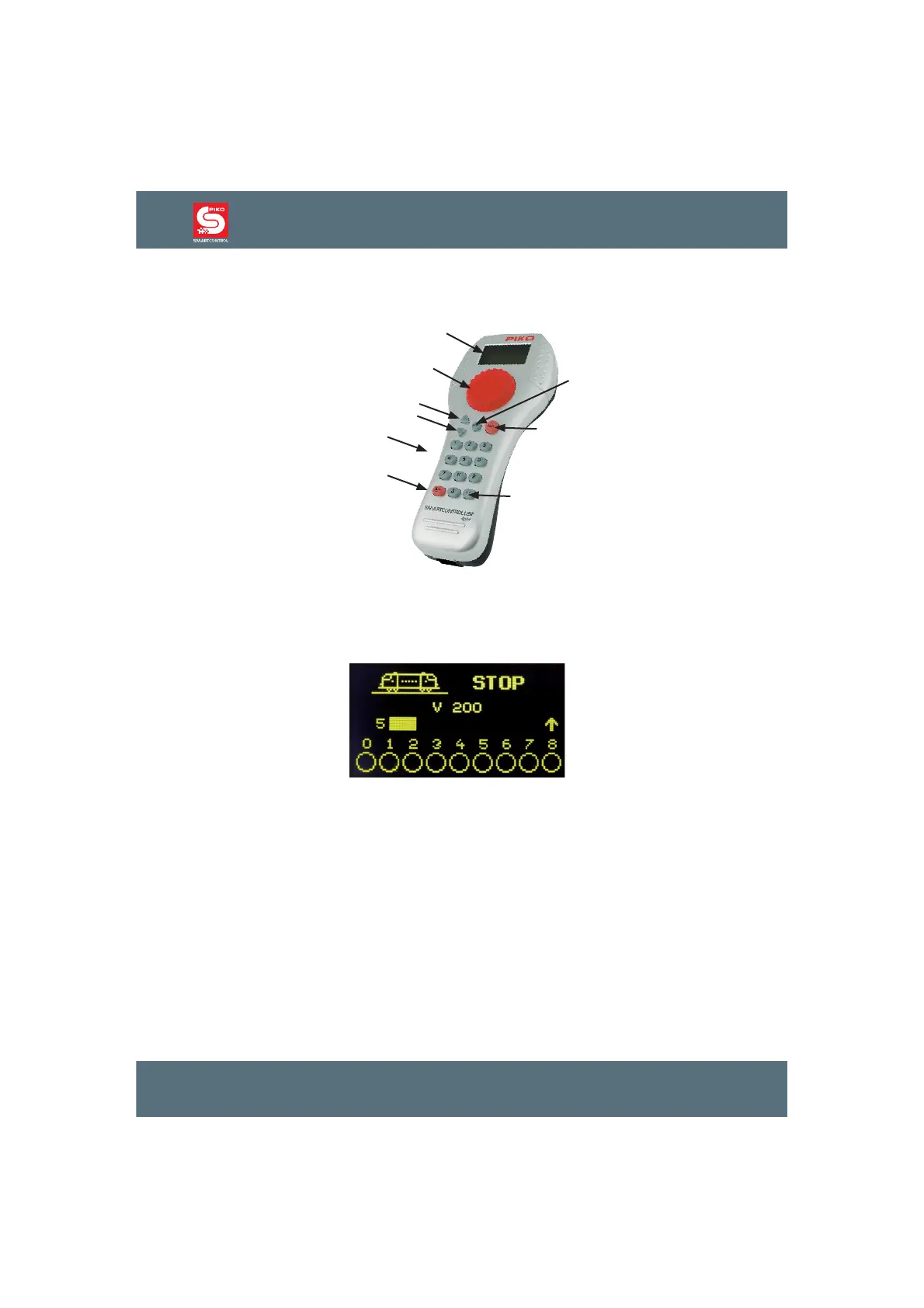
2. The control elements of the PIKO SmartController
light
Overview
display
speed regulator
up
down
keypad
stop / delete
Enter
lok
mode
Display
7KHFOHDUO\VWUXFWXUHGKLJKGH¿QLWLRQGLVSOD\VKRZVWKHV\PERORIWKHFXUUHQWRSHUDWLQJPRGHDQGWKH
locomotive or base address at the top of the display. In the middle it shows basic information about
WKHFXUUHQWO\FRQWUROOHGORFRPRWLYH$WWKHERWWRP\RXFDQ¿QGLQIRUPDWLRQDERXWVZLWFKLQJIXQFWLRQV
depending on the chosen mode.
The display clearly shows all the information about the locomotive, the speed, the driving direction and
the state of the locomotive’s special functions or of the currently chosen operating mode (e. g. position
of the switches in the turnout mode
Speed regulator
The hand controller is equipped with a rotary throttle knob to control the speed, the driving direction
and the emergency stop of the locomotive. It also allows you to choose the locomotive’s data set as
well as the symbols and their position in the name of the locomotive.
The following part describes the different keys of the controller:
XSGRZQ>Ÿ@>ź@
• In loco mode, changing of the special function blocks
OLJKW))OLJKW))OLJKW))OLJKW)DFWLYDWHLQFRQ¿JXUDWLRQPRGH
• In turnouts modeFKDQJLQJRIWKHEDVHDGGUHVVRU
• In routes modeFKDQJLQJRIWKHEDVHDGGUHVVRU
• In FRQ¿JXUDWLRQPRGH, changing of parameters



 To Next Page