System
light
24
3XVKHUIXQFWLRQPRPHQWDU\,I\RXSUHVVWKHNH\DQGKROGLWWKHIXQFWLRQLVWXUQHGRQ%\OHWWLQJJRRI
the key, the function turns off.
With the [Ÿ@ and [ź@NH\V\RXFDQFKRRVHEHWZHHQRQHRIWKHWZRSRVVLELOLWLHVDQGFRQ¿UPLWZLWKWKH
[ճ@ key.
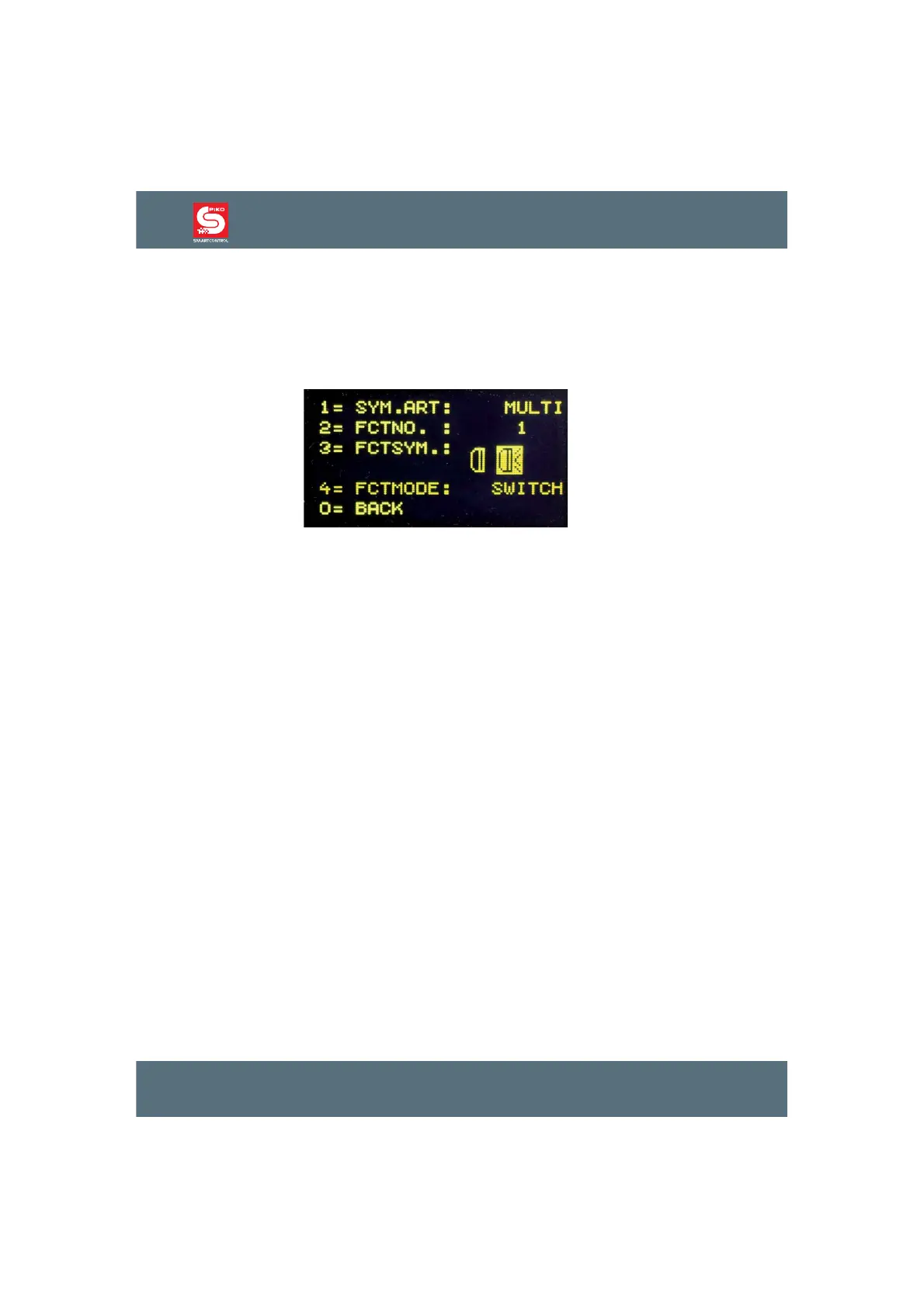
)RUWKHIROORZLQJH[DPSOHZHVDYHGDQLQGLYLGXDOV\PEROIRU)DQGFKRVHWKH³VZLWFKIXQFWLRQ´
You can change the data format by pressing >@ and then use the [Ÿ@ and [ź@NH\WRVHOHFW&RQ¿UP
your selection by pressing [ճ@<RXFDQVHOHFWEHWZHHQDQG'&&VSHHGVWHSV
6SHHGVWHSV7KHVSHHGRIHYHU\ORFRPRWLYHLVQRWFRQWUROOHGOLQHDUO\EXWWKURXJKVSHHGVWHSV7KH
higher the number of speed steps the more precisely you can control the train between a halt and its
top speed. Note that not all locos or decoders can accept more than 14 speed steps.
If you want to save the data set, press the [ճ@ key to leave the menu.
If you want to delete a selected loco data set, press the [stop/delete@ key.
By pressing [lok@ or [mode@ you can leave the menu without saving the changes to the loco data.
3.3. Program CVs
If there is a programmable DCC loco on the programming track and the menu point ”CV - PROG.
TRACK“ is selected, you can select and program all CVs (CRQ¿JXUDWLRQVDULDEOHVEHWZHHQDQG
1,024. Please refer to your decoder instruction for more information about the respective CVs and their
range of values.
After pressing >@WKHQXPEHURIWKHGHVLUHG&9FDQEHHQWHUHGDQGFRQ¿UPHGZLWKWKH[ճ@ key.
The current value of the CV will now be read and displayed after “2= VAL.:”.
Now press >@DQGHQWHUWKHGHVLUHGYDOXHIRUWKLV&9&RQ¿UP\RXULQSXWZLWKWKH[ճ@ key. The
programming will be executed automatically.
The result of the programming process will be displayed in the bottom line after a few seconds.
“PROG: OK“ - programming successful “PROG: ERROR“ - programming failed “PROG: NO LOCO“
- no loco on the programming track “PROG: SHORT“ - short circuit of the loco or on the programming
track.
By pressing the [lok@ or [mode@ key you can leave the programming menu.



 To Next Page