light
23
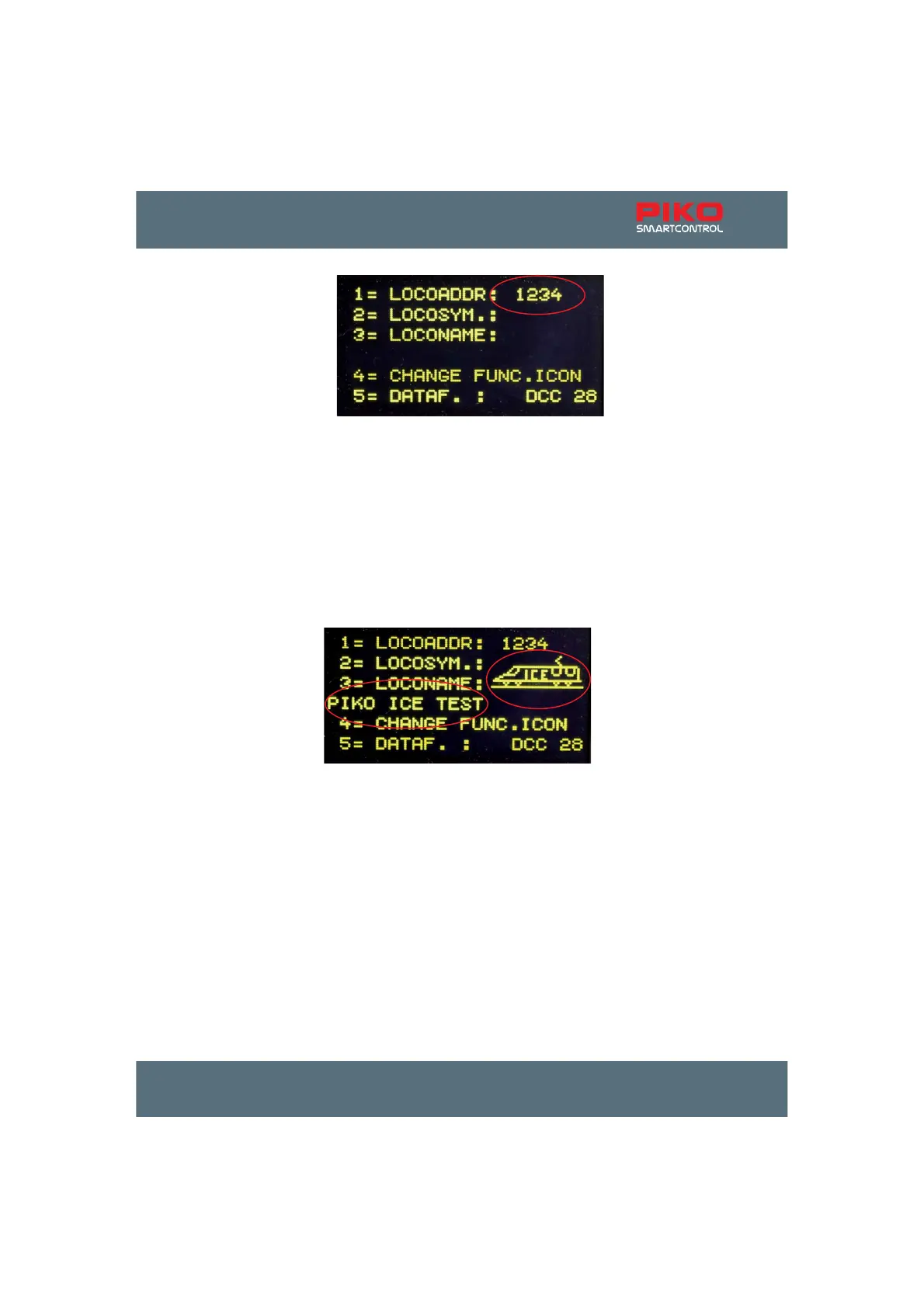
To make the selection of a loco easier, you can assign a symbol to each loco address (in our example
WKHV\PERORIDQ,&(7RGRWKDWSOHDVHSUHVV>@ to reach the sub-menu 2 „LOCOSYM.“. Here, you
can use the up / down ([Ÿ@ / [ź@NH\VWRVHOHFWDVXLWLQJORFRV\PERO&RQ¿UPWKHV\PEROE\SUHVVLQJ
[ճ@.
By pressing >@\RXFDQFKDQJHWKHORFRQDPHLQRXUH[DPSOH³3,.2,&(7(67´LQWKHVXEPHQX
“LOCONAME”. The position of the cursor can be changed by turning the throttle knob. Then, please
SUHVVGRZQWKHWKURWWOHNQRE1RZ\RXFDQVHOHFWWKH¿UVWGLJLWE\WXUQLQJWKHWKURWWOHNQRE7RHQWHU
a number, you can use the respective number keys. The>VWRSGHOHWH@ key generates a blank space.
If you press the throttle knob again, the selected number or letter is accepted and you can turn to the
QH[WGLJLW:KHQDOOGLJLWVRIWKHORFRQDPHDUHHQWHUHGWKHQDPHFDQEHFRQ¿UPHGDQGVDYHGE\
pressing ሾճ@.
By pressing >@ you can switch to the “CHANGE FUNC. ICON” menu.
Here you can assign symbols to every loco function from 0 to 24. Additionally, you can decide whether
WRXVHWKHUHVSHFWLYHIXQFWLRQVDVDVZLWFKRUSXVKHUIXQFWLRQVZLWFKLQJFKDUDFWHULVWLF
If “MULTI“ is activated you can press >@DQGHQWHUWKHIXQFWLRQQXPEHU\RXZDQWWRFKDQJH
7KHQXPEHUFDQEHHQWHUHGZLWKWKHQXPEHUNH\VDQGFRQ¿UPHGE\SUHVVLQJ[ճ@.
By pressing >@ the function symbol can be changed. You can select the symbol with the [Ÿ@ and [ź@
NH\VRXWRIWKHV\PEROOLVWDQGFRQ¿UPLWE\SUHVVLQJ[ճ@.
By pressing >@ and using the [Ÿ@ or [ź@NH\\RXFDQVHOHFWEHWZHHQWKH³VZLWFKIXQFWLRQ´DQGWKH
³SXVKHUIXQFWLRQ´&RQ¿UP\RXUFKRLFHZLWK[ճ@.
Leave the sub-menu by pressing [0@.
6ZLWFKIXQFWLRQWRJJOH:LWKHYHU\NH\VWURNHWKHIXQFWLRQVZLWFKHVEHWZHHQ³RQ´DQG³RII´



 To Next Page