- 8 -
A1
S11
S34Y4
A2
S22
Y32S12
14
S21
Y524
Y6
S14
A2
S36
Y32S35
14
S23
Y524
A1
S13
S24
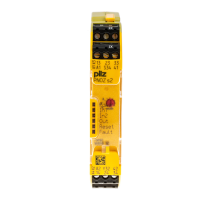
PNOZ e1p
PNOZ e2.2p
L-
L+
Y6
S14
A2
S36
Y32S35
14
S23
Y524
A1
S13
S24
PNOZ e2.2p
Unit 1 Unit 2 Unit 3
K9
K1
K10
K9
K7
K2
S1
Y7
K3
K2
K6
K7
K5
K1
K4
K4
K3
K5
K8
K8
K6
Y7
S1
S2
S2
S1
K10
GB
D
F
Anschlussbeispiel:
UND-Verknüpfung von Unit 1 und
Unit 2, ODER-Verknüpfung von Unit
2 und Unit 3
Connection example:
AND link Unit 1 and Unit 2, OR link
Unit 2 and Unit 3
Exemple de raccordement :
Liaison ET de l’unité 1 et unité 2,
liaison OU de l’unité 2 et unité 3
&
Unit 2
Unit 3
24
Unit 1
14
>1
24
S36
S35
Unit 3
Steckbare Klemmen abziehen
Schraubendreher in Gehäuseaussparung
hinter der Klemme ansetzen und Klemme
heraushebeln.
Klemmen nicht an den Kabeln abziehen!
Abziehen der Klemmen am Beispiel einer
Schraubklemme
Remove plug-in terminals
Insert screwdriver into the cut-out of the
housing behind the terminal and lever the
terminal.
Do not remove the terminals by pulling the
cables!
How to remove the terminals using a screw
terminal as an example
Démonter les borniers
débrochables
Placer un tournevis derrière les bornes et
sortir le bornier.
Ne pas retirer les borniers en tirant sur les
câbles !
Démontage d’un bornier à vis


 To Next Page
 Loading...