Pinnacle ShowCenter
The Idea in Words
Pinnacle ShowCenter allows you to playback the following media types:
Music files
Movies and other video files
Digital photos
You can download them from various sources, including the Internet, and
manage them on your PC, view them on your TV or play them back on your
stereo system. And, so that you don't have to get up from the couch to switch
files, it comes with a convenient remote control.
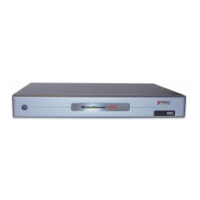
Pinnacle ShowCenter combines a living-room component, a home PC, a
remote control, and media-management software.
Pinnacle ShowCenter organizes all your media files in an intelligent
multimedia database on your PC so that you can
easily find them and have
easy, convenient access to them.
Do you use the broadband Internet access on your PC (DSL or cable modem) to
download audio and video files, but would like to be able to organize them and
play them back any time you want?
Do you want to archive your digital photos, movies, and audio CDs so that you
have instant access to them?
Pinnacle ShowCenter is the perfect solution in both cases!
Pinnacle ShowCenter allows you to
organize your media collection so that
you can
play back your favorite movies, view your favorite photos and listen to
your favorite music on your stereo system
any time you want.
Pinnacle ShowCenter allows you to create one simple system that keeps your
PC out of your living room but still lets you enjoy all the benefits of modern
media.
At the end of this manual is a section entitled "Glossary" where you can
look up definitions of unfamiliar terms. If you're still not sure what to do, please
consult the manuals for your television, your stereo system, and your PC
components.
4


 To Next Page