EasyManua.ls Logo

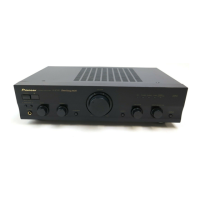
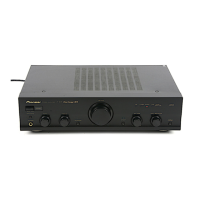
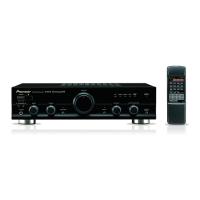
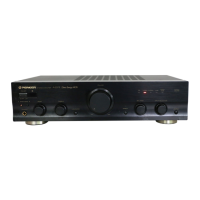
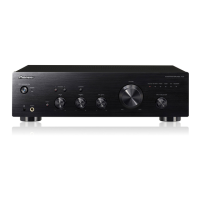
Pioneer A-209R - Service Manual

Pioneer A-209R
34 pages
Print Icon
To Next Page IconTo Next Page
Loading...
ORDER NO.
PIONEER CORPORATION 4-1, Meguro 1-chome, Meguro-ku, Tokyo 153-8654, Japan
PIONEER ELECTRONICS SERVICE, INC. P.O. Box 1760, Long Beach, CA 90801-1760, U.S.A.
PIONEER EUROPE N.V. Haven 1087, Keetberglaan 1, 9120 Melsele, Belgium
PIONEER ELECTRONICS ASIACENTRE PTE. LTD. 253 Alexandra Road, #04-01, Singapore 159936
PIONEER CORPORATION 2000
c
Type
Model
Power Requirement
The voltage can be converted by
A-209R A-209 the following method.
MYXJ AC220-230V –––––
MVXJ AC220-230V –––––
MLXJ AC220-230V –––––
SBDXJ AC110V/120-127V/220V/240V With the voltage selector
RRV2283
1. SAFETY INFORMATION
......................................
2
2. EXPLODED VIEWS AND PARTS LIST
...............
3
3. BLOCK DIAGRAM AND SCHEMATIC DIAGRAM
.....
6
4. PCB CONNECTION DIAGRAM
.........................
16
5. PCB PARTS LIST
...............................................
24
6. ADJUSTMENT
....................................................
27
CONTENTS
7. GENERAL INFORMATION
................................
28
7.1 DISASSEMBLY
............................................
28
7.2 IC
..................................................................
29
8. PANEL FACILITIES AND SPECIFICATIONS
.......
30
T – ZZK APR. 2000 Printed in Japan
THIS MANUAL IS APPLICABLE TO THE FOLLOWING MODEL(S) AND TYPE(S).
PHONES
A SPEAKERS B
OFF ON
STEREO AMPLIFIER
_
—
z¿<?/B
Direct Energy MOS
TAPE 1
/CD-R/MD
TAPE 2
MONITOR
LINE
TUNER
PHONO
CD
BASS
+
TREBLE
+
VOLUME
MIN MAX
LOUDNESS DIRECT
BALANCE
R
L
INPUT SELECTOR
TAPE 2
MONITOR
POWER
Î
STEREO AMPLIFIER
A-209R
A-209

Other manuals for Pioneer A-209R

Questions and Answers

  • M
    Mrs. Megan SilvaJul 26, 2025
    Why is there no sound coming from my Pioneer A-209R?
    • H
      Hayley MatthewsJul 26, 2025
      If your Pioneer Amplifier has no sound, ensure that the connecting cords are securely connected to the terminals. Also, verify that the terminals or connecting cord pin plugs are clean. Make sure the TAPE2 MONITOR button is set to OFF, unless you're using an adapter component. Check that the INPUT SELECTOR matches the component you want to play back (CD, TUNER, PHONO, LINE, TAPE1/MD or TAPE1/CD-R/MD). Finally, confirm that at least one of the SPEAKERS selector buttons is set to ON. If the operation of other components is incorrect, consult their operating instructions.
  • R
    Richard BarkerAug 1, 2025
    How to fix a Pioneer A-209R that won't turn on?
    • R
      Randy Harrison DDSAug 1, 2025
      If your Pioneer Amplifier isn't receiving power, ensure the power plug is securely inserted into the outlet. If the amplifier is plugged into another component's power outlet (like a timer), make sure that component is turned on. Also, check that the AC INLET plug is fully inserted into the jack.
  • C
    colinbakerAug 8, 2025
    Why is the remote control not working with my Pioneer A-209R Amplifier?
    • A
      Alexandra GomezAug 8, 2025
      If the remote control for your Pioneer Amplifier isn't working, first, replace the batteries with new ones. Ensure that you are operating the remote within a range of 7 meters and at an angle of 30 degrees from the unit. Verify that the remote control cord is correctly connected. Also, make sure that a fluorescent light isn't shining directly on the amplifier’s front panel remote sensor window.
  • B
    bleeAug 13, 2025
    What to do if my Pioneer Amplifier won't record tapes?
    • J
      Jennifer IngramAug 13, 2025
      If you're unable to record tapes with your Pioneer Amplifier, first, ensure all connections are correctly made. If you are still experiencing difficulties, verify that the TAPE2 MONITOR button is set to OFF. If the operation of the cassette deck is incorrect, consult its operating instructions.
  • B
    Bradley PattersonAug 19, 2025
    Why is there no sound from only one speaker on my Pioneer A-209R Amplifier?
    • D
      Donald AndrewsSep 12, 2025
      If you're getting no sound from one speaker on your Pioneer Amplifier, check that the connecting cords or speaker cords are securely connected on that side. Also, make sure the BALANCE control is set to the center position.

Summary

SAFETY INFORMATION

SAFETY PRECAUTIONS

Essential safety checks for continued protection of customer and technician.

LEAKAGE CURRENT CHECK

Procedure to measure leakage current to earth ground for shock hazard detection.

PRODUCT SAFETY NOTICE

Explains special safety characteristics of components and replacement guidelines.

EXPLODED VIEWS AND PARTS LIST

PACKING

Details the packaging components and their respective part numbers.

CONTRAST TABLE

Compares part numbers across different model variations for consistency.

EXTERIOR

Illustrates the external view of the unit with numbered parts.

EXTERIOR PARTS LIST

Lists external parts with their corresponding part numbers and descriptions.

BLOCK DIAGRAM AND SCHEMATIC DIAGRAM

PCB CONNECTION DIAGRAM

VOLUME ASSY

Shows PCB layout and component connections for the Volume Assembly.

HEADPHONE and AC PRIMARY ASSYS

Illustrates PCB layouts for Headphone and AC Primary Assemblies.

AF ASSY

Displays the PCB layout and connections for the AF Assembly.

PCB PARTS LIST

ADJUSTMENT

IDLE CURRENT ADJUSTMENT

Procedure for adjusting idle current for optimal amplifier performance.

GENERAL INFORMATION

DISASSEMBLY

Step-by-step instructions for disassembling the unit safely.

IC

Details pin assignments and functions for the microcomputer IC.

PANEL FACILITIES AND SPECIFICATIONS

PANEL FACILITIES

Describes the function of each control and indicator on the front panel.

SPECIFICATIONS

Lists technical specifications of the amplifier section and power requirements.

Pioneer A-209R Specifications

General IconGeneral
Power Output30W (8 ohms, 20Hz - 20kHz, 0.08% THD)
Total Harmonic Distortion0.08% (20Hz - 20kHz, 15W, 8 ohms)
Signal-to-Noise Ratio76dB (MM), 100dB (Line)
Input Sensitivity2.5mV (MM), 150mV (Line)
Dimensions420 x 114 x 307 mm
Weight6.7 kg
Signal to noise ratio100dB
Frequency Response5Hz to 100kHz

Related product manuals