EasyManua.ls Logo

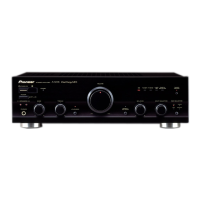
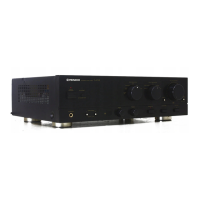
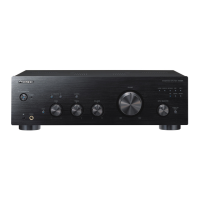
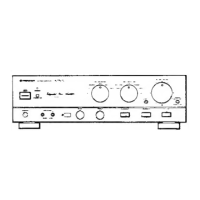
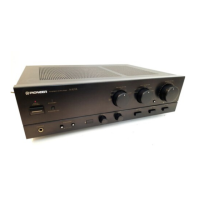
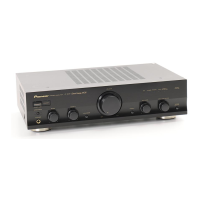
Pioneer A-50-K - User Manual

Pioneer A-50-K
100 pages
Print Icon
To Next Page IconTo Next Page
Loading...
A-70-K/-S
A-
50-K/-S
Integrated Amplifier | Amplificateur Intégré |
Eingebauter Verstärker | Amplificatore Integrato |
Geïntegreerde versterker | Amplificador integrado |
Operating Instructions | Mode d’emploi | Bedienungsanleitung |
Istruzioni per I’uso | Handleiding | Manual de instrucciones |
Инструкции по эксплуатации
ME06
Интегральный усилитель
A70_SYXE8.book 1 ージ 202年月2日 曜日 午後時5

Table of Contents

Question and Answer IconNeed help?

Do you have a question about the Pioneer A-50-K and is the answer not in the manual?

Summary

Pioneer Integrated Amplifier Overview

Product Identification

Identifies the Pioneer product models A-70 and A-50.

Multilingual Operating Instructions

Lists operating instructions available in multiple languages.

Important Safety and Environmental Information

Electrical Safety Warnings

Covers electrical shock, voltage, and important warnings regarding the unit's enclosure.

Environmental Disposal Guidelines

Instructions for collecting and disposing of old electrical equipment and used batteries.

Operating Environment and Cautions

Operating Environment Specifications

Details temperature and humidity requirements for optimal operation.

Power Cord and Standby Safety

Guidance on safe handling of the power cord and standby switch usage.

Chapter 1: Before You Start

Whats in the Box

Lists the accessories included with the product.

Remote Control Usage and Installation

Instructions for installing batteries and operating the remote control.

Amplifier Installation Guidelines

Recommendations for placing the amplifier for optimal performance and safety.

Chapter 2: Connecting Up

Making Cable Connections Safely

General advice and precautions before connecting components.

Speaker Connection Options

Details on standard speaker connections and bi-wiring.

Audio and Digital Input Connections

Instructions for connecting audio sources and digital inputs like COAXIAL.

Connecting Additional Components

Connecting Speaker Cables

Step-by-step guide for connecting speaker wires to terminals.

Centralized Control and USB Connections

Connecting for centralized control and USB computer audio input.

Final Connections and Powering Up

USB Computer Audio Setup

How to connect and play music from a computer via USB.

Plugging In the Power Cord

Instructions for safely connecting the unit to an AC outlet.

Chapter 3: Controls and Displays

Front Panel Controls and Indicators

Detailed description of all front panel buttons, knobs, and indicators.

Rear Panel Connections

Rear Panel Terminal Identification

Identifies each input, output, and terminal on the rear panel of the unit.

Remote Control Operation

Remote Control Buttons Explained

Explains the function of each button on the remote control for A-70 and A-50.

Chapter 4: Operation

Basic Playback Operations

How to turn on power, select sources, and play audio.

Using the Unit as a Power Amplifier

Instructions for utilizing the POWER AMP DIRECT function.

Advanced Playback and Recording

Digital Audio and Computer Playback

Playing music from digital audio components and computers via USB.

Making Audio Recordings

Guide on how to record audio from connected sources to a component.

Automatic Standby and Factory Reset

Setting Auto Power Down

How to enable the automatic standby mode based on inactivity.

Restoring Factory Default Settings

Procedure to reset the unit to its original factory settings.

Chapter 5: Additional Information

Troubleshooting Common Issues

Solutions for problems like no sound, no power, or indicator flashes.

Cleaning and Maintenance

Instructions for cleaning and maintaining the unit's exterior and interior.

Specifications and Miscellaneous

Amplifier and Audio Specifications

Technical details of the amplifier's power output, input sensitivity, frequency response, and impedance.

Included Accessories and Notes

Lists included accessories and important notes regarding specifications and trademarks.

Summary

Pioneer Integrated Amplifier Overview

Product Identification

Identifies the Pioneer product models A-70 and A-50.

Multilingual Operating Instructions

Lists operating instructions available in multiple languages.

Important Safety and Environmental Information

Electrical Safety Warnings

Covers electrical shock, voltage, and important warnings regarding the unit's enclosure.

Environmental Disposal Guidelines

Instructions for collecting and disposing of old electrical equipment and used batteries.

Operating Environment and Cautions

Operating Environment Specifications

Details temperature and humidity requirements for optimal operation.

Power Cord and Standby Safety

Guidance on safe handling of the power cord and standby switch usage.

Chapter 1: Before You Start

Whats in the Box

Lists the accessories included with the product.

Remote Control Usage and Installation

Instructions for installing batteries and operating the remote control.

Amplifier Installation Guidelines

Recommendations for placing the amplifier for optimal performance and safety.

Chapter 2: Connecting Up

Making Cable Connections Safely

General advice and precautions before connecting components.

Speaker Connection Options

Details on standard speaker connections and bi-wiring.

Audio and Digital Input Connections

Instructions for connecting audio sources and digital inputs like COAXIAL.

Connecting Additional Components

Connecting Speaker Cables

Step-by-step guide for connecting speaker wires to terminals.

Centralized Control and USB Connections

Connecting for centralized control and USB computer audio input.

Final Connections and Powering Up

USB Computer Audio Setup

How to connect and play music from a computer via USB.

Plugging In the Power Cord

Instructions for safely connecting the unit to an AC outlet.

Chapter 3: Controls and Displays

Front Panel Controls and Indicators

Detailed description of all front panel buttons, knobs, and indicators.

Rear Panel Connections

Rear Panel Terminal Identification

Identifies each input, output, and terminal on the rear panel of the unit.

Remote Control Operation

Remote Control Buttons Explained

Explains the function of each button on the remote control for A-70 and A-50.

Chapter 4: Operation

Basic Playback Operations

How to turn on power, select sources, and play audio.

Using the Unit as a Power Amplifier

Instructions for utilizing the POWER AMP DIRECT function.

Advanced Playback and Recording

Digital Audio and Computer Playback

Playing music from digital audio components and computers via USB.

Making Audio Recordings

Guide on how to record audio from connected sources to a component.

Automatic Standby and Factory Reset

Setting Auto Power Down

How to enable the automatic standby mode based on inactivity.

Restoring Factory Default Settings

Procedure to reset the unit to its original factory settings.

Chapter 5: Additional Information

Troubleshooting Common Issues

Solutions for problems like no sound, no power, or indicator flashes.

Cleaning and Maintenance

Instructions for cleaning and maintaining the unit's exterior and interior.

Specifications and Miscellaneous

Amplifier and Audio Specifications

Technical details of the amplifier's power output, input sensitivity, frequency response, and impedance.

Included Accessories and Notes

Lists included accessories and important notes regarding specifications and trademarks.

Pioneer A-50-K Specifications

General IconGeneral
Amplifier classD
Frequency range20 - 20000 Hz
Audio output channels2.0 channels
Peak power per channel180 W
Signal-to-Noise Ratio (SNR)- dB
Total Harmonic Distortion (THD)0.5 %
AC (power) inYes
Digital audio coaxial in1
Speakers connectivity typeRCA
PurposeHome
Product colorBlack
Volume controlDigital
Cables includedAC
Connectivity technologyWired
AC input voltage220-230 V
Power consumption (standby)0.2 W
Power consumption (typical)72 W
Weight and Dimensions IconWeight and Dimensions
Depth357 mm
Width435 mm
Height138.5 mm
Weight11100 g

Related product manuals