EasyManua.ls Logo

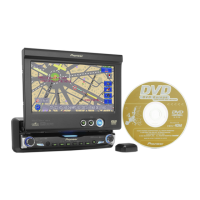
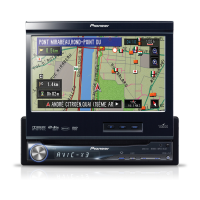
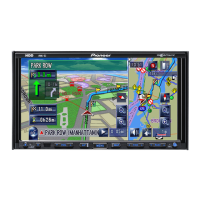
Pioneer AVIC-X1R - User Manual

Pioneer AVIC-X1R
137 pages
Print Icon
To Next Page IconTo Next Page
Loading...
Operation Manual
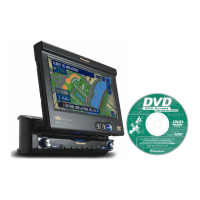
DVD Map
CNDV-50MT
ENGLISH
This operation manual can be used with the following models:
AVIC-X1, AVIC-X1R

Table of Contents

Other manuals for Pioneer AVIC-X1R

Questions and Answers

  • D
    Dylan TaylorJul 30, 2025
    Why does the rear display picture disappear on my Pioneer AVIC-X1R Car Receiver?
    • M
      Miguel MartinJul 30, 2025
      If the rear display picture disappears on your Pioneer Car Receiver, it could be due to several reasons. First, the source disc might have been ejected; try switching the source before ejecting. Alternatively, the disc may lack a video source, so switch to a source with video. Ensure that the REAR mode is turned on by pressing the REAR button. Check the rear display and its connection for any issues. Also, verify that you haven't accidentally selected 'Rear View' on the screen; if so, choose another view mode. Finally, in the REAR DISP menu, ensure that 'SOURCE' is selected.
  • S
    Stacey SantosAug 4, 2025
    Why is the picture stretched on my Pioneer AVIC-X1R?
    • E
      Eric NewmanAug 4, 2025
      If the picture on your Pioneer Car Receiver is stretched or the aspect ratio is incorrect, it's likely that the aspect setting is not properly configured for your display. To correct this, select the appropriate aspect setting that matches your display type.
  • B
    brent48Aug 9, 2025
    How to stop my Pioneer AVIC-X1R LCD panel from knocking?
    • J
      Jessica RiggsAug 9, 2025
      If the LCD panel is knocking against your vehicle’s console or dashboard, it is likely due to an incorrect angle setting. To fix this, press the ANGLE (+/–) buttons to adjust the LCD angle until it no longer knocks.
  • E
    Erin HillAug 14, 2025
    Why does the video image appear grainy on my Pioneer AVIC-X1R Car Receiver?
    • Z
      Zachary CastilloAug 14, 2025
      If the video image on your Pioneer Car Receiver appears grainy, it may be because you are viewing videos in CINEMA or ZOOM mode. Try selecting a different viewing mode to improve the video quality.
  • L
    leahhernandezAug 19, 2025
    What to do if the icon is displayed and operation is not possible on Pioneer AVIC-X1R?
    • W
      williamthorntonAug 20, 2025
      If the icon is displayed and operation is not possible on your Pioneer Car Receiver, it means that the operation is prohibited for the disc or the operation is not compatible with the disc’s organization. Unfortunately, this operation is not possible.
  • D
    Dawn NunezAug 25, 2025
    What to do if the picture stops and the unit cannot be operated on Pioneer AVIC-X1R Car Receiver?
    • D
      David PriceAug 25, 2025
      If the picture stops (pauses) and the unit cannot be operated on your Pioneer Car Receiver, it means that the operation is prohibited for the disc. Unfortunately, this operation is not possible.

Summary

Introduction

Licence Agreement

Legal terms and conditions for using the software and data.

Terms and conditions in relation to the Tele Atlas navigation data

Defines usage rights and liabilities for the navigation map data.

Important Safety Information

Notes Before Using the System and Additional Safety Information

Crucial precautions and warnings for system operation.

Features (Characteristics of this software)

Manual Overview

Guidance on navigating and utilizing the manual's content.

Chapter 1 Basic Operation

Flow from Startup to Termina tion

Step-by-step guide for system startup and operation.

Basic Navigation

Explanation of fundamental navigation functions.

Chapter 2 Menu and Map Display

How to Use Menu Screens

Navigation through the system's main and shortcut menus.

How to view the map of the current location

Displaying and interpreting map information.

Chapter 3 Setting a Route to Your Destination

Finding Your Destination by Selecting the Type of Facility

Searching destinations using Points of Interest (POI).

Modifying the Route Calculation Conditions

Customizing route search parameters like avoiding motorways.

Adding Way Points to the Current Route

Adding intermediate stops to a route.

Chapter 4 Editing the Navigation Utilities

Editing Registered Locations

Managing saved destinations in the Address Book.

Using Traffic Information

Checking and utilizing real-time traffic data.

Chapter 5 Customising Your Navigation System

Modifying the Default Settings

Adjusting system preferences for ease of use.

System Options

Configuration of various system-wide settings.

Chapter 6 Using the AV Source (Built-in DVD drive and Radio)

Operating the Built-in DVD drive

Detailed operations for playing DVD, CD, and MP3 discs.

Listening to the radio

Steps for tuning and operating the radio.

Chapter 7 Using the AV Source (Pioneer AV Equipments)

Multi-CD Player

Operating a connected multi-CD player.

DAB Tuner

Listening to and operating the DAB tuner.

TV Tuner

Watching and operating the TV tuner.

Chapter 8 Customising the Audio Source Setting

Audio Adjustments

Overview of audio settings and equalization.

Setting Up the DVD Player

Configuring settings for a connected DVD player.

Initial Settings

Initial setup procedures for the navigation unit.

Chapter 9 Operating Your Navigation System with Voice

Basics of Voice Operation

Introduction to voice command functionality.

Voice Commands

Lists available voice commands for navigation and audio.

Appendix

Installing the Programme

Instructions for installing the navigation system software.

Memory Navi Mode

Navigation using stored map data without the disc.

Troubleshooting

Solutions for common system problems.

Pioneer AVIC-X1R Specifications

General IconGeneral
TouchscreenYes
DVD PlayerYes
CD PlayerYes
Audio FormatsMP3, WMA, AAC
Radio TunerAM/FM
BluetoothNo
USB PortNo
SD Card SlotYes
NavigationYes
Video FormatsDivX, MPEG1, MPEG2
Preamp Outputs3 (Front, Rear, Subwoofer)
Max Power Output50W x 4
Dimensions178 x 100 mm

Related product manuals