EasyManua.ls Logo

Pioneer BCS-707 - User Manual

Pioneer BCS-707
80 pages
Print Icon
To Next Page IconTo Next Page
Loading...
P/NO: MFL65220805
BCS-707
XV-BD707
S-BD707T
S-BD707SW
BCS-303
XV-BD707
S-BD303
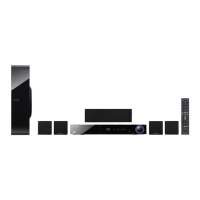
Blu-ray Disc surround system
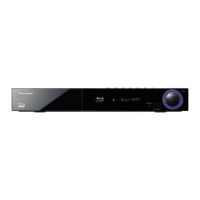
Blu-ray Disc receiver
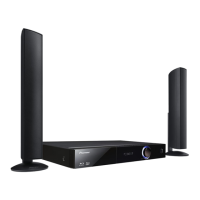
Speaker System
Speaker System
Speaker System (only subwoofer)
HB985-DB.BGBRPPK_MFL65220805.indd 1HB985-DB.BGBRPPK_MFL65220805.indd 1 2010-05-14 9:08:262010-05-14  9:08:26

Table of Contents

Questions and Answers

  • M
    Marcus GrossAug 20, 2025
    What to do if there is no picture on Pioneer Blu-ray Player?
    • L
      Lee StoneAug 20, 2025
      If there's no picture on your TV when using the Pioneer Blu-ray Player, first, make sure you've selected the correct video input on your TV. Then, check that all video connections are secure. You might also need to verify that the HDMI Colour Setting in the Setup menu matches your video connection type. If the resolution is not supported, change the resolution to one that your TV accepts.
  • A
    Anthony JuarezAug 22, 2025
    What to do if Pioneer Blu-ray Player does not start playback?
    • D
      David JohnsonAug 22, 2025
      If your Pioneer Blu-ray Player isn't starting playback, try these steps: - Ensure you've inserted a playable disc, verifying its type, color system, and regional code. - Place the disc with the playback side facing down. - Make sure the disc is correctly placed inside the guide on the disc tray. - Clean the disc. - Cancel the rating function or adjust the rating level.
  • C
    Chelsea ClarkeAug 25, 2025
    Why BD-LIVE feature does not work on Pioneer Blu-ray Player?
    • S
      Sara MillerAug 25, 2025
      To address BD-LIVE feature issues on your Pioneer Blu-ray Player: - Connect a USB storage device with at least 1GB of free space. - Make sure the unit is properly connected to your local network and can access the internet. - If your broadband speed is insufficient, contact your ISP to increase it. - Check that the BD-LIVE connection option in the Setup menu is set to Permitted.
  • J
    Jeffery JohnsonAug 26, 2025
    What to do if the remote control does not work properly with Pioneer Blu-ray Player?
    • B
      barnettkarenAug 27, 2025
      If the remote control for your Pioneer Blu-ray Player isn't working correctly, it may be due to several reasons: - Ensure that the remote control is pointed directly at the remote sensor on the unit. - Make sure you are not too far from the unit. - Remove any obstacles that might be blocking the path between the remote control and the unit. - Check the battery in the remote control and replace it if necessary.
  • C
    Charles GreenAug 27, 2025
    Why is there no picture on my Pioneer BCS-707 Home Theater System?
    • M
      melody96Aug 28, 2025
      There might be a few reasons why you're not seeing a picture. First, make sure you've selected the correct video input mode on your TV so that the picture from the unit appears. Check that the video connections are securely connected. Also, verify that the [HDMI Colour Setting] in the [Setup] menu is set appropriately for your video connection. Your TV might not support the resolution you've set on the player, so try changing it to one your TV can handle. Finally, the player’s HDMI OUT jack might be connected to a DVI device that doesn't support copyright protection.
  • J
    James LeeAug 29, 2025
    Why does the remote control not work properly with my Pioneer Home Theater System?
    • D
      debbiejonesAug 30, 2025
      If your remote control isn't working, it could be due to a few reasons. Ensure that the remote control is pointed directly at the remote sensor on the unit and that you are not too far away. Also, check for any obstacles between the remote control and the unit. Finally, the batteries in the remote control might be exhausted, so try replacing them.
  • T
    Troy ScottAug 31, 2025
    Why is there no sound or distorted sound on my Pioneer Home Theater System?
    • E
      Erin AndradeAug 31, 2025
      If you're experiencing no sound or distorted sound, it could be because the unit is in scan, slow motion, or pause mode. The sound volume might also be set too low, so check the volume level. Also, check the speaker cable connections.
  • T
    Tracy Garcia DDSSep 2, 2025
    What to do if my Pioneer BCS-707 does not start playback?
    • C
      carlos01Sep 2, 2025
      If your unit isn't starting playback, ensure you've inserted a playable disc, checking its type, color system, and regional code. Place the disc with the playback side down, correctly inside the guide on the disc tray. Clean the disc if necessary. Also, cancel the rating function or change the rating level.
  • L
    Laura RoseSep 4, 2025
    Why does picture noise appear on my Pioneer Home Theater System?
    • K
      Kevin HollandSep 4, 2025
      Picture noise can appear if you're playing a disc recorded in a color system different from your TV's. Try setting the resolution to one that your TV accepts.
  • S
    sheilafoxSep 6, 2025
    How to fix BD-LIVE feature that does not work on Pioneer Home Theater System?
    • S
      smillerSep 6, 2025
      If the BD-LIVE feature isn't working, make sure the connected USB storage has at least 1GB of free space. Ensure the unit is correctly connected to the local area network and can access the internet. Your broadband speed might not be fast enough, so consider contacting your Internet Service Provider (ISP) to increase it. Check that the [BD-LIVE connection] option in the [Setup] menu is set to [Permitted].

Summary

Safety Information

Cautions and Warnings

General safety precautions covering electrical shock, fire hazards, and proper ventilation practices.

Power Cord and Battery Safety

Guidance on the safe use, handling, and disposal of power cords and batteries to prevent hazards.

Preparation

Installation

TV Video Connectivity

Details connecting the player to a TV via HDMI, Component, and standard Video outputs, including resolution settings.

Operation

Troubleshooting

General Issues

Solutions for common problems like power, playback, and remote control not working.

Picture and Sound Problems

Troubleshooting steps for issues related to no picture or distorted sound.

Pioneer BCS-707 Specifications

General IconGeneral
BrandPioneer
ModelBCS-707
CategoryHome Theater System
LanguageEnglish

Related product manuals