EasyManua.ls Logo

Pioneer BCS-SB616 - User Manual

Pioneer BCS-SB616
452 pages
Print Icon
To Next Page IconTo Next Page
Loading...
P/NO: MFL67205103
ENGLISH
FRANÇAIS
DEUTSCH ITALIANO ESPAÑOL
NEDERLANDS
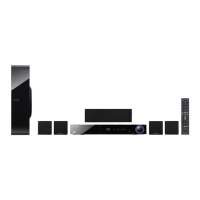
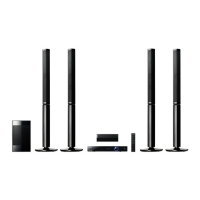
BCS-SB616
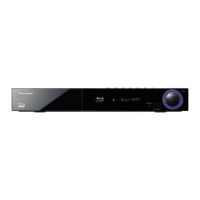
XV-BD515FSW
S-BD616SB
S-BD707SW
BCS-FS515
XV-BD515FSW
S-BD515FS
Français
Deutsch
Italiano
Nederlands
Español
English
Français
Deutsch
Italiano
Nederlands
Español
English
Français
Deutsch
Italiano
Nederlands
Español
English
Français
Deutsch
Italiano
Nederlands
Español
English
Français
Deutsch
Italiano
Nederlands
Español
English
Français
Deutsch
Italiano
Nederlands
Español
English
Français
Deutsch
Italiano
Nederlands
Español
English
Français
Deutsch
Italiano
Nederlands
Español
English
Français
Deutsch
Italiano
Nederlands
Español
English
HB516-RD1_BDEUPPK_ENG.indd 1 2011-06-02 �� 11:01:21

Table of Contents

Questions and Answers

  • K
    kathleen59Aug 12, 2025
    Why is my Pioneer BCS-SB616 Home Theater System remote control not working?
    • M
      Martha McdowellAug 12, 2025
      The remote control might not be working because it is not pointed at the unit's remote sensor, is too far away, has an obstruction in its path, or the batteries are exhausted.
  • K
    Kimberly JonesAug 16, 2025
    What to do if BD-LIVE feature does not work on Pioneer BCS-SB616 Home Theater System?
    • M
      mparkerAug 16, 2025
      If the BD-LIVE feature isn't working, check the following: 1. Ensure the connected USB storage has at least 1GB of free space. 2. Verify the unit is correctly connected to the local area network and can access the internet. 3. If the [BD-LIVE connection] option in the [Setup] menu is set to [Prohibited], set the option to [Permitted]. Also, your broadband speed may not be fast enough; contacting your Internet Service Provider (ISP) to increase the broadband speed is recommended.
  • M
    Matthew NicholsAug 19, 2025
    Why does my Pioneer BCS-SB616 keep buffering when streaming videos?
    • K
      kathleen60Aug 19, 2025
      Buffering during streaming video playback may occur if your broadband service speed is not fast enough. It's recommended to contact your Internet Service Provider (ISP) and increase your broadband speed.
  • R
    Rachael WheelerAug 25, 2025
    What to do if Pioneer BCS-SB616 power will not turn on or off?
    • M
      Mr. Elijah ShawAug 25, 2025
      You can reset the unit as follows: 1. Press and hold the STANDBY/ON button for at least five seconds to force the unit to power off, then turn it back on. 2. Unplug the power cord, wait at least five seconds, and then plug it in again.
  • L
    Lindsey BeckAug 27, 2025
    What to do if my Pioneer BCS-SB616 Home Theater System does not start playback?
    • C
      Claudia VelasquezAug 27, 2025
      If the unit does not start playback: * Insert a playable disc, checking the disc type, colour system, and regional code. * Place the disc with the playback side down. * Ensure the disc is correctly placed on the disc tray inside the guide. * Clean the disc. * Cancel the Rating function or change the rating level.
  • M
    Michelle GilbertAug 31, 2025
    Why shared folders are not displayed on Pioneer BCS-SB616 Home Theater System?
    • M
      Morgan FrankAug 31, 2025
      If shared folders or files from your PC or a media server are not displayed, it may be because the firewall or anti-virus software on your media server is running. Try turning off the firewall or anti-virus software running on your PC or media server.
  • E
    Elizabeth PadillaSep 4, 2025
    Why is my access point not displayed on Pioneer BCS-SB616?
    • C
      Cody RubioSep 4, 2025
      The access point or wireless LAN router may not broadcast its SSID. Set your access point to broadcast its SSID through your computer. Also, your network device may not be set with an available frequency range and channel that this player can support. Try setting the frequency range and channel on the network device setting.
  • J
    Jeffrey MedinaSep 7, 2025
    Why Pioneer Home Theater System cannot play files?
    • J
      James CastanedaSep 8, 2025
      The files may not be recorded in a format that the unit can play, or the unit does not support the codec of the movie file.

Summary

Safety Information

General Safety Warnings and Precautions

Covers electrical shock, power cord, ventilation, laser product safety, and operating environment.

Introduction to Media Compatibility

Playable Discs and File Formats

Details supported disc types, file formats, codecs, and associated symbols.

Remote Control Operation

Remote Control Buttons and Functions

Explains the function of each button on the remote control.

Unit Controls and Connections

Front Panel and Rear Panel Overview

Identifies and describes the controls, indicators, and connection ports on the unit.

Connecting the System

Speaker Assembly and Setup

Instructions for assembling and setting up the speakers for BCS-SB616 and BCS-FS515.

Wall Mounting Speakers

Instructions and precautions for wall-mounting speakers for BCS-SB616 and BCS-FS515.

Connecting to Your TV

HDMI Connection Setup and Information

Instructions for HDMI connection, including troubleshooting and compatibility.

Connecting to Home Network

Wired and Wireless Network Setup

Steps for connecting the player to a network via wired or wireless methods.

USB Device Connection and Playback

Playing Content from USB Devices and Usage Notes

How to insert, play content from USB, and important usage notes.

System Settings Menu

Operating the Player

Radio Operations

Using Online Services

Troubleshooting

General Issues Resolution

Solutions for power, playback, file, and remote control problems.

Network Issues Resolution

Solutions for BD-LIVE, streaming, and network connection problems.

Picture and Sound Issues Resolution

Solutions for picture display, 3D playback, and audio output problems.

Pioneer BCS-SB616 Specifications

General IconGeneral
BrandPioneer
ModelBCS-SB616
CategoryHome Theater System
LanguageEnglish

Related product manuals