EasyManua.ls Logo

Pioneer BCS-414 - User Manual

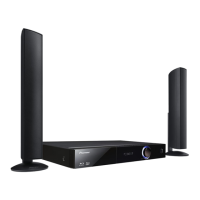
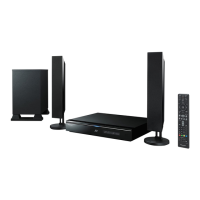
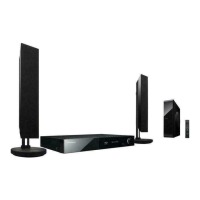
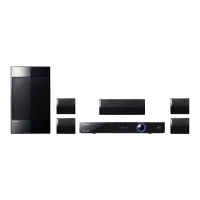
Pioneer BCS-414
72 pages
Print Icon
To Next Page IconTo Next Page
Loading...
P/NO: MFL67205107
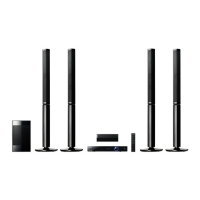
BCS-414
XV-BD212
S-BD707T
S-BD212SW
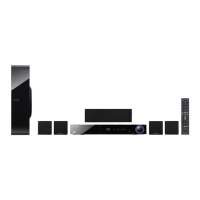
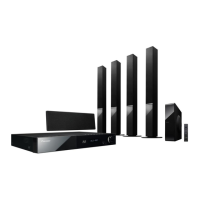
BCS-212
XV-BD212
S-BD310
Français
Deutsch
Italiano
Nederlands
Español
English
Français
Deutsch
Italiano
Nederlands
Español
English
Blu-ray Disc surround system
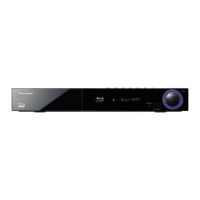
Blu-ray Disc receiver
Speaker System
Speaker System
Speaker System (only subwoofer)
Blu-ray Disc surround system
HB916-DH0_BGBRPPK_ENG.indd 1 2011-05-12 �� 8:19:49

Table of Contents

Questions and Answers

Summary

Safety Information

Electrical Safety and Symbols

Explains electrical shock risks, safety symbols, and ventilation requirements.

Laser and Power Cord Safety

Covers Class 1 Laser Product warnings and power cord precautions.

Safety Precautions

Battery Handling and Storage

Instructions for safe battery handling, storage, and usage.

Water Exposure Warning

Warning against exposing the unit to water or liquids.

Product Compliance and Warnings

Fire and Power Safety

Warnings about fire hazards and power supply precautions.

System and Regional Requirements

System Requirements for Playback

Lists hardware and software requirements for HD video and network file playback.

Remote Control Operation

Remote Control Functions

Details the functions of various buttons on the remote control.

Battery Installation for Remote

Instructions for inserting the battery into the remote control.

Unit Layout and Controls

Front Panel Description

Identifies and explains the controls and indicators on the front panel.

Rear Panel Connections

Details all input and output ports located on the rear panel.

Speaker Assembly

Speaker Setup for BCS-414

Instructions for preparing and assembling the BCS-414 speaker system.

Speaker Installation and Securing

Connecting Speaker Wires

Guide on connecting speaker wires to the player and terminals.

Securing Speakers to Walls

Instructions and precautions for wall-mounting speakers securely.

Speaker Setup for BCS-212

Speaker Preparation

Instructions for attaching non-skid pads to BCS-212 speakers and subwoofer.

Speaker Mounting and Placement

Wall Mounting the Center Speaker

Instructions and precautions for mounting the center speaker on a wall.

Speaker System Placement

Connecting to Your TV

HDMI Connection Guide

Steps and considerations for connecting the player to a TV via HDMI.

HDMI and ARC Functionality

Video Connectivity Options

Output Settings and Antenna Connection

External Device Connections

Digital and HDMI Input Connections

Network Connectivity

Wired Network Setup

Guidance on connecting the player to a home network via an Ethernet cable.

Wired Network Configuration

IP Address Settings

Details on setting IP mode (Dynamic/Static) and network connection testing.

Network Connection Troubleshooting

USB Device Usage

Connecting and Playing USB Content

Steps for connecting a USB device and playing back media files.

System Setup and Display Settings

Navigating the Setup Menu

Guide to accessing and adjusting player settings via the Setup menu.

Video Output and Display Settings

Resolution Settings

Options for setting video output resolution for HDMI and Component.

HDMI Color and 3 D Mode

Settings for HDMI color space and Blu-ray 3D playback mode.

Language and Audio Setup

Speaker Setup and Calibration

Guide to adjusting speaker volume, distance, and performing test tones.

Advanced Audio and Lock Settings

Parental Control and Password Settings

Features for locking playback based on ratings and setting a security password.

Content Restrictions and Network Settings

Disc Rating and Parental Controls

Settings for DVD and Blu-ray disc rating limits and parental control.

Network and BD-LIVE Configuration

Options for network connection status and BD-LIVE internet access control.

Sound Effect Modes

General Playback Operations

Navigating the Home Menu

How to use the HOME menu to access different content types and settings.

Playing Discs (BD, DVD, Audio CD)

Steps for inserting discs and starting playback.

Playing Files from Disc or USB

Instructions for playing movie, music, and photo files from discs or USB devices.

Advanced Playback Features

Playing Blu-ray 3 D Discs

Instructions and requirements for playing Blu-ray 3D content.

Utilizing BD-Live Features

Steps to connect and use BD-Live for enhanced disc content.

Network Media Playback

Accessing Network Files

Steps to play media files from a PC or DLNA server over the network.

Media Playback Controls

Playback Resume Function

Resume Playback Operation

How the unit remembers and resumes playback from the last stopped point.

Advanced Playback Functions

Search and Marker Functions

On-Screen Information Display

Audio CD Recording to USB

CD Recording Procedure

Step-by-step guide for recording Audio CD tracks to a USB device.

Radio Operations

Online Content Services

Troubleshooting Guide

General Unit Issues

Solutions for common problems like power, playback, remote control, and unit operation.

Network Troubleshooting

Network Connectivity Problems

Solutions for issues with BD-LIVE, streaming services, and network file display.

Picture and Sound Troubleshooting

Picture Display Issues

Solutions for no picture, picture noise, and lack of 3D output.

Sound Output Problems

Troubleshooting steps for no sound or distorted audio.

Remote Control TV Functions

Using Remote for TV Control

How to operate the TV's power, input, channel, and volume using the player's remote.

Remote Control Setup Procedure

Steps to program the remote control for specific TV manufacturers.

Product Specifications

General Specifications

Details power, dimensions, weight, operating temperature, and humidity.

Input;Output Ports

Lists all available input and output connections and their specifications.

Maintenance and Disc Care

Unit Handling and Cleaning

Guidelines for cleaning, maintaining, and shipping the player unit.

Pioneer BCS-414 Specifications

General IconGeneral
Disc types supportedBD-R, BD-RE, BD-ROM, CD-R, CD-RW, DVD, DVD+R, DVD+RW, DVD-R, DVD-RW
Number of optical discs1 discs
Optical disc player typeBlu-Ray player
Game modeYes
Built-in HDDNo
Image formats supportedJPG, PNG
Apple docking compatibilityNot supported
Video formats supportedDIVX, H.264, MKV, MPEG2, MPEG4, WMV
Analog signal format systemNTSC, PAL
Audio decodersDolby Digital, Dolby Digital Plus, Dolby Pro Logic, Dolby Pro Logic II, Dolby TrueHD, DTS
RMS rated power1100 W
Audio output channels5.1 channels
Audio formats supportedAAC, MP3, WMA
Front speaker impedance4 Ω
Front speakers RMS power360 W
Center speaker RMS power180 W
Number of satellite speakers2
Karaoke-
Product colorBlack
USB version2.0
USB ports quantity1
HDMI ports quantity3
AC input frequency50 - 60 Hz
Power consumption (standby)0.5 W
Power consumption (typical)150 W
Weight and Dimensions IconWeight and Dimensions
Receiver weight3600 g
Center speaker weight600 g
Receiver dimensions (WxDxH)430 x 304 x 64 mm
Subwoofer dimensions (WxDxH)190 x 320 x 360 mm
Front speaker dimensions (WxDxH)260 x 260 x 1096.5 mm
Center speaker dimensions (WxDxH)300 x 65 x 87 mm

Related product manuals