EasyManua.ls Logo

Pioneer BCS-HW919 - User Manual

Pioneer BCS-HW919
412 pages
Print Icon
To Next Page IconTo Next Page
Loading...
P/NO: MFL67205118
ENGLISH
FRANÇAIS
DEUTSCH ITALIANO ESPAÑOL
NEDERLANDS
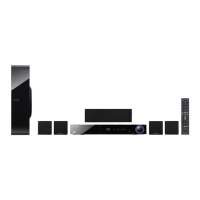
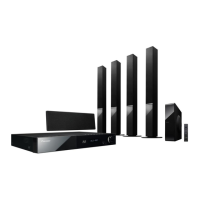
BCS-HW919
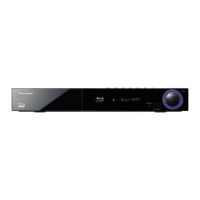
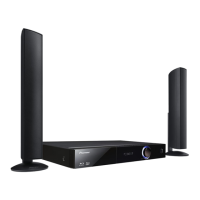
XV-BD919FSW
S-BD919HW
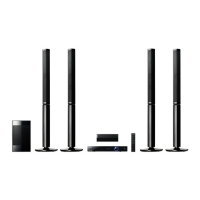
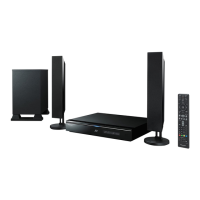
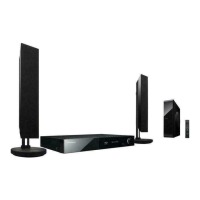
S-BD707SW
Français
Deutsch
Italiano
Nederlands
Español
English
Français
Deutsch
Italiano
Nederlands
Español
English
Français
Deutsch
Italiano
Nederlands
Español
English
Français
Deutsch
Italiano
Nederlands
Español
English
Français
Deutsch
Italiano
Nederlands
Español
English
Français
Deutsch
Italiano
Nederlands
Español
English
HB516-RD2_BDEUPPK_ENG.indd 1 2011-06-22 �� 3:58:48

Table of Contents

Questions and Answers

  • O
    olivia67Sep 12, 2025
    How to fix Pioneer BCS-HW919 remote control that does not work properly?
    • K
      Kathy AbbottSep 12, 2025
      The remote control might not be working because: * It is not pointed at the remote sensor of the unit. * It is too far from the unit. * There is an obstacle in the path of the remote control and the unit. * The batteries in the remote control are exhausted.
  • J
    jose16Aug 25, 2025
    What to do if Pioneer Blu-ray Player does not start playback?
    • K
      Karen DavidsonAug 25, 2025
      If your Pioneer Blu-ray Player isn't starting playback, try these steps: - Ensure you've inserted a playable disc, verifying its type, color system, and regional code. - Place the disc with the playback side facing down. - Make sure the disc is correctly placed inside the guide on the disc tray. - Clean the disc. - Cancel the rating function or adjust the rating level.
  • J
    Jerome HowardAug 25, 2025
    Why BD-LIVE feature does not work on Pioneer Blu-ray Player?
    • C
      Chad DanielsAug 26, 2025
      To address BD-LIVE feature issues on your Pioneer Blu-ray Player: - Connect a USB storage device with at least 1GB of free space. - Make sure the unit is properly connected to your local network and can access the internet. - If your broadband speed is insufficient, contact your ISP to increase it. - Check that the BD-LIVE connection option in the Setup menu is set to Permitted.
  • R
    Robert Lopez DDSSep 23, 2025
    Why the subtitle language cannot be changed or turned off on Pioneer Blu-ray Player?
    • S
      Susan FrazierSep 23, 2025
      The subtitle language cannot be changed or turned off on your Pioneer Blu-ray Player because subtitles are not recorded on the DVD Video being played.
  • M
    Michelle FisherSep 12, 2025
    What to do if shared folder or files are not displayed on my Pioneer BCS-HW919 Home Theater System?
    • R
      Ronald JohnsonSep 12, 2025
      If shared folders or files from your PC or a media server are not displayed, it may be because: * The firewall or anti-virus software on your media server is running. Try turning off the firewall or anti-virus software running on your PC or media server. * The player is not connected to the local area network that your PC or the media server are connected.
  • T
    Tyler SilvaSep 16, 2025
    Why is there no picture on my Pioneer BCS-HW919?
    • C
      Cynthia FlynnSep 16, 2025
      There might be a few reasons why you're not seeing a picture. First, make sure you've selected the correct video input mode on your TV so that the picture from the unit appears. Check that the video connections are securely connected. Also, verify that the [HDMI Colour Setting] in the [Setup] menu is set appropriately for your video connection. Your TV might not support the resolution you've set on the player, so try changing it to one your TV can handle. Finally, the player’s HDMI OUT jack might be connected to a DVI device that doesn't support copyright protection.
  • D
    Daniel SmithSep 4, 2025
    What to do if my Pioneer Home Theater System does not start playback?
    • J
      James SimsSep 5, 2025
      If the unit does not start playback: * Insert a playable disc, checking the disc type, colour system, and regional code. * Place the disc with the playback side down. * Ensure the disc is correctly placed on the disc tray inside the guide. * Clean the disc. * Cancel the Rating function or change the rating level.
  • C
    callahanrobertSep 5, 2025
    Why shared folders are not displayed on Pioneer Home Theater System?
    • A
      Anthony FrySep 5, 2025
      If shared folders or files from your PC or a media server are not displayed, it may be because the firewall or anti-virus software on your media server is running. Try turning off the firewall or anti-virus software running on your PC or media server.
  • C
    Charles Norman MDSep 17, 2025
    Why does the remote control not work properly with my Pioneer BCS-HW919?
    • K
      Katie FrenchSep 17, 2025
      If your remote control isn't working, it could be due to a few reasons. Ensure that the remote control is pointed directly at the remote sensor on the unit and that you are not too far away. Also, check for any obstacles between the remote control and the unit. Finally, the batteries in the remote control might be exhausted, so try replacing them.
  • S
    Sarah GreenAug 30, 2025
    What to do if shared folder or flies from your PC or a media server are not displayed on the device list of Pioneer BCS-HW919 Home Theater System?
    • P
      pinedakelseyAug 30, 2025
      The firewall or anti-virus software on your media server might be running. Try turning off the firewall or anti-virus software running on your PC or media server. Also, ensure that the player is connected to the same local area network as your PC or media server.

Pioneer BCS-HW919 Specifications

General IconGeneral
BrandPioneer
ModelBCS-HW919
CategoryHome Theater System
Audio Channels5.1
HDMI Inputs4
HDMI Output1
BluetoothYes
3D PlaybackYes
Blu-ray PlayerYes
USBYes
EthernetYes
DLNAYes
SubwooferYes
Remote ControlYes
Speaker Configuration5.1
Streaming ServicesYouTube
Audio DecodingDolby Digital, DTS
USB Port1
Optical Input1
Coaxial Input1

Related product manuals