EasyManua.ls Logo

Pioneer XV-BD717W - User Manual

Pioneer XV-BD717W
80 pages
Print Icon
To Next Page IconTo Next Page
Loading...
P/NO: MFL67205117
BCS-717
XV-BD717W
S-BD707T
S-BD707SW
BCS-313
XV-BD717W
S-BD303
Français
Deutsch
Italiano
Nederlands
Español
English
Français
Deutsch
Italiano
Nederlands
Español
English
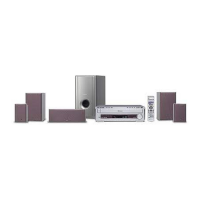
Blu-ray Disc surround system
Blu-ray Disc receiver
Speaker System
Speaker System
Speaker System (only subwoofer)
Blu-ray Disc surround system
HB916-RD0_BGBRPPK_OM_ENG.indd 1 2011-06-21 �� 4:15:26

Table of Contents

Questions and Answers

  • E
    evanschristinaSep 23, 2025
    Why Pioneer XV-BD717W Home Theater System cannot play movie, photo or music files?
    • C
      Christina BrownSep 23, 2025
      Movie, photo, or music files may not play if: * The files are not recorded in a format that the unit can play. * The unit does not support the codec of the movie file.
  • B
    brittanyfosterAug 23, 2025
    What to do if my Pioneer XV-BD717W Home Theater System unit does not start playback?
    • R
      Ryan HuberAug 23, 2025
      First, make sure you've inserted a playable disc, checking its type, color system, and regional code. Ensure the disc is placed with the playback side down and correctly positioned inside the guide on the disc tray. If the disc is dirty, clean it. Finally, cancel the Rating function or change the rating level.
  • G
    guerreromichaelAug 25, 2025
    Why are streaming video services often stopped or “bufefr” during playback on my Pioneer XV-BD717W?
    • M
      Michael BernardAug 26, 2025
      Your broadband service speed may not be fast enough to stream video services. Contact your Internet Service Provider (ISP) and increasing the broadband speed is recommended.
  • J
    jessicaandersonAug 26, 2025
    How to fix Pioneer XV-BD717W Home Theater System when the unit is plugged in, but the power will not turn on or off?
    • G
      Greg HarrellAug 27, 2025
      You can reset the unit as follows: 1. Press and hold the STANDBY/ON button for at least five seconds. This will force the unit to power off then turn the unit back on. 2. Unplug the power cord, wait at least five seconds, and then plug it in again.
  • I
    Isaac RodriguezAug 28, 2025
    Why is BD-LIVE feature not working on my Pioneer XV-BD717W?
    • M
      margaret10Aug 28, 2025
      The connected USB storage may not have enough space; connect a USB storage with at least 1GB free space. Ensure that the unit is correctly connected to the local area network and can access the internet. Your broadband speed may not fast enough to use the BD-LIVE features, so contact your Internet Service Provider (ISP) and increase the broadband speed is recommended. Check that the [BD-LIVE connection] option in the [Setup] menu is set to [Permitted], not [Prohibited].
  • W
    wendy20Sep 18, 2025
    Why Pioneer XV-BD717W Home Theater System cannot connect to the access point or wireless LAN router?
    • T
      Thomas BrooksSep 18, 2025
      If you cannot connect the player to the access point or wireless LAN router, the wireless communication may be interrupted by household devices that are using radio frequencies. Try moving the player away from them.
  • D
    David RobertsSep 15, 2025
    Why Pioneer Home Theater System does not start playback?
    • K
      Karen TaylorSep 15, 2025
      If the unit does not start playback: * Insert a playable disc, checking the disc type, color system, and regional code. * Place the disc with the playback side down. * Place the disc on the disc tray correctly inside the guide. * Clean the disc. * Cancel the Rating function or change the rating level.
  • B
    brianfaulknerSep 16, 2025
    Why is there no sound or the sound is distorted on my Pioneer XV-BD717W?
    • M
      Mitchell TaylorSep 17, 2025
      If there is no sound or the sound is distorted: * The unit may be in scan, slow motion, or pause mode. * The sound volume may be low. * Check the speaker cable connection.
  • J
    Jacob CruzSep 6, 2025
    What to do if there is no picture on my Pioneer XV-BD717W?
    • W
      wilsoncoreySep 7, 2025
      If there is no picture, try the following: * Select the appropriate video input mode on the TV so the picture from the unit appears on the TV screen. * Ensure the video connection is secure. * Check the [HDMI Color Setting] in the [Setup] menu is set to the appropriate item that conforms to your video connection. * Change the resolution that your TV accepts, as your TV may not support the resolution you have set on the player. * Note: If the player’s HDMI OUT jack is connected to a DVI device that does not support copyright protection, there may be no picture.
  • L
    Lisa RobertsSep 4, 2025
    Why does my Pioneer XV-BD717W BD-LIVE feature not work?
    • M
      megan52Sep 4, 2025
      The BD-LIVE feature might not work due to several reasons: * The connected USB storage might not have enough space. Connect a USB storage device with at least 1GB of free space. * The unit may not be correctly connected to the local area network and unable to access the internet. * Your broadband speed may not be fast enough. It is recommended to contact your Internet Service Provider (ISP) and increase your broadband speed. * The [BD-LIVE connection] option in the [Setup] menu might be set to [Prohibited]. Set the option to [Permitted].

Summary

Safety Information

Electric Shock and Power Cord Safety

Warnings about not opening the unit, power cord safety, and ventilation.

Introduction

Playable Media and Accessories

Information on supported discs, symbols, and included accessories.

File Compatibility

Movie, Music, and Photo File Support

Details on compatible movie, music, and photo file formats and codecs.

Connecting to Your TV

HDMI Connection

Detailed steps for connecting the player to a TV via HDMI.

Home Network Setup

Wired and Wireless Network Configuration

Steps for establishing and configuring wired and wireless network connections.

System Setting

Display and Audio Configuration

Adjusting display settings (aspect ratio, resolution) and audio setup (speaker configuration).

Operating Modes

Disc and File Playback

Steps for playing discs and files from discs or USB devices.

Troubleshooting

General and Network Issues

Solutions for common issues with power, playback, network connectivity, and streaming.

Appendix

Specifications and Licenses

Technical specifications, trademarks, licenses, and output resolution tables.

Maintenance

Unit and Disc Handling

Precautions for shipping, cleaning, handling the unit, and caring for discs.

Pioneer XV-BD717W Specifications

General IconGeneral
TypeBlu-ray Home Theater System
Audio Channels5.1
Total Power Output1100W
Blu-ray PlaybackYes
3D PlaybackYes
Wireless Rear SpeakersYes
HDMI Outputs1
USB Input/Ports1
Ethernet PortYes
Wi-FiYes
Audio DecodingDolby TrueHD, DTS-HD Master Audio
Video Output1080p Upscaling
SubwooferWireless
Supported Audio FormatsMP3, WMA, AAC
Remote ControlYes
Supported MediaBlu-ray, DVD, CD, USB
ConnectivityHDMI, USB, Ethernet, Wi-Fi
Supported Video FormatsDivX HD
Disc CompatibilityBD-ROM, DVD, CD

Related product manuals