EasyManua.ls Logo

Pioneer BCS-303 - User Manual

Pioneer BCS-303
80 pages
Print Icon
To Next Page IconTo Next Page
Loading...
P/NO: MFL65220805
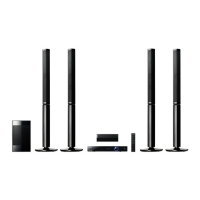
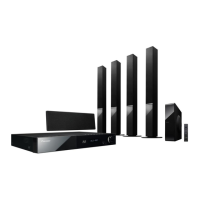
BCS-707
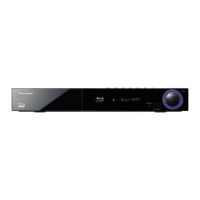
XV-BD707
S-BD707T
S-BD707SW
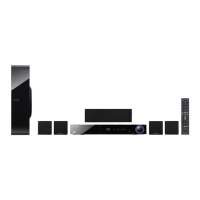
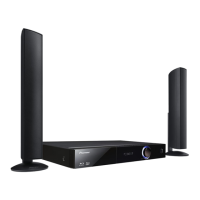
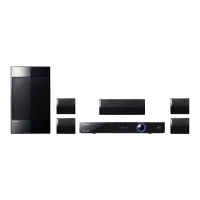
BCS-303
XV-BD707
S-BD303
Blu-ray Disc surround system
Blu-ray Disc receiver
Speaker System
Speaker System
Speaker System (only subwoofer)
HB985-DB.BGBRPPK_MFL65220805.indd 1HB985-DB.BGBRPPK_MFL65220805.indd 1 2010-05-14 9:08:262010-05-14  9:08:26

Table of Contents

Questions and Answers

  • L
    Linda JohnsonAug 20, 2025
    What to do if there is no picture on Pioneer Blu-ray Player?
    • P
      Pedro McleanAug 21, 2025
      If there's no picture on your TV when using the Pioneer Blu-ray Player, first, make sure you've selected the correct video input on your TV. Then, check that all video connections are secure. You might also need to verify that the HDMI Colour Setting in the Setup menu matches your video connection type. If the resolution is not supported, change the resolution to one that your TV accepts.
  • M
    martinezkarenAug 22, 2025
    What to do if Pioneer Blu-ray Player does not start playback?
    • T
      Taylor ThompsonAug 22, 2025
      If your Pioneer Blu-ray Player isn't starting playback, try these steps: - Ensure you've inserted a playable disc, verifying its type, color system, and regional code. - Place the disc with the playback side facing down. - Make sure the disc is correctly placed inside the guide on the disc tray. - Clean the disc. - Cancel the rating function or adjust the rating level.
  • P
    Patrick HuynhAug 25, 2025
    Why BD-LIVE feature does not work on Pioneer Blu-ray Player?
    • M
      Malik HansenAug 25, 2025
      To address BD-LIVE feature issues on your Pioneer Blu-ray Player: - Connect a USB storage device with at least 1GB of free space. - Make sure the unit is properly connected to your local network and can access the internet. - If your broadband speed is insufficient, contact your ISP to increase it. - Check that the BD-LIVE connection option in the Setup menu is set to Permitted.
  • C
    Christopher HernandezAug 27, 2025
    What to do if the remote control does not work properly with Pioneer Blu-ray Player?
    • O
      olsenerikAug 27, 2025
      If the remote control for your Pioneer Blu-ray Player isn't working correctly, it may be due to several reasons: - Ensure that the remote control is pointed directly at the remote sensor on the unit. - Make sure you are not too far from the unit. - Remove any obstacles that might be blocking the path between the remote control and the unit. - Check the battery in the remote control and replace it if necessary.
  • J
    John PopeAug 28, 2025
    Why is there no picture on my Pioneer BCS-303?
    • S
      smithcesarAug 28, 2025
      There might be a few reasons why you're not seeing a picture. First, make sure you've selected the correct video input mode on your TV so that the picture from the unit appears. Check that the video connections are securely connected. Also, verify that the [HDMI Colour Setting] in the [Setup] menu is set appropriately for your video connection. Your TV might not support the resolution you've set on the player, so try changing it to one your TV can handle. Finally, the player’s HDMI OUT jack might be connected to a DVI device that doesn't support copyright protection.
  • B
    Brenda CurtisAug 30, 2025
    Why does the remote control not work properly with my Pioneer BCS-303?
    • K
      khansenAug 30, 2025
      If your remote control isn't working, it could be due to a few reasons. Ensure that the remote control is pointed directly at the remote sensor on the unit and that you are not too far away. Also, check for any obstacles between the remote control and the unit. Finally, the batteries in the remote control might be exhausted, so try replacing them.
  • F
    fergusonjordanSep 1, 2025
    Why is there no sound or distorted sound on my Pioneer Home Theater System?
    • J
      John ReyesSep 1, 2025
      If you're experiencing no sound or distorted sound, it could be because the unit is in scan, slow motion, or pause mode. The sound volume might also be set too low, so check the volume level. Also, check the speaker cable connections.
  • S
    shortcandiceSep 2, 2025
    What to do if my Pioneer BCS-303 does not start playback?
    • M
      meganewingSep 2, 2025
      If your unit isn't starting playback, ensure you've inserted a playable disc, checking its type, color system, and regional code. Place the disc with the playback side down, correctly inside the guide on the disc tray. Clean the disc if necessary. Also, cancel the rating function or change the rating level.
  • M
    michaelcampbellSep 4, 2025
    Why does picture noise appear on my Pioneer BCS-303?
    • A
      Anthony ReynoldsSep 4, 2025
      Picture noise can appear if you're playing a disc recorded in a color system different from your TV's. Try setting the resolution to one that your TV accepts.
  • D
    dicksonjosephSep 6, 2025
    How to fix BD-LIVE feature that does not work on Pioneer BCS-303?
    • W
      William JenkinsSep 6, 2025
      If the BD-LIVE feature isn't working, make sure the connected USB storage has at least 1GB of free space. Ensure the unit is correctly connected to the local area network and can access the internet. Your broadband speed might not be fast enough, so consider contacting your Internet Service Provider (ISP) to increase it. Check that the [BD-LIVE connection] option in the [Setup] menu is set to [Permitted].

Summary

Safety Information

Cautions and Warnings

General safety warnings and precautions for operating the unit.

Power Cord and Battery Safety

Precautions for handling power cords and safe removal/disposal of batteries.

Equipment and Battery Disposal Guidelines

Information on proper collection and recycling of old electrical products and used batteries.

Important Notice for TV Colour System

Explains compatibility issues with TV color systems like NTSC and PAL.

Preparation

Introduction to Preparation

Overview of the preparation steps and disc types supported by the player.

Supplied Accessories List

Details the accessories included for different speaker systems (BCS-707, BCS-303).

Playable Disc Formats

Lists and describes the various disc types (BD, DVD, CD) that the player can read.

File Compatibility and Requirements

Specifies supported file extensions, codecs, resolutions, and limitations for media playback.

Regional Code and AVCHD Details

Explains regional code restrictions and features of AVCHD format discs.

Remote Control Operation

Details the functions of each button on the supplied remote control.

Front Panel Controls and Indicators

Identifies and describes the buttons, ports, and display on the player's front panel.

Rear Panel Connectivity Options

Details the various input and output ports located on the rear of the player.

Installation

Speaker Assembly and Setup

Guides on assembling speakers and attaching non-skid pads for various models.

Securing Speakers and Safety

Instructions on securing speakers to walls and important safety cautions during installation.

BCS-303 Speaker Setup

Step-by-step guide for setting up the BCS-303 speakers, including pad attachment and wiring.

Centre Speaker Wall Mounting & Notes

Instructions for wall mounting the centre speaker and additional notes on speaker placement.

System Speaker Positioning

Recommendations for optimal placement of front, centre, and surround speakers for best sound.

Connecting to Your TV

Explains how to connect the player to a TV via HDMI, Component, or Video connections.

Component Video Connection

Detailed steps for connecting the player to a TV using component video cables.

Video Connection & Resolution Setting

Covers standard video connection and how to adjust output resolution via the Setup menu.

Antenna & External Device Connections

Guides for connecting the antenna for radio and AUX input for external audio devices.

Portable & Optical Audio Connections

Instructions for connecting portable audio players via PORTABLE IN and digital audio sources via OPTICAL IN.

Bluetooth Wireless Connection

Steps for pairing and connecting Bluetooth devices for audio streaming.

Bluetooth Device Information and Notes

Information on checking connected Bluetooth devices and troubleshooting connection issues.

Connecting to Your Home Network

Instructions on how to connect the player to a local area network for internet access.

Network Setup Configuration

Guides on configuring network settings, including IP mode (Dynamic/Static) and testing connection.

Network Connection Notes and Tips

Provides important notes, tips, and potential issues regarding network setup and ISP requirements.

USB Device Connection and Playback

Instructions on connecting USB devices and playing movie, music, and photo files.

Settings

Adjusting Setup Menu Settings

Explains how to navigate and change various player settings via the Setup menu.

Display Menu: Aspect Ratio & Resolution

Details options for TV aspect ratio and video output resolution settings.

1080 p Mode, HDMI Color, Language Settings

Configuration for 1080p display, HDMI color, and selecting menu/audio/subtitle languages.

Audio Menu: Speaker Setup & Sync

Guides on speaker setup, adjusting volume/distance, and managing HD AV Sync and DRC.

Lock Menu: Password & Ratings

Explains how to set parental controls, DVD/BD ratings, and manage area codes.

Network & Other Menu Options

Covers network status, BD-LIVE connection settings, and DivX VOD registration.

Auto Power Off & System Initialization

Options for screen saver, auto power off, factory reset, and clearing BD storage.

Sound Effect Mode Selection

Describes various sound modes available to enhance audio playback for different content.

Operation

General Playback and Disc Loading

Basic steps for inserting discs and initiating playback for various media types.

Playback Controls and Disc Menus

Details on stopping, pausing, scanning, skipping, and using disc menu features.

Advanced Playback: Repeat & Markers

Explains repeat playback modes and how to use the marker search function.

Marker Management and Search Navigation

Guides on deleting markers and navigating search menus for specific playback points.

Last Scene Memory & On-Screen Info

Features for remembering the last viewed scene and displaying content information on-screen.

Playing Back from a Selected Time

Instructions on how to start playback from a specific time point within a disc or file.

Audio and Subtitle Language Selection

Steps to change audio tracks and subtitle languages during playback.

Angle, Aspect Ratio & Picture Mode Settings

Guides for changing camera angles, TV aspect ratio, and picture modes during playback.

Enjoying BD-LIVE Content

How to connect to the internet and use BD-LIVE features for enhanced content.

Playing Movie Files and DVD-VR Discs

Instructions for playing movie files from discs/USB and DVD-RW discs in VR format.

Subtitle File Selection and Code Page

How to select subtitle files and adjust code pages for proper display.

Viewing Photos and Slideshow Playback

Steps for viewing photo files and initiating slideshow playback.

Photo Viewing Options & Music Slideshows

Options for photo viewing and playing music in the background during slideshows.

Listening to Music from Discs and Devices

Guides on playing audio CDs, music files from USB, and network sources.

Recording Audio CDs to USB Storage

Step-by-step instructions for copying tracks from an Audio CD to a USB device.

Playing Content from iPod

How to connect and play music and video content from an iPod.

iPod IN Mode Operation and Notes

Details on operating the iPod via the unit's remote and troubleshooting iPod connection issues.

Radio Operations and Station Presets

Instructions for tuning radio stations, saving presets, and improving reception.

Home Network Content Playback and DLNA

How to play content from PCs and DLNA servers on your home network.

Accessing PC Shared Folders via Network

Steps to share folders on a PC and access them from the player over the network.

PC Requirements for Network File Sharing

Specifies the necessary PC operating system, processor, and network environment for file sharing.

Network User ID and Password Entry

Guides on entering network credentials for accessing shared folders securely.

Maintenance

Disc Handling and Unit Care

Instructions for proper handling, storing, cleaning discs, and cleaning the player unit.

Troubleshooting

General Troubleshooting Guide

Addresses common issues like power, playback, angle, subtitle, file, and remote control problems.

Picture and Sound Troubleshooting

Solutions for issues related to lack of picture, picture noise, no sound, or distorted audio.

Network and Software Update Issues

Troubleshoots BD-LIVE connectivity and provides information on product updates.

Appendix

Controlling TV with Supplied Remote

Instructions on how to program the remote control to operate a TV.

Area Code List for DVD Ratings

A list of area codes used for rating DVD video discs.

Language Code List for Settings

A comprehensive list of language codes used for initial setup options.

Video Output Resolution Charts

Tables detailing video output resolutions for different connection types and media protection.

Trademarks and Software Licences

Lists trademarks and licensing information for technologies used in the product.

Product Specifications and Technical Details

Comprehensive technical specifications including tuner, amplifier, system, and I/O details.

Speaker System Specifications (BCS-707;303)

Detailed specifications for the BCS-707 and BCS-303 speaker systems.

Open Source Software Licensing Information

Details regarding the GPL, LGPL, and other open source software licenses used.

Declaration of Conformity (R&TTE Directive)

Official declaration of the product's compliance with European R&TTE Directive requirements.

Pioneer BCS-303 Specifications

General IconGeneral
RMS rated power1110 W
Audio output channels5.1 channels
Audio formats supportedAAC, MP3, WMA
Disc types supportedBD-ROM, DVD-R, DVD-RW
Optical disc player typeBlu-Ray
Weight3600 g
Audio systemDolby TrueHD, Dolby Digital, Dolby Digital Plus, Dolby Pro Logic Surround, Dolby Pro Logic Surround II, DTS HD High Resolution Audio, DTS-HD Master Audio Essential, PCM
Dimensions (WxDxH)430 x 304 x 64 mm
Power requirementsAC 220 - 240V, 50/60 Hz
Image formats supportedJPG
Center speaker RMS power150 W
Center speaker impedance4 Ω
Satellite speakers RMS power4 W
Video formats supportedDivX
Preset stations quantity50
I/O ports1 x Ethernet 1 x RCA Audio In 1 x iPod cradle input 1 x Portable Audio In (front)
USB version2.0
Digital audio optical in2
Power consumption (standby)0.5 W
Product colorBlack
Weight and Dimensions IconWeight and Dimensions
Subwoofer weight4400 g
Rear speaker weight400 g
Center speaker weight600 g
Subwoofer dimensions (WxDxH)130.5 x 420 x 372 mm
Front speaker dimensions (WxDxH)96 x 85 x 96 mm
Center speaker dimensions (WxDxH)300 x 65 x 87 mm

Related product manuals