Need help?
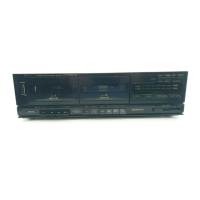
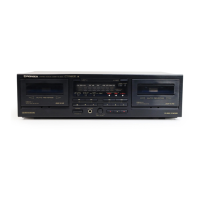
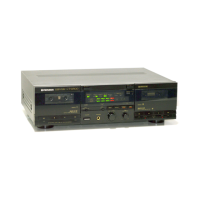
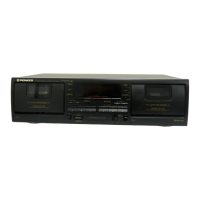
Do you have a question about the Pioneer CT-W420R and is the answer not in the manual?
Provides general warnings and cautions regarding electric shock and product usage.
Instructions for U.S. and Canadian models regarding serial number recording for warranty purposes.
Electrical safety warning for Canadian models concerning polarized plugs and outlets.
Advice on selecting installation locations, avoiding heat and humidity, and ensuring proper ventilation.
Guidance on preventing condensation when moving the unit between different temperature environments.
Instructions for cleaning tape heads, pinch rollers, and capstans to maintain sound quality.
Procedure for demagnetizing tape heads to prevent loss of high frequencies.
Instructions for cleaning the unit's front panel using a soft cloth.
Essential checks before loading a cassette tape, including tape slack and erasure prevention tabs.
Explanation of the automatic tape type selection function based on sensor holes.
Advice on handling leader tape, storing tapes, and avoiding C-120 tapes.
Guide for connecting audio components like amplifiers and CD players using line and control cords.
Instructions for connecting a CD player for synchronized recording.
How to connect and use the SR System remote control for integrated operation.
Guidance on connecting the power cord to the cassette deck and audio timer.
Details on Deck I transport controls including playback, search, and recording buttons.
Explanation of Deck I eject, counter reset, and counter mode buttons.
Description of the power switch and standby indicator status.
Details on the microphone jack and recording level control.
Function of the Deck II eject button, including notes on power status.
Details on Deck II transport controls including playback, search, and recording buttons.
Explanation of the REVERSE MODE SWITCH settings for one-way, two-way, and repeat playback.
How the AUTO BLE system automatically adjusts recording levels and equalization.
Description of the FLEX system for expanding high-frequency sound during playback.
Explanation of the REWIND AUTOPLAY function for automatic playback after rewinding.
Explanation of various indicators like counter, CD SYNC, and COPY status.
Details on indicators for level meter, FLEX system, and time counters.
Refers to page 10 for detailed meanings of tape transport mode indicators.
How Dolby NR systems reduce tape hiss and improve sound quality.
Explanation of the Dolby HX PRO system for extending headroom during recording.
Detailed explanation of indicators showing tape playback direction and status.
How to select between tape counter and time counter modes using the TIME/COUNT button.
Instructions for resetting the tape counter or time counter to zero.
Step-by-step instructions for playing a prerecorded tape on either deck.
How to set up and perform continuous playback between two tapes or decks.
How to use the RELAY/SKIP button to skip unrecorded tape sections during playback.
Details the playback sequences based on REV MODE switch settings and button presses.
Guide to using the music search function to skip to desired selections.
Explains how the unit counts selections for music search based on blanks.
Step-by-step instructions for recording onto a cassette tape on either deck.
Instructions for recording using a microphone, including level adjustment.
How to create blank spaces for music search using the recording mute button.
Guidance on setting the optimal recording level for best sound quality.
Procedure for erasing recorded content from a cassette tape.
Detailed process for using the AUTO BLE tuning function for optimal recording.
Instructions for setting up relay recording from Deck I to Deck II on compatible models.
Table detailing recording sequences based on REV MODE and deck selection.
Procedure for performing synchronized recording from a CD player.
Explains CD player behavior during synchro recording, including disc changes and tape end.
Instructions for copying tape contents from Deck I to Deck II at normal or high speed.
How to stop the tape copying function at any time.
Instructions for setting up automatic playback using an audio timer.
Instructions for setting up automatic recording using an audio timer.
Troubleshooting steps for power-on issues and cassette door operation.
Common problems and solutions related to tape playback issues.
Common problems and solutions related to recording issues.
Troubleshooting steps for issues like unstable sound, no high frequencies, and distortion.
Solutions for music search, timer, remote control, and CD synchro recording problems.
Important safety precautions for handling and maintaining the power cord.
Details on the system type, number of heads, and head materials used in the decks.
Specifications for motor type, wow and flutter, and fast winding time.
Technical data on signal-to-noise ratio, noise reduction effect, and harmonic distortion.
Details on input sensitivity, output levels, and headphone impedance.
A list of the various subfunctions available on the cassette decks.
Information on power requirements, consumption, dimensions, weight, and accessories.
Details on system, heads, motor, wow/flutter, frequency response, and SNR for specific models.
Technical specifications for line input, output levels, and headphone impedance.
Highlights subfunctions unique to the CT-W420R and CT-W402R models.
Lists included accessories and notes regarding specifications modifications.
Instructions on how to activate and cancel the demonstration mode.
Guidance on setting safe listening levels to protect hearing.
Chart illustrating decibel levels and examples of potentially harmful noise exposure.
 General
| Track System | 4-track, 2-channel stereo |
|---|---|
| Total Harmonic Distortion | 0.8% |
| Input | Line In |
| Output | Line Out |
| Tape Type | Normal, Chrome, Metal |
| Type | Double Cassette Deck |
| Motor | DC Motor |
| Inputs | Line In |
| Outputs | Line Out |


 To Next Page