EasyManua.ls Logo

Pioneer CT-W401R - User Manual

Pioneer CT-W401R
16 pages
Print Icon
To Next Page IconTo Next Page
Loading...
STEREO
DOUBLE
CASSETTE
DECK
T-W4
Operating
Makai
lendleyaks
:
dy}
PIONEER
asvasc
coume
CAGSETTS
OBCK
CT-W401R
KS
|
<]
auTO
REVERSE
[>
re
ea
ea
eS
Ss
<j]
auto
REvVeRBE
[>
DOLBY
AC
NR
PLAVRAOM
141 STD
TAPE
MELECTOR
=
=
DOLBY
BC
NR
it
ee)
viene
CO-OECK
SYNCHRO
@
The
above
illustration
shows
U.K.
model.
_
Thank
you
for
buying
this
PIONEER
product.
Please
read
through
these
operating
instructions
so
you
will
know
how
to
operate
your
unit
properly.
After
you
have
finished
reading
the
instructions,
keep
the
manual!
in
a
safe
place
for
future
reference.
In
some
countries
or
regions,
the
shape
of
the
power
plug
and
power
outlet
may
sometimes
differ
from
that
shown
in
the
ex-
planatory
drawings.
However,
the
method
of
connecting
and
operating
the
unit
is
the
same.
WARNING:
TO
PREVENT
FIRE
OR
SHOCK
HAZ-
-
[For
Canadian
model]
ARD,
DO
NOT
EXPOSE
THIS
APPLIANCE
TO
RAIN
OR
This
digital
apparatus
does
not
exceed
the
Class
B
limits
for
MOISTURE.
|
-
radio
noise
emissions
from
digital
apparatus
set
out
in
the
Ra-
dio
Interference
Regulations
of
the
Canadian
Department
of
IMPORTANT
NOTICE
Communications.
[For
U.S.
and
Canadian
models]
Pour
|
déle
Canadien]
The
serial
number
for
this
equipment
is
located
onthe
rear
panel.
bout
.
emour
sl
ie
=
x2
:
Please
write
this
serial
number
on
your
enclosed
warranty
card
Linterference,
radioélectrique
generée
par
cet
appareil
nu-
and
keep
it
in
a
secure
area.
This
is
for
your
security.
_
mérique
de
type
B
ne
dépasse
pas
les
limites
enoncées
dans
;
le
Réglement
sur
les
perturbations
radioélectriques,
section
[For
Canadian
model]
appareil
numérique,
du
Ministére
des
Communications.
CAUTION
:to
prEvENT
ELECTRIC
SHOCK
DO
NOT
USE
THIS
(POLARIZED)
PLUG
WITH
AN
EXTENSION
|
“This
product
complies
with
the
Radio
Interference
require-
CORD,
RECEPTACLE
OR
OTHER
OUTLET
UNLESS
THE
ments
of
the
EC
(European
Community)
Directive
87/308/EEC.”
BLADES
CAN
BE
FULLY
INSERTED
TO
PREVENT
BLADE
|
,
EXPOSURE.
ATTENTION:pour
prevenin
LES
CHOCS
ELECTRIQUES
NE
PAS
UTILISER
CETTE
FICHE
POLARISEE
AVEC
UN
PROLONGATEUR
UNE
PRISE
DE
COURANT
OU
UNE
AUTRE
SORTIE
DE
COURANT,
SAUF
SI
LES
LAMES
PEUVENT
ETRE
INSEREES
A
FOND
SANS
EN
LAISSER
AUCUNE
PARTIE
A
DECOUVERT.
VY)
PIONEER’
The
Art
of
Entertainment
Question and Answer IconNeed help?

Do you have a question about the Pioneer CT-W401R and is the answer not in the manual?

Overview

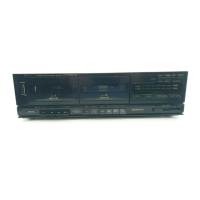
The PIONEER CT-W401R is a stereo double cassette deck designed for recording and playback of audio cassette tapes. It features a 4-track, 2-channel stereo system with "Hard permalloy" recording/playback heads (one for recording/playback, one for playback only) and a "Ferrite" erasing head. The deck is driven by two DC servo motors.

Function Description:

The CT-W401R offers comprehensive cassette deck functionalities, including:

  • Single Playback: Playback of a single tape in either Deck I or Deck II.
  • Relay Playback: Continuous playback between Deck I and Deck II, where playback automatically switches to the second deck once the first tape ends. This feature is useful for extended listening or background music.
  • Recording (Deck II only): The unit allows recording on Deck II.
  • Tape Copying (Deck I to Deck II): This function enables copying the contents of a tape from Deck I to Deck II at either normal or high speed (twice normal playback speed).
  • CD-DECK SYNCHRO Recording: This feature allows synchronized recording from a PIONEER CD player equipped with a CD-DECK SYNCHRO control jack. Recording starts automatically when the CD player begins playback.
  • Music Search: Allows skipping forward or backward to locate desired selections by detecting blanks (longer than 4 seconds) between tracks. It can find up to 15 selections before or after the current position.
  • Recording Mute: Creates 4.5-second blank spaces on the tape, useful for proper operation of the music search function. Holding the button down creates longer blanks.
  • Erasure: Tapes can be erased by loading them into Deck II, setting the REC LEVEL to MIN, and initiating recording.
  • Timer Recording/Playback: The deck can be set up for unattended recording or wake-up playback using an external audio timer.
  • Automatic Reverse: Both decks support auto-reverse functionality, allowing continuous playback or recording on both sides of a tape without manual intervention.
  • Automatic Tape Selector: The deck automatically detects the type of tape (TYPE IV metal or TYPE II CrO2) using sensor holes and adjusts recording bias and equalization accordingly.
  • Dolby NR Systems (B/C): Incorporates Dolby B-type and C-type noise reduction systems to reduce tape hiss and expand dynamic range, particularly in the treble and mid-range frequencies.

Important Technical Specifications:

  • Heads: 1x "Hard permalloy" recording/playback, 1x "Hard permalloy" playback, 1x "Ferrite" erasing.
  • Motors: 2x DC servo motors.
  • Wow and Flutter: No more than 0.10% (WRMS).
  • Fast Winding Time: Approximately 120 seconds (C-60 tape).
  • Frequency Response (at -20 dB recording level):
    • TYPE IV (Metal) tape: 30 to 16,500 Hz
    • TYPE II (Chrome) tape: 30 to 16,000 Hz
    • TYPE I (Normal) tape: 30 to 16,000 Hz
  • Signal-to-Noise Ratio (Dolby NR OFF): More than 56 dB.
  • Noise Reduction Effect:
    • Dolby B-type NR ON: More than 10 dB (at 5 kHz)
    • Dolby C-type NR ON: More than 19 dB (at 5 kHz)
  • Harmonic Distortion: No more than 0.8% (at -4 dB: 160 nwb/m).
  • Input (Sensitivity) LINE (INPUT): 100 mV (Input impedance 56 kΩ).
  • Output (Reference level) LINE (OUTPUT): 0.5 V (Output impedance 4.5 kΩ).
  • Headphones (U.K. model only): 0.63 mW (Output impedance 8 Ω).
  • Power Requirements:
    • U.S. and Canadian models: AC 120 V, 60 Hz
    • U.K. and Australian models: AC 230-240 Volts~, 50/60 Hz
  • Power Consumption:
    • 14 W (U.S. and Canadian models)
    • 21 W (U.K. and Australian models)
  • Dimensions: 420 (W) x 120 (H) x 265 (D) mm (16-9/16 (W) x 4-3/4 (H) x 10-7/16 (D) in.).
  • Weight: 3.9 kg (8 lbs. 10 oz.).

Usage Features:

  • Front Panel Controls: Includes POWER (STANDBY/ON) switch, Deck I and Deck II operation buttons (fast reverse/music search, fast forward/music search, forward playback, stop, reverse playback, recording mute, pause, recording), headphones jack (U.K. model), recording level control (REC LEVEL), reverse mode switch (REV MODE), eject buttons for both decks, Dolby NR switch (B/OFF/C), timer mode/relay/skip play switch, synchro copy buttons (NORMAL SPEED/HIGH SPEED), CD-DECK SYNCHRO recording button, Deck II tape counter, and tape counter reset button.
  • Function Display: Features indicators for Deck I and Deck II tape transport modes, Dolby NR (B/C), Synchro copy (NORMAL SPEED/HIGH SPEED), a 6-segment LED level meter, and CD-DECK SYNCHRO recording.
  • Remote Control Compatibility: Equipped with CONTROL IN and CONTROL OUT jacks for integration into a PIONEER System Remote Control setup, allowing operation of the deck via a compatible system remote. Specific instructions are provided for operating Deck I with remote control units not designed for double decks.
  • Blank Skip Function: During playback, if the deck encounters an unrecorded portion of tape longer than 15 seconds, it will fast forward until another recorded portion is found, then resume playback.
  • Erasure Prevention Tabs: The recording function is disabled if the erasure prevention tabs on the cassette are broken off, preventing accidental erasure of important recordings. Instructions are provided for re-enabling recording by covering the hole with adhesive tape.
  • Cassette Handling Tips: Advice on removing tape slack, handling tapes with broken erasure prevention tabs, and proper storage to prevent damage and ensure optimal performance. Recommendations against using C-120 tapes due to their thinness and susceptibility to jamming.

Maintenance Features:

  • Cleaning the Heads, Pinch Rollers and Capstans: Regular cleaning is crucial for optimal sound quality. The manual provides a step-by-step guide:
    1. Set the POWER switch to STANDBY.
    2. Press the EJECT button to open the cassette door.
    3. Using a cotton swab dampened with cleaning fluid, gently clean the heads, capstans, and pinch rollers.
    • Note: After cleaning, allow the heads to dry for at least 3 minutes before operating.
  • Demagnetizing the Heads: Over time, the heads can become magnetized, leading to increased hiss and dull sound. The manual recommends regular demagnetization with a head demagnetizer.
  • Cleaning the Front Panel: Use a polishing cloth or a soft dry cloth. Avoid furniture wax, benzine, insecticides, or other volatile liquids as they may corrode the cabinet.
  • Troubleshooting Guide: A comprehensive table is provided to help users identify and resolve common issues, including power problems, cassette door issues, playback and recording errors, poor sound quality, music search malfunctions, and remote control problems. This guide suggests causes and remedies for various symptoms.

Pioneer CT-W401R Specifications

General IconGeneral
BrandPioneer
ModelCT-W401R
CategoryCassette Player
LanguageEnglish

Related product manuals