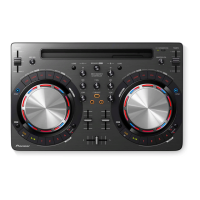
Need help?
Do you have a question about the Pioneer DDJ-WEGO3 and is the answer not in the manual?
Detailed instructions for installing djay for Mac.
Steps for installing the VirtualDJ LE 8 driver and software.
How to adjust buffer size for optimal audio performance.
Instructions for operating the VirtualDJ LE 8 software.
How to load and play music tracks in VirtualDJ LE 8.
Procedure for playing tracks and managing audio output.
Guide to monitoring audio via headphones.
 General
| Frequency Range | 20 Hz - 20 kHz |
|---|---|
| Weight | 1.8 kg |
| Channels | 2 |
| Deck Control | 2 |
| Sampling Rate | 48 kHz |
| A/D Converter | 24 bit |
| D/A Converter | 24 bit |
| Compatible Software | Serato DJ Intro, Virtual DJ |
| Outputs | MASTER OUT x 1 (RCA), HEADPHONE MONITOR OUT (MiniPin) |
| USB | USB Type-B |
| Jog Wheel | Yes |
| Sound Card | Yes |
| Signal-to-Noise Ratio | 95 dB |
| Distortion | 0.006 % |
| Power Supply | USB |
| Dimensions | 380 x 59 x 240 mm |

 To Next Page