EasyManua.ls Logo

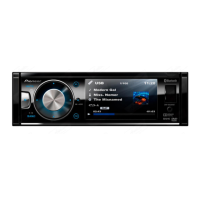
Pioneer DVH-340UB - User Manual

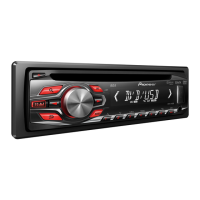
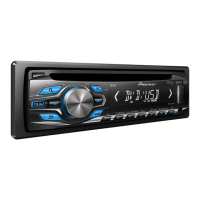
Pioneer DVH-340UB
45 pages
Print Icon
To Next Page IconTo Next Page
Loading...
In store "130" you
can find and buy almost all necessary goods for your auto
in
Kyiv and other cities, delivery by ground and postal services. Our experienced
consultants will provide you with exhaustive information and help you to chose
the very particular thing. We are waiting for you at the address
http://130.com.ua
PHONES
(044) 360-7-130
(050) 336-0-130
(063) 788-0-130
(067) 233-0-130
(068) 282
-
0
130
Internet store of
autogoods
CAR RECEIVERS Receivers Media receivers and stations Native receivers CD/DVD changers FM-modulators/USB adapters Flash memory Facia plates and adapters Antennas Accessories |
CAR AUDIO Car audio speakers Amplifiers Subwoofers Processors Crossovers Headphones Accessories | TRIP COMPUTERS Universal computers Model computers Accessories |
GPS NAVIGATORS Portable GPS Built-in GPS GPS modules GPS trackers Antennas for GPS navigators Accessories | VIDEO DVR TV sets and monitors Car TV tuners Cameras Videomodules
Transcoders Car TV antennas Accessories | SECURITY SYSTEMS Car alarms Bike alarms Mechanical blockers Immobilizers Sensors Accessories | OPTIC AND LIGHT Xenon Bixenon Lamps
LED Stroboscopes Optic and Headlights Washers Light, rain sensors Accessories | PARKTRONICS AND MIRRORS Rear parktronics Front parktronics Combined parktronics Rear-view mirrors
Accessories | HEATING AND COOLING Seat heaters Mirrors heaters Screen-wipers heaters Engine heaters Auto-refrigerators Air conditioning units Accessories | TUNING Vibro-isolation
Noise-isolation Tint films Accessories | ACCESSORIES Radar-detectors Handsfree, Bluetooth Windowlifters Compressors Beeps, loudspeakers Measuring instruments Cleaners Carsits
Miscellaneous | MOUNTING Installation kits Upholstery Grilles Tubes Cable and wire Tools Miscellaneous | POWER Batteries Converters Start-charging equipment Capacitors
Accessories | MARINE AUDIO AND ELECTRONICS Marine receivers Marine audio speakers Marine subwoofers Marine amplifiers Accessories | CAR CARE PRODUCTS Additives Washer fluid
Care accessories Car polish Flavors Adhesives and sealants | LIQUID AND OIL Motor oil Transmission oil Brake fluid Antifreeze Technical lubricant
ICQ
294-0-130
597-0-130
SKYPE
km-130

Other manuals for Pioneer DVH-340UB

Questions and Answers

  • J
    Jonathan DyerAug 19, 2025
    What to do if my Pioneer DVH-340UB Receiver shows ERROR-02-XX?
    • C
      cgarciaAug 19, 2025
      If your Pioneer Receiver displays ERROR-02-XX, it could be due to several reasons: the disc might be dirty (clean it), scratched (replace it), or loaded upside down (check the loading). If none of these, try turning your vehicle’s ACC switch off and on, as there might be an electrical or mechanical error.
  • J
    james79Aug 21, 2025
    Why does my Pioneer DVH-340UB Receiver display HEAT (THERMAL PROTECTION IN MOTION)?
    • M
      Martin GardnerAug 21, 2025
      The HEAT (THERMAL PROTECTION IN MOTION) message appears because the unit's temperature is outside the normal operating range. Wait until the unit returns to a temperature within the normal operating limits.
  • B
    Brian ColonAug 23, 2025
    How to fix REGION ERR (DIFFERENT REGION DISC) on my Pioneer DVH-340UB?
    • D
      Daniel PetersAug 25, 2025
      The REGION ERR (DIFFERENT REGION DISC) message indicates that the DVD's region number is different from that of your unit. Replace the DVD with one bearing the correct region number.
  • S
    Sarah ChapmanAug 26, 2025
    What to do if my Pioneer Receiver shows SKIPPED (FILE SKIPPED)?
    • M
      Mr. Carl EdwardsAug 26, 2025
      The SKIPPED (FILE SKIPPED) message means the inserted disc contains DRM protected files. To resolve this, play an audio file not embedded with Windows Media DRM 9/10.
  • R
    Roy BurkeAug 28, 2025
    Why does my Pioneer DVH-340UB Receiver say NON-PLAY (UNPLAYABLE DISC)?
    • S
      Stacy RamseyAug 28, 2025
      The NON-PLAY (UNPLAYABLE DISC) message appears because either this type of disc cannot be played on this unit, or the inserted disc does not contain any playable files. Replace the disc with one that can be played on this unit.
  • J
    Joseph WheelerAug 30, 2025
    How to authorize my Pioneer DVH-340UB to play DivX protected video?
    • E
      Eric JohnsonAug 30, 2025
      The message 'YOUR DEVICE IS NOT AUTHORIZED TO PLAY THIS DivX PROTECTED VIDEO' means that this unit’s DivX registration code has not been authorized by the DivX VOD contents provider. Register this unit to the DivX VOD contents provider.
  • N
    nicolelarsonSep 1, 2025
    What does PROTECT (PROTECTED DISC) mean on my Pioneer DVH-340UB?
    • M
      masonmcintoshSep 1, 2025
      The PROTECT (PROTECTED DISC) message indicates that all the files on the inserted disc are embedded with DRM. Replace the disc.
  • C
    Carrie MyersSep 4, 2025
    What to do if Pioneer Receiver displays NON-PLAY (VIDEO RESOLUTION NOT SUPPORTED)?
    • C
      clarkjonSep 4, 2025
      The NON-PLAY (VIDEO RESOLUTION NOT SUPPORTED) message means that the inserted disc contains a high definition DivX/MPEG-1/MPEG-2/MPEG-4 file. Select a file that can be played.
  • A
    Allen ReynoldsSep 6, 2025
    Why does my Pioneer Receiver show NON-PLAY (UNPLAYABLE FILE)?
    • C
      Christine SmithSep 6, 2025
      The NON-PLAY (UNPLAYABLE FILE) message means that this type of file cannot be played on this unit. Select a file that can be played.
  • T
    Thomas GarzaSep 8, 2025
    What does EXPIRED (THIS HAS EXPIRED.) mean on my Pioneer DVH-340UB?
    • E
      eriveraSep 8, 2025
      The EXPIRED (THIS HAS EXPIRED.) message indicates that the inserted disc contains expired DivX VOD content. Select the playable file.

Summary

Before you start

To ensure safe driving

Instructions on safe driving practices and display placement to avoid driver distraction.

In case of trouble

Instructions on what to do if the unit fails to operate properly.

Operating this unit

Head unit

Identification and description of the components of the head unit.

Remote control

Identification and description of the remote control buttons and their functions.

Display indication

Explains the various indicators on the display and their meanings.

Set up menu

Guide to accessing and configuring the initial setup menu options.

Basic operations of this unit

Covers fundamental operations like panel removal/attachment, power, source selection, and volume.

Resume playback (Bookmark)

How to bookmark a scene to resume playback later.

Tone controls

Adjusting bass, mid, and treble frequencies.

Built-in DVD player

Basic operations

Instructions for inserting discs, ejecting, selecting folders, and tracks.

Basic playback controls

Explains the fundamental buttons for playback, pause, stop, fast forward/reverse.

USB portable audio player;USB memory

Basic operations

Steps for connecting and operating USB storage devices.

Advanced operations using special buttons

Covers advanced functions specific to USB devices.

Audio adjustments

How to adjust audio settings for USB playback.

Setting up the DVD player

Setting the subtitle language

How to select and set the desired subtitle language for DVD playback.

Setting the audio language

How to select and set the desired audio language for DVD playback.

Setting parental lock

How to set parental control levels to restrict content.

Changing the level

How to change the previously set parental lock level.

If you forget your code number

Procedure to reset the parental lock code number.

Additional information

Troubleshooting

Common problems and their solutions for the unit's operation.

DVD

Specific troubleshooting tips and solutions for DVD playback issues.

Error messages

Explains error messages related to DVD and USB playback.

Handling guidelines

Precautions and recommendations for handling discs and the player.

Compressed audio, DivX and MPEG compatibility (disc, USB)

Details on compatible audio, DivX, and MPEG file formats.

Specifications

Technical specifications of the unit including general, audio, tuner, and player details.

Pioneer DVH-340UB Specifications

General IconGeneral
Audio systemMOSFET
MP3 playbackYes
Playback disc formatsCD audio, CD video, VCD
Audio formats supportedAAC, MP3, WAV, WMA
Image formats supportedJPG
Video formats supportedDIVX, MP4, MPEG1, MPEG2
Supported radio bandsAM, FM
Preset stations quantity18
Display typeLCD
Illumination colorWhite
BluetoothNo
USB version2.0
Line outputs (RCA)2
USB ports quantity1
Product colorBlack
Ready for iPod-
Disc types supportedCD, CD-R, CD-RW, DVD, DVD-R, DVD-RW
Audio output channels4.0 channels
Maximum power per channel50 W
Key illumination colorRed

Related product manuals