EasyManua.ls Logo

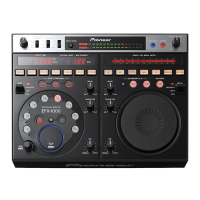
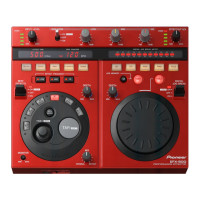
Pioneer EFX 500 - Dj Effector - User Manual

Pioneer EFX 500 - Dj Effector
20 pages
Print Icon
To Next Page IconTo Next Page
Loading...
1
<DRB1237>
En
EFX-500
EFFECTOR
Operating instructions

Questions and Answers

  • C
    Clayton JohnstonJul 31, 2025
    What to do if BPM cannot be measured in AUTO mode on Pioneer DJ Equipment?
    • A
      ashleygrahamJul 31, 2025
      If the BPM cannot be measured in the AUTO mode on your Pioneer DJ Equipment, it might be because the measurement range is between 70 and 180 BPM, and some tunes may fall outside this range. To resolve this, use the TAP mode for manual setting.
  • L
    Logan WarrenAug 7, 2025
    Why is the effect distorted on my Pioneer DJ Equipment?
    • M
      moorenicholasAug 7, 2025
      If the effect from your Pioneer DJ Equipment is distorted, try the following: Turn the INPUT LEVEL dial counterclockwise towards “MIN”. Also, turn the EFFECT OUT LEV dial counterclockwise towards “MIN”, and turn the DEPTH dial counterclockwise towards “MIN”.
  • R
    Ryan ParkerAug 15, 2025
    How to synchronize MIDI sequencer on Pioneer EFX 500 - Dj Effector DJ Equipment?
    • N
      Nathaniel SinghAug 15, 2025
      If the MIDI sequencer is not synchronized with your Pioneer DJ Equipment, it may be due to the MIDI sequencer not supporting the MIDI timing clock. To fix this, set the MIDI sequencer mode to slave mode.
  • M
    Marissa JonesAug 22, 2025
    What to do if echo is output continuously on Pioneer EFX 500 - Dj Effector?
    • M
      Melissa JohnsonAug 22, 2025
      If the echo is outputting continuously on your Pioneer DJ Equipment, turn the DEPTH dial counterclockwise towards “MIN”.

Summary

Important Safety Instructions

Electrical Safety and Hazards

Addresses grounding, power cord, lightning, power lines, overloading, liquid entry, and servicing risks.

Quick Operation Guide

Using the Digital Jog Break

Applying effects with the jog dial for dynamic sound manipulation.

Using Beat Effects

Steps for selecting BPM, effects, frequency, and synchronization.

Connections

Basic Connections

Connecting DJ Mixer SEND/RETURN terminals to the unit.

Connecting DJ Mixer to Amplifier

Connecting DJ mixers without SEND/RETURN terminals to an amplifier.

Connecting CD Player to DJ Mixer

Connecting CD players and mixers for channel-specific effects.

Names of Parts and Functions

Level Controls

Input and Effect Output Level Meters and Adjust Dials.

Isolator Controls

Isolator Lever Switch and LOW, MID, HI adjustment dials.

Beat Effect Configuration

Effect selection, BPM/frequency settings, and depth/mix adjustments.

Operations

Troubleshooting

Operational Problem Solving

Chart of symptoms and remedies for common operational malfunctions.

Specifications

Pioneer EFX 500 - Dj Effector Specifications

General IconGeneral
BrandPioneer
ModelEFX 500 - Dj Effector
CategoryDJ Equipment
LanguageEnglish

Related product manuals