EasyManua.ls Logo

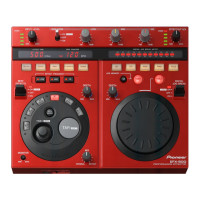
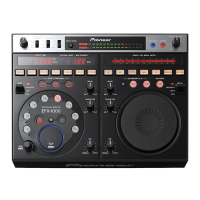
Pioneer EFX-1000 - User Manual

Pioneer EFX-1000
159 pages
Print Icon
To Next Page IconTo Next Page
Loading...
Operating Instructions
Mode d’emploi
Bedienungsanleitung
Istruzioni per l’uso
Gebruiksaanwijzing
Manual de instrucciones
DJ EFFECTOR
BOÎTE D’EFFETS DJ
DJ-EFFEKTGERÄT
REALIZZATORE DI EFFETTI DJ
DJ-EFFECTOR
UNIDAD DE EFECTOS PARA DJ
EFX-1000

Table of Contents

Other manuals for Pioneer EFX-1000

Questions and Answers

  • C
    christopher00Jul 26, 2025
    What to do if Pioneer EFX-1000 DJ Equipment has no sound or sound is too low?
    • C
      Cody BennettJul 27, 2025
      If you're not getting any sound or the sound is too low from your Pioneer DJ Equipment, check these potential causes: * Ensure all connection cords are securely connected. * Clean any dirt from connector terminals and plugs. * Adjust the INPUT LEVEL dial towards the right (MAX direction). * Adjust the EFFECT OUT LEV. dial towards the right (MAX direction).
  • S
    Susan SchneiderJul 31, 2025
    How to fix Pioneer EFX-1000 when there is no power?
    • W
      williamsbenjaminJul 31, 2025
      If your Pioneer DJ equipment isn't powering on, the most common reason is that the power cord isn't properly connected. Make sure the power cord is securely connected to the outlet.
  • J
    Jack HolderAug 5, 2025
    What to do if effect sounds aren’t applied on Pioneer EFX-1000 DJ Equipment?
    • C
      Chelsea RobinsonAug 5, 2025
      If you're not hearing effect sounds being applied on your Pioneer DJ Equipment, consider the following: * Make sure the lever switch isn't set to OFF. Set it to ON or ON/LOCK. * Increase the MIX dial by rotating it towards the right (MAX direction). * Increase the DEPTH dial by rotating it towards the right (MAX direction). * Increase the EFFECT OUT LEV. dial by rotating it towards the right (MAX direction). * Ensure the BYPASS button is off (indicator light should be off). * If using TRANS, FLANGER, FILTER, or PHASER effects, make sure at least one EFFECT FREQUENCY indicator (HI, MID, LOW) is lit by pressing the corresponding button. * For weak effect combinations, especially beat effects and digital jog break, try toggling the SIGNAL FLOW switch to the opposite position.
  • M
    Mary FosterAug 9, 2025
    What to do if analog inputs aren’t output on Pioneer EFX-1000?
    • E
      Edwin GrayAug 10, 2025
      If your Pioneer DJ equipment isn't outputting analog inputs, it might be because a digital or EFX LINK input is connected. Digital inputs take priority over analog inputs. Disconnect any digital input or cancel the EFX LINK. The order of priority of inputs is: EFX LINK > Digital input > Analog input. Also check the DJ mixer (DJM-1000) connected by EFX LINK has its effecter link set to ON (EFX LINK).
  • L
    Lance HopkinsAug 15, 2025
    Why digital signals aren’t output on Pioneer DJ Equipment?
    • T
      Tiffany PerezAug 15, 2025
      If your Pioneer DJ equipment isn't outputting digital signals, it could be due to the EFX LINK being connected to a DJ mixer (DJM-1000) via a digital link cable. Disconnect the digital link cable. Also, verify that the digital output fs setting matches the connected component and adjust if necessary.
  • J
    Jonathan PenningtonAug 20, 2025
    What to do if analog signals aren’t output when set to BYPASS on Pioneer EFX-1000 DJ Equipment?
    • T
      Timothy MooreAug 20, 2025
      To resolve the issue where analog signals aren't being output when set to BYPASS on your Pioneer DJ Equipment, ensure that analog inputs are connected. Even if a digital input or EFX LINK is connected, analog inputs should still output as analog during BYPASS mode. If not, use digital output.

Summary

Safety and Warnings

Electrical Safety Notices

Covers electrical hazards, insulation, and precautions.

Environmental and Operational Safety

Covers water resistance and voltage requirements.

AC Plug Handling

Instructions for replacing and disposing of AC plugs.

QUICK OPERATION GUIDE (1;3)

Using Beat Effects [BPM Mode]

Step-by-step guide for BPM mode beat effects.

QUICK OPERATION GUIDE (2;3)

Using Beat Effects [Rhythm Mode]

Guide for applying effects synchronized with user input rhythm.

CONNECTIONS

Connection Panel Overview

Description of all connectors on the unit.

Basic Connections

General guidelines for connecting audio and MIDI equipment.

Connecting DJ Mixer SEND;RETURN

How to connect to a DJ mixer with send/return terminals.

Effect Parameters

Beat Effect Parameters

Table detailing parameters for beat effects.

Digital Jog Break Parameters

Table detailing parameters for digital jog break effects.

CONTROLS AND FUNCTIONS

Control Panel Overview

Description of all numbered controls on the unit.

Beat Effect Section Controls

Controls specific to Beat Effects, including BPM and frequency selectors.

Digital Jog Break Section Controls

Controls for Digital Jog Break effects, including memory and hold functions.

OPERATIONS

Adjusting Input Level

Detailed guide on setting input levels.

OPERATIONS (Beat Effects [BPM mode])

Using Beat Effects [BPM mode]

Step-by-step guide for BPM mode.

OPERATIONS (Beat Effects [RHYTHM mode])

Using Beat Effects [RHYTHM mode]

Step-by-step guide for Rhythm mode.

OPERATIONS (Digital Jog Break)

Using the Digital Jog Break

Step-by-step guide for Jog Break.

MIDI SETTINGS

Synchronizing External Sequencer

Connecting to a sequencer for synchronization.

Program Change Mapping

How Program Change messages map to functions.

MIDI Implementation Chart

MIDI Implementation Chart Details

Table detailing MIDI functions and messages.

TROUBLESHOOTING

Troubleshooting Common Issues

Lists common problems and their solutions.

SPECIFICATIONS

General Specifications

Power, temperature, dimensions, etc.

Pioneer EFX-1000 Specifications

General IconGeneral
Input Channels2
Output Channels2
Bit Depth24-bit
Frequency Response20 Hz - 20 kHz
Power Consumption15 W
TypeDigital Effects Processor
EffectsDelay, Echo, Flanger, Pitch Shifter, Reverb
InputsRCA
OutputsRCA
Other PortsMIDI In/Out
Power SupplyAC 120 V, 60 Hz

Related product manuals