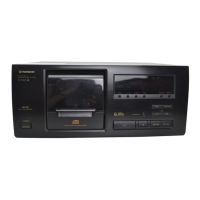
 Need help?
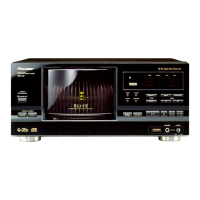
Do you have a question about the Pioneer PD-F19PD-F27 and is the answer not in the manual?
 General
| Type | CD Player |
|---|---|
| Digital Output | Coaxial |
| Channels | 2 |
| Frequency Response | 2 Hz - 20 kHz |
| Output Voltage | 2 V |
Covers reading instructions, cleaning, water, ventilation, power sources, location, and non-use periods.
Addresses electrical safety, grounding, lightning protection, overloading, and servicing guidelines.
Instructions for installing the player in a suitable location away from heat and moisture.
Guidance on managing condensation when moving the unit between different temperatures.
Highlights the main features of the PD-F27 CD changer, such as capacity and CD Text.
Details on confirming supplied accessories and installing batteries in the remote control.
Advice on installation placement and environmental considerations for the player.
Guidelines for cleaning and handling compact discs, as well as precautions for CD-R/RW.
Precautions related to the use of optical fiber cables.
Instructions for connecting the player to amplifiers and other audio equipment.
Details on connecting via digital outputs and the CD-Deck synchro function.
How to connect multiple PD-F27 units for expanded capacity and system control.
Instructions for connecting and using a PC keyboard for title input.
Identification of all buttons, indicators, and terminals on the player's front panel.
Identification of all buttons on the remote control unit for operating the player.
Step-by-step guide to loading up to 300 discs into the player's disc rack.
Procedure for safely unloading discs from the player's disc rack.
How to select playback modes (ALL, SINGLE, CUSTOM) and discs/tracks.
Instructions for starting, stopping, pausing, and skipping tracks during playback.
How to play discs using the single loader slot when they are not in the main rack.
Methods for selecting specific tracks or discs and controlling playback.
How to open and close the disc loading hood while the player is in operation.
How to program and play specific discs using custom files and checking stored discs.
How to set repeat playback modes and store favorite tracks using BEST play.
Features for scanning recently played discs (PREVIOUS scan) and random playback.
Instructions for programming a specific sequence of tracks and discs for playback.
How to manage program steps, insert pauses, and erase programs or specific steps.
Using HI-LITE scan to preview tracks and the TIME/CHARA button for time information.
Guide to inputting titles for discs and artists using the main unit's jog dial and buttons.
Detailed steps for entering characters for titles using the remote control's digit buttons.
Instructions for using a connected PC keyboard to input titles and artist names.
How to input titles for custom groups and correct existing titles.
How to display disc/artist titles and search for CDs by title or artist name.
Solutions for common issues like no sound, playback stopping, or remote control failure.
Understanding the unit's self-diagnostic function and error codes for troubleshooting.
Comprehensive specifications covering general, audio, and terminal details.
List of supplied accessories and important power cord safety precautions.
Instructions for activating and deactivating the POWER ON DEMO display mode.
Contact information for authorized service and warranty claims in the USA and Canada.

 To Next Page