EasyManua.ls Logo

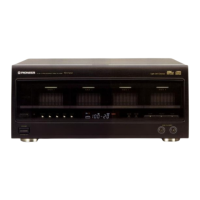
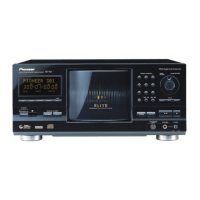
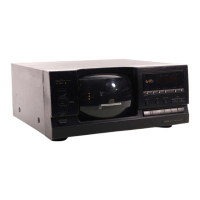
Pioneer PD-F1009 - Service Manual

Pioneer PD-F1009
60 pages
Print Icon
To Next Page IconTo Next Page
Loading...
ORDER NO.
PIONEER CORPORATION 4-1, Meguro 1-chome, Meguro-ku, Tokyo 153-8654, Japan
PIONEER ELECTRONICS SERVICE, INC. P.O. Box 1760, Long Beach, CA 90801-1760, U.S.A.
PIONEER EUROPE N.V. Haven 1087, Keetberglaan 1, 9120 Melsele, Belgium
PIONEER ELECTRONICS ASIACENTRE PTE. LTD. 253 Alexandra Road, #04-01, Singapore 159936
PIONEER CORPORATION 2000
FILE-TYPE COMPACT DISC PLAYER
RRV2262
T–ZZR JAN. 2000 Printed in Japan
PD-F1009
FILE–TYPE COMPACT DISC PLAYER
MODE
4 1 ¡ ¢
DISC PUSH ENTER
RANDOM
STANDBY
ACCESS
CDF
ILE
CD TEXT
PLAY
OPEN/
CLOSE
UNLOAD
DIRECT LINEAR CONVERSION
STANDBY/ON
SINGLE LOADER
FILE–TYPE CD MECHANISM
Î
CLEAR PROGRAM
DISC TRACK MIN SEC
REPEAT DISPLAY
1-BIT DLC
67
987
0
654
321
TRACKDISC
◊Û¿X,??/
1. SAFETY INFORMATION.................................... 2
2. EXPLODED VIEWS AND PARTS LIST ............. 4
3. BLOCK DIAGRM AND SCHEMATIC DIAGRAM... 14
4. PCB CONNECTION DIAGRAM ....................... 22
5. PCB PARTS LIST ............................................. 38
6. ADJUSTMENT.................................................. 44
7. GENERAL INFORMATION .............................. 48
7.1 DIAGNOSIS ................................................ 48
7.1.1 DISASSEMBL.................................... 48
CONTENTS
THIS MANUAL IS APPLICABLE TO THE FOLLOWING MODEL(S) AND TYPE(S).
Model
PD-F1009
Type
Power Requirement
Remarks
KU/CA AC120V
MY AC220-230V
7.1.2 ERROR CHECK DISPLAY................... 51
7.1.3 EXPLANATION OF DISC DEECTION .. 54
7.1.4 OPERATION FLOWCHART ................ 54
7.2 PARTS .......................................................55
7.2.1 IC ....................................................... 55
7.2.2 DISPLAY ...........................................58
8. PANEL FACILITIES AND SPECIFICATIONS
....................................................... 59
w
w
w
.
x
i
a
o
y
u
1
6
3
.
c
o
m
Q
Q
3
7
6
3
1
5
1
5
0
9
9
2
8
9
4
2
9
8
T
E
L
1
3
9
4
2
2
9
6
5
1
3
9
9
2
8
9
4
2
9
8
0
5
1
5
1
3
6
7
3
Q
Q
TEL 13942296513 QQ 376315150 892498299
http://www.xiaoyu163.com

Other manuals for Pioneer PD-F1009

Questions and Answers

  • C
    Christian WhiteAug 18, 2025
    What does U2 error mean on my Pioneer CD Player and how to fix it?
    • A
      avasquezAug 18, 2025
      The U2 error suggests an operation error in the mechanical section. Check if there is a foreign object in the rack. If not, unplug the power cord and then plug it in again.
  • S
    Sarah ChristensenAug 21, 2025
    What does U3 error mean on my Pioneer CD Player and how can I resolve it?
    • C
      Corey ThomasAug 21, 2025
      The U3 error indicates an issue related to the hood. Check if the hood is obstructed. If it's not, unplug the power cord and then plug it in again.
  • R
    robin60Aug 23, 2025
    Why does my Pioneer PD-F1009 have no sound?
    • C
      charlesadkinsAug 23, 2025
      If your Pioneer CD Player has no sound, several factors could be responsible. Check if the output cables are connected correctly and securely. Ensure your stereo amplifier is set up correctly, paying attention to switch settings and volume controls. Also, inspect the pin plugs and amplifier terminals for dirt and clean them if necessary. Verify that the player is not in pause mode by pressing 3 or 8. Finally, make sure the disc is loaded correctly with the label side facing rightward.
  • M
    Michael NunezAug 26, 2025
    What to do if Pioneer PD-F1009 CD Player remote control will not function?
    • D
      Danielle Marshall DDSAug 26, 2025
      If the remote control for your Pioneer CD Player isn't working, first, replace the batteries. If that doesn't solve the issue, check for any obstructions between the remote control and the player. Try relocating the remote control or removing any obstacles.
  • A
    Amanda ReynoldsAug 28, 2025
    How to fix no sound on Pioneer PD-F1009 CD Player?
    • R
      Robert WilliamsAug 28, 2025
      If your Pioneer CD Player produces no sound, start by ensuring the output cables are correctly and securely connected. Check the settings and volume controls on your stereo amplifier. Clean any dirt from the pin plugs or amplifier terminals. Make sure the player isn't in pause mode by pressing 3 or 8. Finally, ensure the disc is loaded correctly with the label side facing rightward.
  • D
    davisclaireAug 30, 2025
    Why is my Pioneer PD-F1009 remote control not working?
    • H
      huynhjosephAug 31, 2025
      If your Pioneer CD Player's remote control isn't working, the first step is to replace the batteries. If that doesn't solve the problem, check for any obstructions between the remote control and the player. Try relocating the remote control or removing anything that might be blocking the signal.
  • J
    johncruzSep 2, 2025
    Why is there no sound coming from my Pioneer PD-F1009?
    • K
      Kelly SmithSep 2, 2025
      There could be several reasons for the lack of sound. First, check if the output cables are connected correctly and securely. An incorrect operation of stereo amplifier may be the reason, so check the settings of amplifier switches and sound volume controls. Also, dirt on the pin plugs or amplifier terminals can cause this issue, so clean them. Ensure that the player is not in pause mode by pressing 3 or 8. Finally, make sure the disc is loaded with the label side rightward.
  • M
    Mark HarringtonSep 4, 2025
    What to do if my Pioneer PD-F1009 CD Player remote control will not function?
    • W
      Wesley MillerSep 4, 2025
      If the remote control isn't working, the batteries might be dead, so replace them. Alternatively, there might be an obstruction between the player and the remote control unit. Try relocating the remote control unit or removing the obstruction.
  • J
    Jill CarrollSep 7, 2025
    What to do if my Pioneer CD Player shows U1 error?
    • J
      James DanielsSep 7, 2025
      The U1 error indicates that the disc may not be loaded properly in the rack. Reload the discs properly, ensuring that only one disc is inserted in a slot. Also, check for any foreign objects attached to the disc or present in the rack.
  • A
    Angela GarciaSep 9, 2025
    Why does my Pioneer PD-F1009 stop immediately after starting playback?
    • S
      scott09Sep 9, 2025
      The disc might be inserted incorrectly, so ensure the disc is correctly inserted with the label side rightward. Also, smudges or dirt on the disc can cause this issue, so clean the disc and try playing it again.

Summary

1. SAFETY INFORMATION

1. SAFETY PRECAUTIONS

Checks for customer and technician protection, including leakage current.

2. PRODUCT SAFETY NOTICE

Highlights special safety characteristics of parts and risks of using non-specified replacements.

LABEL CHECK

Additional Laser Caution

Explains laser interlock mechanism and safe viewing practices.

2. EXPLODED VIEWS AND PARTS LIST

2.4 FLOAT BASE ASSY SECTION

How to Install the Disc Table

Instructions on cutting sections and installing the disc table with specific pressure.

3. BLOCK DIAGRAM AND SCHEMATIC DIAGRAM

3.1 BLOCK DIAGRAM

Provides a block diagram showing the interconnections of major assemblies.

3.2 OVERALL WIRING DIAGRAM

OVERALL WIRING DIAGRAM

Illustrates the electrical connections between all major circuit boards and components.

3.3 MECHANISM BOARD, DOOR MOTOR BOARD, DOOR SW BOARD and PICKUP ASSYS

3.4 LOADING SW, LOADING BOARD, SENSOR BOARD, RECIEVE BOARD, RADIATE BOARD and SELECT BOARD ASSYS

3.5 MAIN BOARD ASSY

MAIN BOARD ASSY

Schematic diagram for the main processing and control board.

3.6 MAIN BOARD AND SR BOARD ASSYS

MAIN BOARD AND SR BOARD ASSYS

Schematic diagrams for the main board and the SR (Signal) board.

Waveforms

3.7 DISPLAY BOARD, CONTROL BOARD and POWER BOARD ASSYS

6.1 PREPARATIONS

6.2 ADJUSTMENT PROCEDURES

6.2.1 How to Start;Cancel Test Mode

Explains how to enter and exit test modes for various operations.

6.2.3 Electrical Adjustment

Details procedures for Grating Adjustment and Pickup Radial/Tangential Tilt Adjustment.

3 RF Level Adjustment

Details the procedure for adjusting the RF signal level using an oscilloscope.

4 Disc Detection Adjustment

Explains how to adjust disc detection parameters using a digital multimeter.

7.1.1 DISASSEMBLY

7.1.2 ERROR CHECK DISPLAY

Disc No.: Error Code Details

Provides details on specific error codes related to disc detection and handling.

7.1.3 EXPLANATION OF DISC DETECTION

1. Detection of the rack position

Explains rack position detection using DCNT and DPOS ports.

3-1 In Regard to the Disc Detection Method

Explains disc detection using DCNT and DISC ports and input values.

7.2 PARTS

8. PANEL FACILITIES AND SPECIFICATIONS

SPECIFICATIONS

Pioneer PD-F1009 Specifications

General IconGeneral
Frequency range2 - 20000 Hz
Signal-to-Noise Ratio (SNR)105 dB
CD TextYes
Device typeHiFi CD player
Product colorBlack
I/O portsOptical Digital Output SR (System Remote) Terminal
Dimensions (WxDxH)420 x 433 x 193 mm
Power consumption (typical)12 W
Weight and Dimensions IconWeight and Dimensions
Weight7500 g

Related product manuals