This document provides operating instructions for the Pioneer PD-Z73T Twin-Tray Compact Disc Player, a device designed for high-fidelity audio playback with a range of convenient features.
Function Description
The PD-Z73T is a twin-tray compact disc player that offers versatile playback options for audio CDs. Its core function is to read digital audio information from compact discs and convert it into an analog audio signal for output to a stereo amplifier.
Key playback functions include:
- Continuous Playback: This feature allows for uninterrupted music as one disc can be inserted or ejected while the other is playing. When one disc finishes, the player automatically switches to the other, ensuring a seamless listening experience.
- Playback from Two Discs: The player can access tracks from both disc trays, enabling programmed playback or random playback across both discs.
- Auto Eject Play: Upon completion of playback for a disc, it is automatically ejected, and the other disc begins playing. This facilitates continuous listening by allowing users to replace the ejected disc without interrupting the music.
- 24-Step Random Programming: Users can program a sequence of up to 24 tracks from either disc to play in a desired order. This is ideal for creating custom playlists.
- Pause Programming: This function allows for temporary pauses to be inserted into programmed sequences. This is particularly useful for electronic accompaniment (karaoke) or for precise tape editing, enabling users to stop playback at specific points within a program.
- Repeat Playback: The player supports repeating a single track, all tracks on a disc, or all programmed tracks. In random play mode, after all tracks have been played, random play will restart.
- Random Playback: Tracks from the inserted disc(s) are played in a random order.
- Timer Start: When a disc is pre-set in the tray, the player can automatically begin playing from the first track of the first disc when power is turned on. This function can be integrated with an audio timer for scheduled playback.
- Track Search: Users can quickly navigate to the beginning of a desired track during normal, programmed, or pause modes.
- Manual Search: During playback or pause, these keys allow for fast forward or reverse operations to quickly locate specific parts of a disc. Audio can be monitored during search in playback mode.
- Compatible with 8cm CD Single: The player can accommodate both standard 12cm CDs and smaller 8cm CD singles without the need for an adapter.
The player incorporates a high-performance pickup and linear servo system for high-fidelity sound reproduction. It also features a 4fs digital filter and a twin D/A converter system to enhance audio quality.
Usage Features
The PD-Z73T is designed for user-friendly operation, with clear indicators and controls.
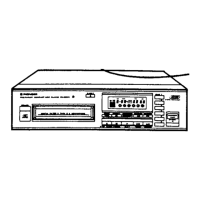
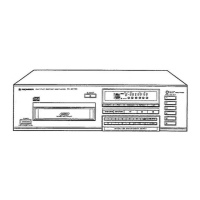
- Front Panel Display: A multi-functional fluorescent display provides essential information, including track number, elapsed time, total number of tracks on the disc, total playback time of the disc, total playback time of the program, and remaining time of the disc. Indicators for "AUTO EJECT," "PGM" (program), "RND" (random), "DISC" (disc number), "▷" (playback), "00" (pause), "TRACK," and "1 REP" (single track repeat) offer visual feedback on the player's status and selected mode.
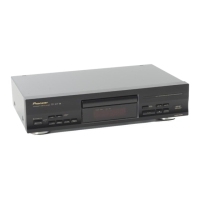
- Disc Loading: Discs are loaded into two separate trays (DISC I and DISC II). The trays are ejected or retracted using dedicated OPEN/CLOSE keys. Users must ensure discs are placed label-side up and within the correct disc guide (8cm or 12cm). It's important to load only one disc per tray to prevent scratching or malfunction.
- Power Control: The POWER switch turns the unit ON and OFF. If a disc is present when powered on, playback begins automatically.
- Remote Control Capability: The player can be controlled remotely when connected to a Pioneer stereo amplifier equipped with the SR mark, using the supplied control cord. This enables remote operation of PLAY, STOP/CLEAR, PAUSE, TRACK SEARCH, and DISC functions.
- Voltage Selector Switch: For multi-voltage models, a line voltage selector switch on the rear panel allows adjustment to match local power requirements (e.g., 127V, 220V, 240V). This must be set correctly before plugging in the unit.
- Connections: The player connects to a stereo amplifier via output cables (white plugs for left/L terminals, red plugs for right/R terminals) to CD or AUX input terminals. It is crucial not to connect to PHONO input terminals, as this will distort sound. The power cord connects to an auxiliary AC outlet on the amplifier or a household wall outlet.
Maintenance Features
Proper care and maintenance are essential for the longevity and optimal performance of the PD-Z73T.
- Location: The player should be installed in a well-ventilated area, away from direct sunlight, heat sources (radiators, stoves, amplifiers), and high humidity or dusty environments. Placing it on a stable, level surface is also important. To minimize interference, it should be kept as far as possible from tuners and TV sets, especially when using an indoor antenna.
- Condensation: If the player is moved from a cold to a warm environment or if room temperature increases suddenly, condensation may form inside, affecting performance. In such cases, the unit should be allowed to acclimate for about an hour or the room temperature should be gradually raised.
- Disc Care:
- Only use optical audio digital discs.
- Handle discs by their edges or one edge and the center hole to avoid touching the signal surface.
- If a disc is dirty, wipe it gently with a soft, damp cloth (wrung out well), followed by a dry cloth.
- Never use record cleaning sprays, anti-static agents, benzene, thinner, or other volatile liquids, as these can damage the disc surface.
- Do not affix labels or adhesive tape to the disc surface, and avoid scratching or damaging it.
- Store discs vertically in their cases, away from high heat, humidity, or extreme cold, and out of direct sunlight (e.g., in a car).
- Never use damaged (cracked or warped) discs, as they rotate at high speed and could cause further damage or malfunction.
- Regularly clean discs by wiping gently with a soft cloth from the inner edge toward the outer perimeter to prevent sound degradation due to fingerprints or smudges.
- Player Cleaning: The front panel and unit housing should be cleaned with a soft, dry cloth. For stubborn dirt, a soft cloth dampened with a mild detergent solution (wrung out well) can be used, followed by a dry cloth. Avoid volatile liquids like benzene or thinner, as they can harm the unit.
- Power Cord Care: Always handle the power cord by the plug. Do not pull the cord to unplug it, and avoid touching it with wet hands to prevent electric shock. Ensure the cord is not pinched by furniture or other objects, knotted, or tied with other cords. Regularly inspect the power cord for damage, and if found, contact an authorized service center for replacement.
- Servicing: The player contains no user-serviceable parts inside. All servicing should be referred to qualified personnel. Attempting to remove covers or access internal components can result in hazardous radiation exposure and should be avoided.
- Troubleshooting: The manual includes a troubleshooting guide to help identify and resolve common issues, such as discs not ejecting, playback stopping, no sound, or distorted sound. If problems persist after checking these points, users are advised to contact a Pioneer authorized service center or dealer.

 Need help?
 Power
Power Audio Specifications
 Weight and Dimensions

 To Next Page