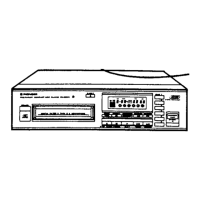
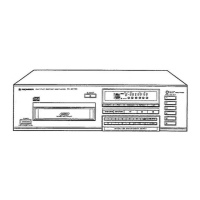
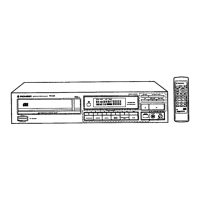
This document describes the Pioneer PD-Z74T Twin-Tray Compact Disc Player, a digital audio system designed for playing compact discs.
Function Description
The PD-Z74T is a compact disc player featuring a twin-tray design, allowing for continuous playback between two discs. It supports various playback modes, including:
- Play and Pause: Standard playback and temporary interruption.
- Track Search and Manual Search: Navigation through tracks on a disc.
- Programmed Playback and Repeat: Users can program a specific order of tracks to play and repeat them.
- Pause Program: Temporarily pause a programmed sequence.
- Computer Allocated Program Editing (COMPU PGM EDIT): An internal computer automatically rearranges the playback order of tracks to maximize the number of tracks recorded onto a cassette tape of a designated length (e.g., 46, 54, 60, 74, or 90 minutes). This feature displays the number of tracks and playing time for both side A and side B of the cassette.
- Single Track Repeat: Repeats a single track.
- Sequential Disc All Track Repeat: Repeats all tracks on both discs in sequence.
- Relay Playback: Plays discs consecutively from one tray to the other.
- Random Relay Play: Plays tracks randomly across both discs.
- Auto Eject Play: Automatically ejects a disc and begins playback on the other.
- Auto Eject Random Play: Automatically ejects a disc and begins random playback on the other.
- Random Play and Repeat: Plays tracks in a random order and can repeat the random sequence.
- Hi-lite Scan: Plays ten seconds of each track on a disc, starting approximately one minute after the track's beginning. The playback point can be adjusted.
- Display of a Particular Track: Shows information for a specific track.
Important Technical Specifications
1. General:
- Type: Compact disc digital audio system.
- Power Requirements:
- European models: AC 220V, 50/60Hz
- U.K., Australian models: AC 240V, 50/60Hz
- U.S., Canadian models: AC 120V, 60Hz
- Other models: AC 110/120-127/220/240V (switchable), 50/60Hz
- Power Consumption: 10W.
- Operating Temperature: +5°C to +35°C (+41°F to +95°F).
- Weight: 3.4kg (7lb, 8oz).
- External Dimensions: 360(W) x 290(D) x 105(H)mm (14-3/16(W) x 11-13/32(D) x 4-1/8(H) in.).
2. Audio Section:
- Frequency Response: 2Hz-20kHz.
- S/N (Signal-to-Noise Ratio): 100dB or more (EIAJ).
- Dynamic Range: 94dB or more (EIAJ).
- Channel Separation: 93dB or more (EIAJ).
- Wow and Flutter: Limit of measurement (±0.001% W.PEAK) or less (EIAJ).
- Number of Channels: 2 channels (stereo).
3. Output Terminals:
- Audio line output terminal.
- Control output terminal.
Usage Features
The player features a front panel with various controls and a display for easy operation:
- Power Switch (POWER STANDBY/ON): Turns the unit on/off.
- Disc Trays (DISC I, DISC II): Two trays for loading compact discs.
- OPEN/CLOSE Buttons (I, II): Opens and closes the respective disc trays.
- Disc Select Buttons (DISC I, DISC II): Selects which disc to play.
- AUTO EJECT Button: Initiates auto-eject function.
- REPEAT Button: Controls repeat playback modes.
- TIME Button: Displays various time information (elapsed playing time, remaining time of current track, remaining time of all tracks, total playing time of disc I/II).
- Program Button (PGM): Used for programmed playback.
- Computer Allocated Program Editing Button (COMPU PGM): Activates the tape editing feature.
- Track/Manual Search Buttons (◄◄/►►): For navigating tracks.
- PLAY Button (►): Starts playback.
- PAUSE Button (II): Pauses playback.
- Random Play Button (RANDOM): Initiates random playback.
- HI-LITE SCAN Button: Activates the Hi-lite scan feature.
- Stop/Clear Button (STOP ■): Stops playback and clears programmed settings.
Display Indicators:
- Lights for computer allocated program editing, auto eject, program input, playback pause, playback (DISC I or DISC II), disc number, track number, repeat playback, minutes/seconds digits for playing/remaining time, random playback, and HI-LITE scan.
Loading and Playback:
- Discs are loaded with the label surface facing up.
- Only one disc should be loaded per tray at a time.
- The player is designed for standard compact audio discs.
- Multi-voltage models are available, with a voltage selector switch on the rear panel for U.S., Canadian, European, U.K., and Australian models. Saudi Arabia models are fixed at 220V.
Remote Control:
- The unit can be connected to a Pioneer stereo amplifier with a CONTROL IN terminal for integrated system control (PLAY, PAUSE, STOP, DISC, and TRACK functions).
Maintenance Features
Cleaning:
- Player Unit: Wipe with a soft, dry cloth. For heavy dirt, use a soft cloth dampened with water, then wipe dry. Do not use volatile liquids like benzene or thinner.
- Discs: Wipe with a soft, dry cloth from the center outwards. Do not use record cleaning sprays, benzene, or thinner.
- CD Lens Cleaner: Pioneer recommends using a CD lens cleaner for maintenance, available at service centers.
Handling of Compact Discs:
- Hold discs by the edges or the center hole; avoid touching the signal surfaces.
- Do not affix tape or seals to the label surface.
- Do not play damaged (cracked or severely warped) discs, as they revolve at high speeds inside the player.
Power Cord Caution:
- Handle the power cord by the plug. Do not pull the cord to unplug.
- Do not touch the power cord with wet hands.
- Avoid placing objects on or pinching the power cord.
- Route power cords to prevent stepping on them.
- Check the power cord periodically for damage; replace if damaged.
Environmental Considerations:
- Avoid installing the player in areas with high temperature, humidity, direct sunlight, or near heat-generating sources.
- Ensure proper ventilation; do not place the unit in a closed cabinet or on thick carpets.
- Avoid placing the unit on a surface that vibrates.
- Keep the unit away from magnetic fields, such as those generated by speakers or motors.
- Place the unit on a level surface.
Condensation:
- If the player is brought from a cold to a warm room, condensation may form. Allow the unit to acclimatize for an hour or two before use.
Safety Warnings:
- U.S. Model: Use of controls or adjustments other than specified may result in hazardous radiation exposure. Optical instruments should not be used with this product as it will increase eye hazard.
- European and U.K. Models: This product contains a laser diode of higher class than 1. Do not remove covers or attempt to access the inside. Refer all servicing to qualified personnel. A Class 1 Laser Product label is located on the rear of the player.
- General: The lightning flash with an arrowhead symbol indicates uninsulated "dangerous voltage" within the product's enclosure that may constitute a risk of electric shock. The exclamation point symbol indicates important operating and maintenance instructions. Do not open the cover or back. Refer servicing to qualified service personnel.
- Power Lines: An antenna should be located away from power lines.
- Moisture: Do not expose the unit to rain or moisture.
- Liquid Entry: If liquid enters the unit, unplug it and contact a service center.
- Damage Requiring Service: Unplug the unit and contact service personnel if it is damaged, liquid has spilled, objects have fallen, or it has been exposed to rain.
- Servicing: The user should not attempt to service the unit beyond what is described in the operating instructions. All other servicing should be referred to authorized Pioneer service centers.

 Need help?

 To Next Page
 General