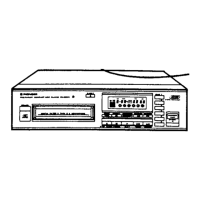
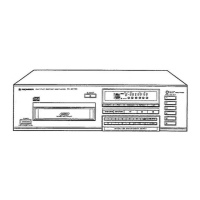
This document describes the Pioneer PD-Z84M Multi-Play Compact Disc Player, a device designed for playing compact discs. It offers various playback modes and programming features, along with important safety and maintenance guidelines.
Function Description
The Pioneer PD-Z84M is a multi-play compact disc player capable of holding up to six discs in a dedicated magazine. Its primary function is to play audio compact discs, offering a range of playback options to enhance the listening experience.
Key functions include:
- Basic Playback: Standard play, pause, and stop functions for individual tracks and discs.
- Disc Search: Allows users to quickly locate and play a specific disc within the loaded magazine.
- Track Search: Enables searching for a particular track on the currently playing or selected disc.
- Manual Search: Provides the ability to rapidly advance or reverse through a disc to find a specific passage.
- Repeat Playback: Offers options to repeat a single track, all tracks on a disc, or a programmed sequence.
- Random Playback: Plays all tracks on all loaded discs in a random order, providing variety.
- HI-LITE Scan: A unique feature that allows scanning of the first track of each disc (Disc HI-LITE Scan) or a segment of each track (Track HI-LITE Scan) to quickly preview content. This can be initiated from the beginning of a track or a memorized elapsed time.
- Program Playback: Users can program a desired sequence of tracks and discs to be played in a specific order. This feature supports up to 32 steps.
- Programming a Pause: A useful feature for recording, allowing a pause to be inserted into a program, for example, to facilitate tape-side changes during recording.
- Compu Program Editing (Computer Allocated Program Editing): This advanced feature helps in programming tracks for both sides of a cassette tape by allocating tracks based on a selected tape playing time. The player automatically programs tracks for the first side, inserts a pause, and then programs tracks for the second side, ensuring optimal use of tape length.
Usage Features
The PD-Z84M is designed for user-friendly operation with clear controls and indicators.
- Disc Loading: Discs are loaded into a supplied 6-compact disc magazine. Each magazine holds up to six 12-cm discs (or 8-cm discs with an optional magazine). Discs must be inserted label side downward into the individual trays, which are pulled out one at a time for loading.
- Power Control: A single POWER STANDBY/ON switch controls the unit's power.
- Magazine Insertion: The magazine is inserted into a dedicated slot on the front panel, clicking into place when correctly seated.
- Front Panel Controls: The front panel features buttons for EJECT, COMPU, PGM (Program), RANDOM, REPEAT, TIME, HI-LITE SCAN, DISC SELECT (1-6), Manual/Track search, Play, Pause, and Stop.
- Time Display: The TIME button cycles through various time displays during playback, including elapsed track time, remaining track time, remaining disc time, and total disc playback time. During program playback, it can also show the number of program steps.
- System Remote Control (Pioneer SR mark): When connected to a Pioneer stereo amplifier bearing the SR mark, the CD player can be controlled using the amplifier's remote control unit for functions like Play, Stop, Pause, Track/Disc Search, and Disc Change. This connection is made via a CONTROL IN jack on the CD player and a CONTROL OUT jack on the amplifier.
- Program Editing Flexibility: Program playback can be initiated during stop mode, or directly during normal playback or Track HI-LITE Scan playback, allowing users to program tracks as they listen.
- Pause Programming: A pause can be inserted into a program sequence, indicated by "PA" on the display, which is particularly useful for recording to cassette tapes.
- Program Clearing: Program contents can be cleared by pressing the Stop button in stop mode or by ejecting the magazine.
Maintenance Features
Proper maintenance ensures the longevity and optimal performance of the CD player.
- Location: The player should be installed in a well-ventilated area, away from direct sunlight, stoves, radiators, or other heat-generating sources. It should also be kept away from damp or dusty environments to prevent malfunction. Placing it on a level surface is crucial.
- Condensation Prevention: If the unit is moved from a cold to a warm environment, condensation may form. It is recommended to allow the unit to stand for about an hour in the warm room or gradually raise the room temperature to prevent performance issues.
- Disc Cleaning: Fingerprints and smudges on discs can degrade sound quality. Discs should be cleaned gently with a soft cloth, wiping from the inner edge toward the outer periphery. For very dirty discs, a soft cloth dipped in water (wrung out well) can be used, followed by a dry cloth. It is crucial to avoid using record cleaning sprays, anti-static agents, benzene, thinner, or other volatile solvents, as these can damage the disc surface.
- Disc Storage: Discs should be stored vertically in their cases to prevent warping, avoiding locations with high heat, humidity, or extremely low temperatures. Leaving discs in cars, especially in direct sunlight, should be avoided.
- Player and Magazine Cleaning: The player and magazine should be cleaned with a soft, dry cloth. For stubborn dirt, a mild detergent solution on a soft, wrung-out cloth can be used, followed by drying with a dry cloth. Volatile liquids like benzene and thinner should not be used.
- CD Lens Cleaner: While the pickup lens should not get dirty during normal use, if malfunction occurs due to soiling, professional servicing is recommended. Commercially available lens cleaners should be used with caution to avoid damage.
- Power Cord Care: The power cord should be handled by the plug, not by tugging the cord. It should not be touched with wet hands. The unit or furniture should not be placed on the power cord, nor should the cord be pinched or knotted. Power cords should be routed to prevent stepping on them. Regular inspection for damage is advised, and a damaged cord should be replaced by an authorized service center.
- Troubleshooting: The manual provides a troubleshooting guide for common issues, such as discs not ejecting, playback stopping, no sound, distorted sound, or TV interference. It advises checking connections, disc loading, disc cleanliness, and amplifier settings before seeking professional service.
- Safety Warnings: The device contains a laser diode of a higher class than 1. Users are warned not to remove covers or attempt to access the inside of the product to ensure continued safety. All servicing should be referred to qualified personnel. For U.S. models, using controls or procedures other than those specified may result in hazardous radiation exposure, and optical instruments should not be used with the product due to increased eye hazard.
- Electrical Safety: The device should not be exposed to rain or moisture to prevent fire or shock hazards. For Canadian models, a polarized plug should not be used with extension cords or outlets unless the blades can be fully inserted to prevent blade exposure.
- Power Supply: The player should be connected to a power supply of the type described in the operating instructions or marked on the appliance. For multi-voltage models, the line voltage selector switch on the rear panel must be set correctly for the local power requirements.
- Interference: To avoid noise or picture degradation, the CD player should be installed as far as possible from tuners and TV sets. If an indoor antenna is used and noise occurs, an outdoor antenna or turning off the CD player's power is suggested.

 Need help?
 Operating Environment
 Power
Power Weight and Dimensions

 To Next Page