EasyManua.ls Logo

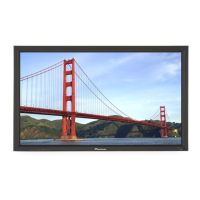
Pioneer PDP-42MVE1 - User Manual

Pioneer PDP-42MVE1
259 pages
Print Icon
To Next Page IconTo Next Page
Loading...
Operating Instructions
Mode d’emploi
Bedienungsanleitung
Istruzioni per l’utilizzo
Manual de instrucciones
Инструкция по эксплуатации
Gebruiksaanwijzing
PLASMA DISPLAY
ÉCRAN À PLASMA
PLASMA-DISPLAY
DISPLAY A PLASMA
PANTALLA DE PLASMA
ПЛАЗМЕННЫЙ ДИСПЛЕЙ
PLASMASCHERM
PDP-42MVE1

Table of Contents

Other manuals for Pioneer PDP-42MVE1

Questions and Answers

  • M
    moodyjaneAug 20, 2025
    What to do if my Pioneer PDP-42MVE1 Monitor power does not turn on with the remote?
    • J
      Jessica FordAug 20, 2025
      If your Pioneer Monitor isn't turning on with the remote, make sure the monitor's power cord is plugged into a power outlet. If all the monitor’s indicators are off, press the power button on the monitor. Also, replace the remote's batteries with new ones. Ensure that IR REMOTE is set to ON. You may also need to set an ID number with the ID NO. SET button, or set the ID number to ALL.
  • T
    Troy HayesAug 21, 2025
    What to do if nothing appears on my Pioneer PDP-42MVE1 screen?
    • J
      Julie SanchezAug 22, 2025
      If nothing appears on your Pioneer Monitor screen, ensure the computer is turned on. Connect a source to the monitor. Try operating the computer (move the mouse, etc.). Also, make sure that LOOP OUT is set to OFF.
  • W
    wallacekellyAug 25, 2025
    What to do if Pioneer Monitor does not operate when pressing remote buttons?
    • M
      Maxwell LopezAug 25, 2025
      If your Pioneer Monitor isn't responding to the remote, make sure you're pointing the remote control at the monitor’s remote control sensor and there are no obstacles blocking the signal. Try eliminating any strong light sources by closing curtains or adjusting the light direction. Replace the remote control’s batteries with new ones. Also, ensure the remote cable is unplugged from the REMOTE IN terminal (Wired).
  • A
    Ariel GibsonAug 26, 2025
    Why does my Pioneer PDP-42MVE1 have a picture but no sound?
    • R
      Rhonda RobinsonAug 26, 2025
      If you see a picture but hear no sound on your Pioneer Monitor, first, increase the volume. If that doesn't work, press the remote control’s MUTING button. Ensure the speakers are properly connected. Also, check that AUDIO INPUT is set correctly in the SOUND menu.
  • W
    William WallaceAug 27, 2025
    How to fix poor picture quality with VIDEO signal on Pioneer PDP-42MVE1?
    • M
      mnguyenAug 28, 2025
      If you're experiencing a poor picture with VIDEO signal input on your Pioneer Monitor, adjust the picture control as needed. Try another location for the monitor. Make sure all connections are secure.
  • J
    James KellyAug 29, 2025
    How to improve poor picture quality with RGB signal on Pioneer Monitor?
    • M
      manningbenjaminAug 30, 2025
      If you're experiencing a poor picture with RGB signal input on your Pioneer Monitor, adjust the picture controls as needed. Check pin assignments and connections.
  • A
    angelmoodyAug 31, 2025
    How do I fix an image that is too large or small on my Pioneer PDP-42MVE1?
    • D
      Deborah MyersSep 1, 2025
      If the image on your Pioneer Monitor is too large or too small, press the SCREEN SIZE button on the remote control and adjust properly.
  • A
    Antonio NixonSep 2, 2025
    How do I center the picture on my Pioneer PDP-42MVE1 Monitor?
    • J
      Juan GarciaSep 3, 2025
      If part of the picture is cut off or the picture is not centered on your Pioneer Monitor, adjust the SCREEN properly.
  • C
    Christina RuizSep 5, 2025
    How do I fix poor tint or weak colors on my Pioneer PDP-42MVE1?
    • C
      Claire SantosSep 5, 2025
      If the tint is poor or the colors are weak on your Pioneer Monitor, adjust the tint and color settings under PICTURE.
  • R
    Richard CarlsonSep 6, 2025
    Why is the picture unstable on my Pioneer PDP-42MVE1?
    • J
      John WilkinsSep 7, 2025
      If the picture on your Pioneer Monitor is unstable, set it to the proper resolution.

Pioneer PDP-42MVE1 Specifications

General IconGeneral
Screen Size42 inches
Display TypePlasma
Resolution1024 x 768
Brightness1000 cd/m²
Contrast Ratio3000:1
Aspect Ratio16:9
Viewing Angle160 degrees
Input PortsComponent, S-Video, Composite
Dimensions (W x H x D)98 mm

Related product manuals