EasyManua.ls Logo

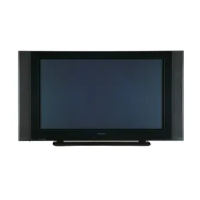
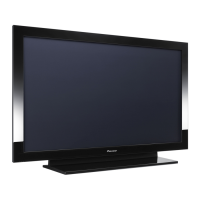
Pioneer PDP-42MXE10 - User Manual

Pioneer PDP-42MXE10
213 pages
Print Icon
To Next Page IconTo Next Page
Loading...
PLASMA DISPLAY MONITOR: PDP-425CMX/PDP-42MXE10
VIDEO CARD: PDA-5003/PDA-5004
TABLE TOP STAND: PDK-TS01
TILT MOUNT UNIT: PDK-5011
WALL MOUNT UNIT: PDK-WM01
CEILING MOUNT UNIT: PDK-5012
MOBILE CART: PDK-5014
SPEAKER SYSTEM: PDP-S44-LR
ABOUT MOUNTING/INSTALLATION
÷ This product is sold under the assumption that
installation will be performed by experienced,
qualified experts. Refer all mounting and
installation work to qualified personnel, or consult
the nearest PIONEER dealer for assistance.
÷ We accept no responsibility for accident or loss
resulting from failure to select an appropriate
installation site, or for those occurring during
assembly, installation, mounting, or operation of
this product, or resulting from modifications made
to this product, or from natural disasters.
PRECAUTIONS:
We accept no responsibility for losses resulting from
the use of parts other than those supplied by us.
We guarantee the performance of our products only
when they are assembled and adjusted as described in
this manual.
The specifications and external designs shown in this
manual are subject to change without notice.
CAUTION
Exclamation marks placed within triangles are
intended to alert users to the presence of important
safety information. Be sure to read instructions
indicated by this symbol.
This manual provides precautions and information for installation, preparation, and handling of the Plasma Display and
its dedicated mounting hardware.
Before installation and preparatory work, choose a safe and appropriate site after thorough consideration of construction,
materials used, strength, and surroundings. If adequate safeguards are not in place, immediately halt the installation
process and discontinue marketing activities.
TECHNICAL MANUAL (Ver. 1.0)
FOR PIONEER PLASMA DISPLAY MONITOR WHEN USED WITH
VIDEO CARDS (EXPANSION SOLUTIONS CARDS)


Table of Contents

Other manuals for Pioneer PDP-42MXE10

Questions and Answers

  • S
    Shaun LeeAug 17, 2025
    What to do if my Pioneer Monitor power is suddenly turned off?
    • C
      Christina OdomAug 17, 2025
      If your Pioneer Monitor suddenly turns off, it could be due to increased internal temperature because the air vents are blocked. Remove any objects blocking the vent or clean it. Also, check if the [POWER MGT.] function is set to [ON].
  • G
    ginawoodardAug 19, 2025
    What to do if my Pioneer PDP-42MXE10 Monitor shuts down unexpectedly?
    • B
      Barbara JimenezAug 19, 2025
      If your Pioneer Monitor shuts down unexpectedly, turn off the main power, wait 1-2 minutes, and then try turning it on again. If the problem persists, remove the power plug from the outlet and consult a Pioneer service center or your dealer.
  • P
    paulhendersonAug 22, 2025
    How to troubleshoot no picture on Pioneer PDP-42MXE10?
    • S
      Sherry DavidsonAug 22, 2025
      If there is no picture on your Pioneer Monitor, verify that the connection to other components is correct and the setup has been done correctly after the connection. Also, ensure that the correct input is selected, a compatible signal is being input, and the [PICTURE] setting is correct.
  • L
    Lori AndersonAug 26, 2025
    Why Pioneer PDP-42MXE10 has no power?
    • L
      leslie86Aug 26, 2025
      If your Pioneer Monitor has no power, check if the power cord is disconnected and ensure the MAIN POWER switch is switched on.
  • C
    carolyn23Aug 27, 2025
    Why is my Pioneer PDP-42MXE10 Monitor remote control not working?
    • J
      jeff67Aug 28, 2025
      Your Pioneer Monitor remote control might not be working because the batteries are not correctly aligned, the batteries are worn out, something is blocking the remote signal, or the remote control is not pointed toward the remote signal receiver. Make sure the batteries are correctly inserted with the proper polarity (+, –). If they are worn out, replace them. Ensure nothing is blocking the signal and that you are pointing the remote towards the receiver.
  • M
    Martha ScottAug 30, 2025
    What to do if Pioneer PDP-42MXE10 shows WARNING THERMAL ALERT SHUT DOWN?
    • R
      Rachel PetersonAug 31, 2025
      If your Pioneer Monitor displays a 'WARNING THERMAL ALERT SHUT DOWN' message, turn off the main power. Also, make sure that the ambient temperature is not above 40 °C and remove any objects blocking the cooling vents on the Plasma Display.
  • L
    Linda MillerSep 2, 2025
    Why is the picture cut off on my Pioneer Monitor?
    • D
      Donna WilliamsSep 2, 2025
      If the picture is cut off on your Pioneer Monitor, ensure the selected screen size is correct by switching to another screen size. Check if the [SCREEN] mode adjustments, such as picture size, are made correctly, and verify whether the POINT ZOOM function is being used.
  • C
    Curtis MasonSep 5, 2025
    What to do if my Pioneer Monitor cannot be operated?
    • A
      Adam SparksSep 5, 2025
      If your Pioneer Monitor cannot be operated, external influences such as lightning or static electricity may be the cause. Try turning the MAIN POWER off and on, or unplug the power cord and re-plug it in after 1 to 2 minutes.
  • A
    Amy BennettSep 7, 2025
    Why does my Pioneer PDP-42MXE10 have strange color or color misalignment?
    • O
      ogillSep 8, 2025
      If your Pioneer Monitor displays strange colors, light or dark colors, or color misalignment, try adjusting the picture tone. The picture may also look dark if the room is too bright.
  • P
    perezwilliamSep 12, 2025
    What does 'CAUTION OUT OF RANGE' mean on my Pioneer PDP-42MXE10 Monitor?
    • M
      Melissa BergSep 12, 2025
      If your Pioneer Monitor displays 'CAUTION OUT OF RANGE' or 'CAUTION UNSUPPORTED SIGNAL' or 'SIGNAL NG', check the Computer signal compatibility table and change the computer’s output signal setting appropriately.

Summary

Specifications

2.1 Specifications

Provides comprehensive technical specifications for the plasma display unit.

Installation Site Requirements

3.1 Installation Site Requirements

Guidelines for selecting a suitable installation location.

Safety Precautions

Critical safety warnings for installation work.

Installation Conditions

3.2 Installation Conditions

Outlines necessary environmental and operating conditions for proper installation.

3.2.3 Product mounting holes

Details the locations and types of mounting holes for secure installation.

Installation Procedures

3.3 Installation Procedures

Provides a sequence of steps for installing the plasma display unit.

Special Installation

3.4 Special Installation

Covers alternative installation methods beyond standard setups.

3.4.2 Hanging on the wall

Explains how to securely hang the display unit on a wall.

3.4.3 Embedding in the wall

Guides the user on how to recess the display unit into a wall structure.

Handling the Standard Mounting Components

4.2 Handling the Standard Mounting Components

Provides essential guidelines for safely handling and installing mounting hardware.

Video Card: PDA-5003;PDA-5004

Before Beginning Adjustment;Setting

5.1 Before Beginning Adjustment

Outlines essential preliminary steps before performing any adjustments.

Menu Mode

5.3.4 Adjustment and setting in the Menu Mode

Explains how to adjust various settings within the menu system.

Integrator Mode

5.4 Integrator Mode

Accesses advanced settings for fine-tuning picture and system parameters.

5.4.3 Adjustment and Setting in the Integrator Mode

Details the specific adjustments available within the integrator mode.

RS-232 C Adjustment

5.5 RS-232 C Adjustment

Explains how to control and adjust the display via RS-232C connection.

5.5.4 ID Assignment

Details the process of assigning panel IDs for PC control.

5.5.5 List of RS-232 C Commands

A comprehensive list of commands for controlling the display via RS-232C.

Screen Burning

Precautions

Maintenance

Pioneer PDP-42MXE10 Specifications

General IconGeneral
BrandPioneer
ModelPDP-42MXE10
CategoryMonitor
LanguageEnglish

Related product manuals