19
En
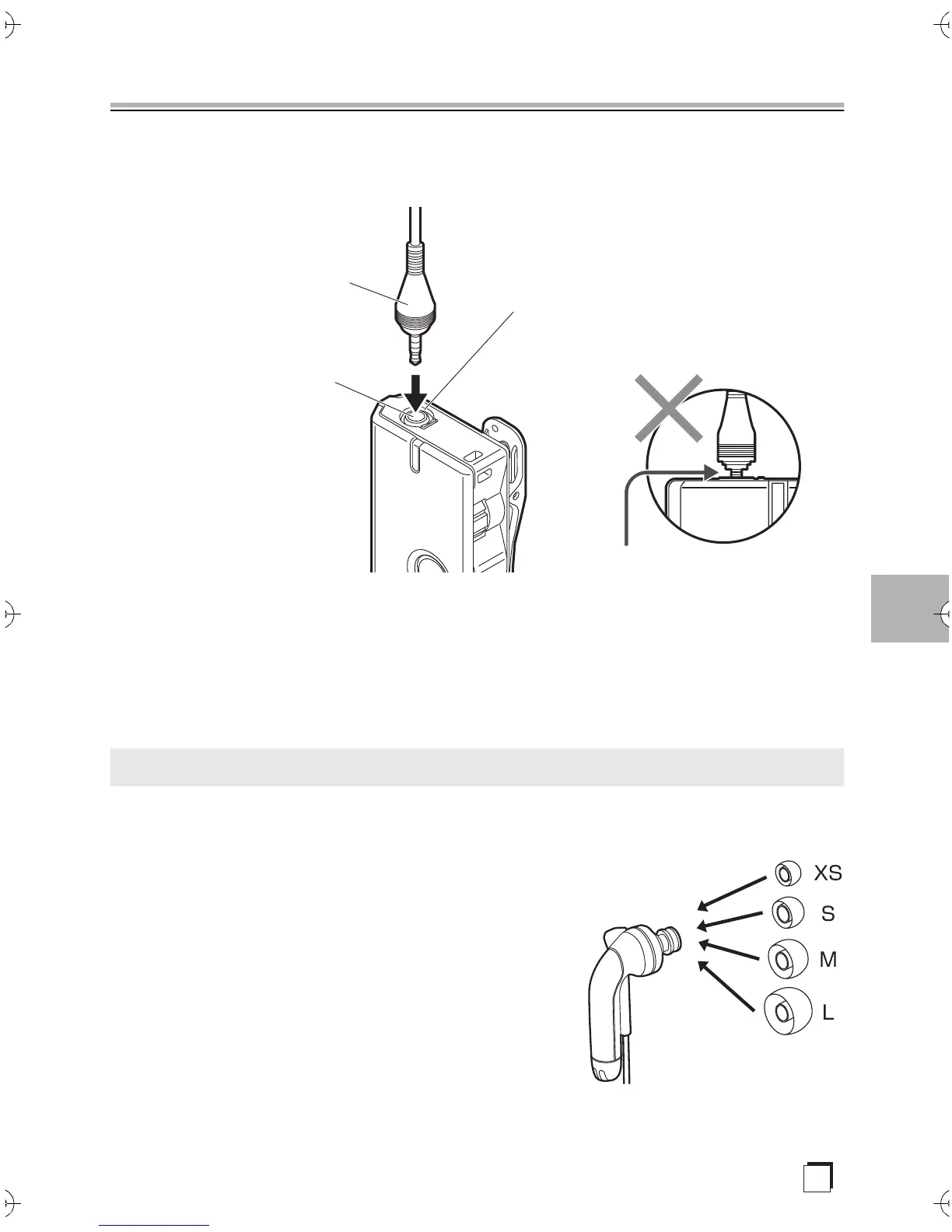
Connecting the earphone-mic
Insert the plug of the earphone-mic firmly into the earphone-mic jack.
Make sure you push the plug in so that you feel it clicking firmly into place.
∫ Note
≥ Do not insert the plugs for other headphones, etc. Use only the specially
designed earphone-mic.
≥ Do not plug in or unplug while the unit is on.
The unit is pre-fitted with size M earphone tips. Change to a different
size (XS, S, or L) if the size does not suit.
Replacement is as simple as pulling off the tip
part. Push in all the way when fitting.
Changing earphone tip size
Push in all the way
Earphone-mic plug
(6-conductor)
Earphone-mic jack
Click means OK
SN29403330_PHA-M70_EnFrEs.book 19 ページ 2017年12月7日 木曜日 午前11時28分



 To Next Page