20
Use
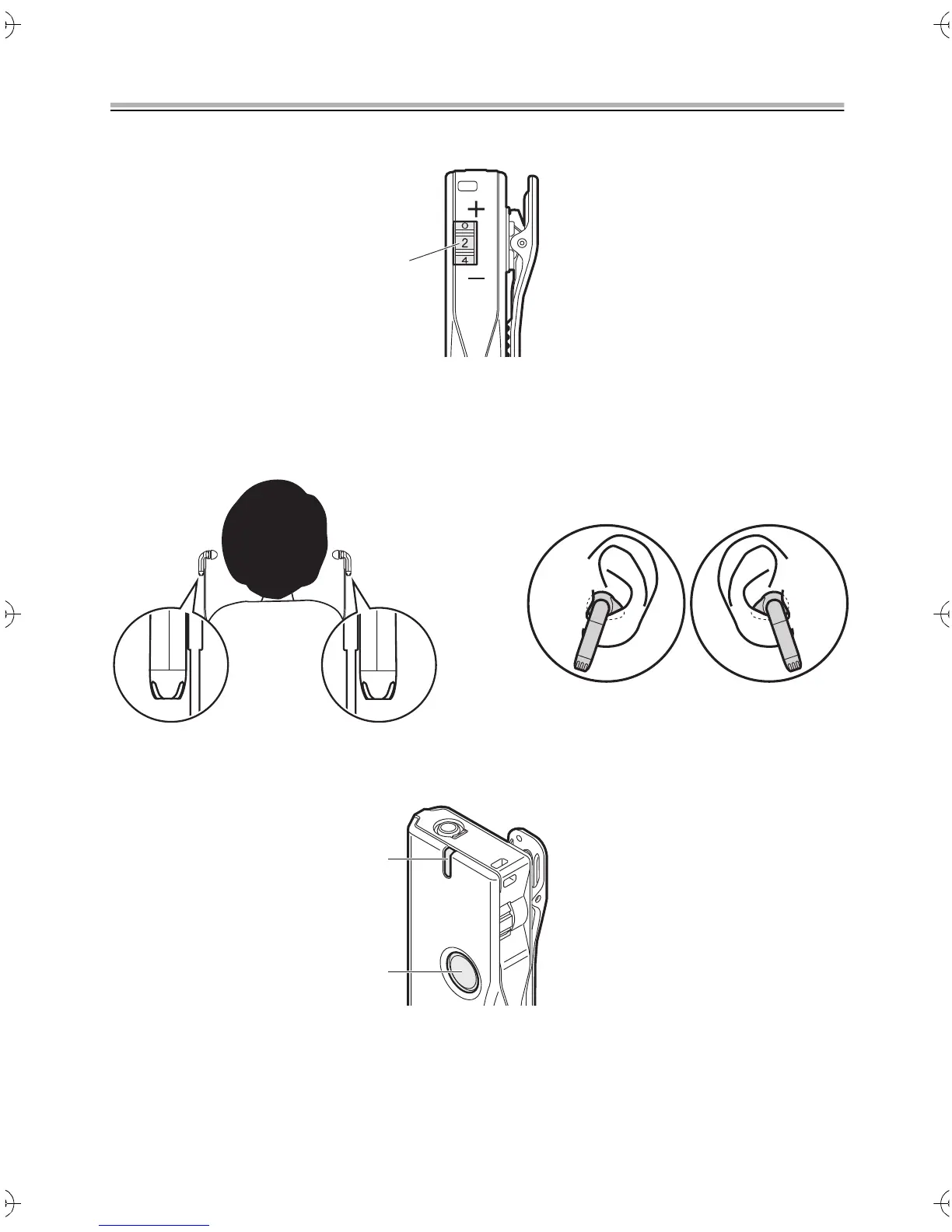
1. Set the volume dial to "2".
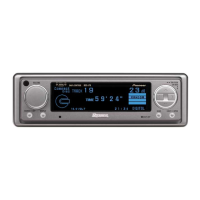
2. Fit the earphones into your ears.
When fitting the earphones, check the left and right sides, then insert fully into your ear.
0 Fit both right and left sides. The high-pitched beeping noise (howling) can occur
easier if you insert only one side.
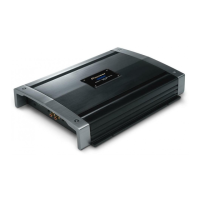
3. Slowly press the power button.
The power lamp lights blue when the power is on.
If the charge in the battery becomes low, the power lamp blinks red, then you will hear
three beeps at 30 second intervals from the earphones. Either recharge the battery or
replace with another battery.
VOL
LR
Power indicator
Power button
SN29403330_PHA-M70_EnFrEs.book 20 ページ 2017年12月7日 木曜日 午前11時28分



 To Next Page