23
En
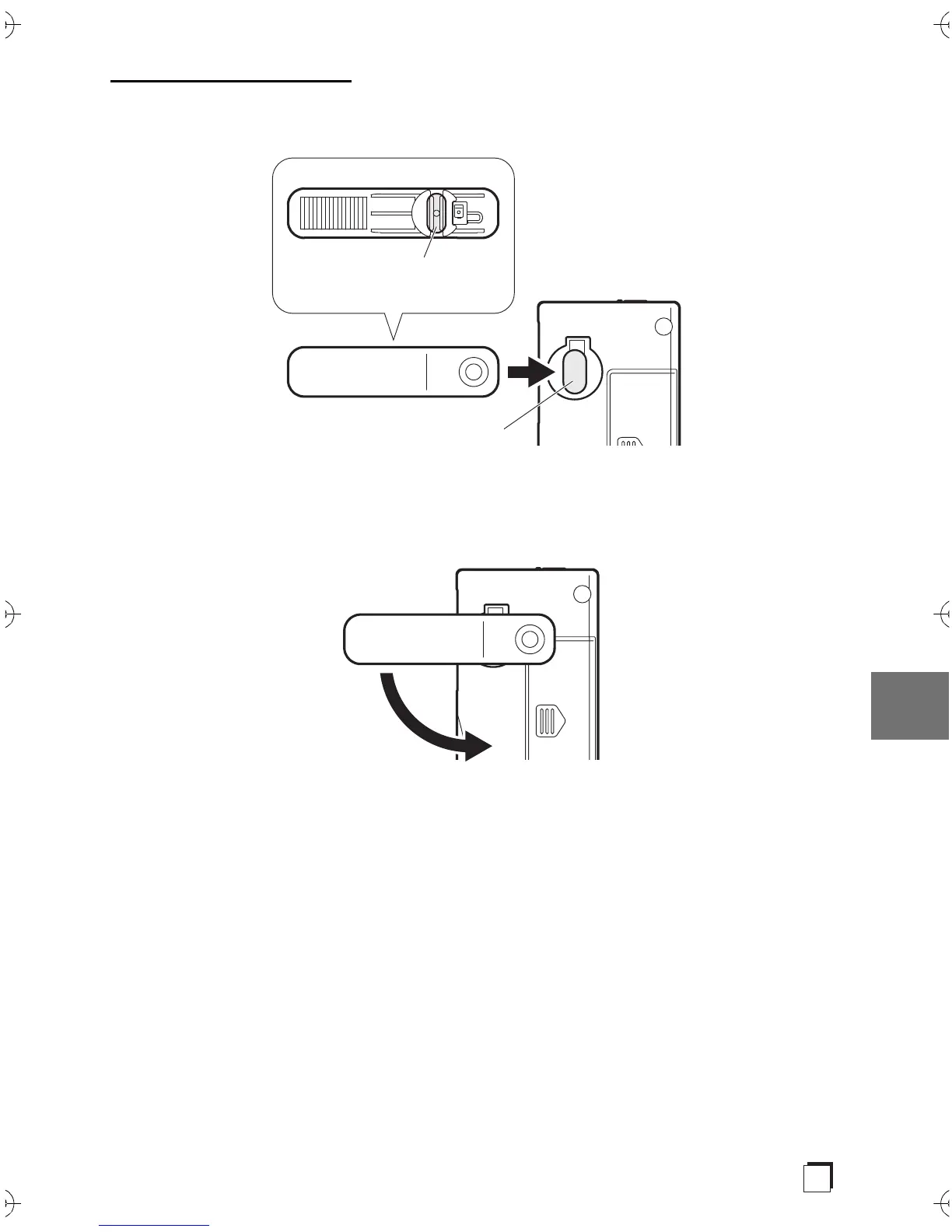
When attaching the clip
1. As shown in the illustration, fit the projection into the clip hole on the
rear of the main unit.
2. While pressing the clip that has been inserted, rotate in the direction
indicated by the arrow until it clicks to a stop.
Rear of clip
Projection to fit into hole
Clip hole
Rotate while pressing against
the main unit
SN29403330_PHA-M70_EnFrEs.book 23 ページ 2017年12月7日 木曜日 午前11時28分



 To Next Page