Connecting18
Connecting
2
Speaker Setup for BCS-212
Preparing the speakers
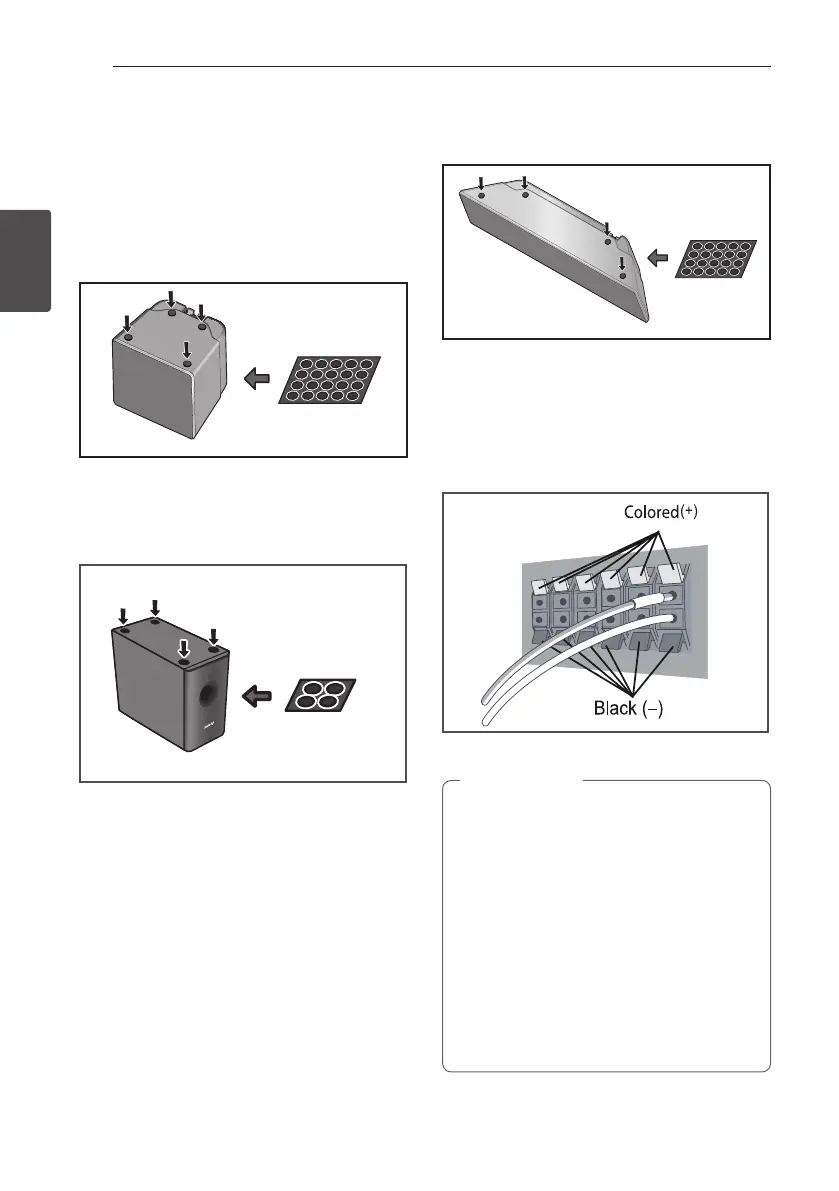
1. Attach the non-skid pads to the base of each
speaker.
For speakers:
Use the supplied adhesive to attach four small
pads to the base (bottom) of each speaker.
small non-skid pads
large non-skid pads
small non-skid pads
5 mm
10 mm
5 mm to 7 mm
Mounting screw
(not supplied)
For subwoofer:
Use the supplied adhesive to attach four large
pads to the base of subwoofer.
For subwoofer:
small non-skid pads
large non-skid pads
small non-skid pads
5 mm
10 mm
5 mm to 7 mm
Mounting screw
(not supplied)
For center speaker:
Use the supplied adhesive to attach four small
pads to the base of center speaker.
For subwoofer:
small non-skid pads
large non-skid pads
small non-skid pads
5 mm
10 mm
5 mm to 7 mm
Mounting screw
(not supplied)
2. Connect the wires to the player.
Connect the white wire with gray line into (+)
side and the other wire into (–) side. To connect
the cable to the player, press each plastic nger
pad to open the connection terminal. Insert the
wire and release the nger pad.
For subwoofer:
small non-skid pads
large non-skid pads
small non-skid pads
5 mm
10 mm
5 mm to 7 mm
Mounting screw
(not supplied)
y
Do not connect any speakers other than
those supplied to this system.
y
Do not connect the supplied speakers to
any amplier other than the one supplied
with this system. Connection to any other
amplier may result in malfunction or re.
y
Please connect the speaker cable of
subwoofer (purple) to orange of the player.
y
These speaker terminals carry HAZARDOUS
LIVE voltage. To prevent the risk of electric
shock when connecting or disconnecting
the speaker cables, disconnect the power
cord before touching any uninsulated parts.
>
Caution
HB916-DH0_BDEUPPK_ENG.indd 18 2011-05-12 �� 12:22:16



 To Next Page